Business Problem
IDSentinel Solutions engineers required access to the AWS Management Console to perform read-only infrastructure audits as part of the organization's cloud expansion. Access was being granted via individual IAM user accounts with long-lived access keys — a direct violation of the Zero Trust initiative and a finding flagged on the most recent SOC 2 audit.
The Security team mandated that all AWS console access be federated through Entra ID. No IAM users, no static credentials — role-based access issued as time-limited STS sessions driven by Entra identity and SAML assertion. The IAM team was additionally tasked with producing a reusable SSO troubleshooting runbook from three intentional break/fix scenarios.
Risk
- Long-lived IAM access keys create permanent blast radius if compromised
- No centralized identity control — AWS access exists outside the Entra ID lifecycle
- Offboarded employees retain AWS access until keys are manually revoked
- No audit trail linking AWS console sessions to Entra ID identities
- Non-compliant with Zero Trust and least-privilege mandate
- SOC 2 CC6.1 and CC6.3 exposure
Scope
| Field | Detail |
|---|---|
| Affected identities | Engineers requiring AWS Management Console access |
| IdP | Microsoft Entra ID (IDSentinelSolutions.com) |
| Service Provider | AWS (SAML 2.0 federation via IAM Identity Provider) |
| Access model | Federated role assumption — no IAM users, no static credentials |
| Controls implemented | SAML trust policy with audience condition, least-privilege role, SAML Tracer assertion validation, break/fix lab with three documented failure modes |
Solution Design — 2 Workstreams
Entra ID + AWS SAML Federation
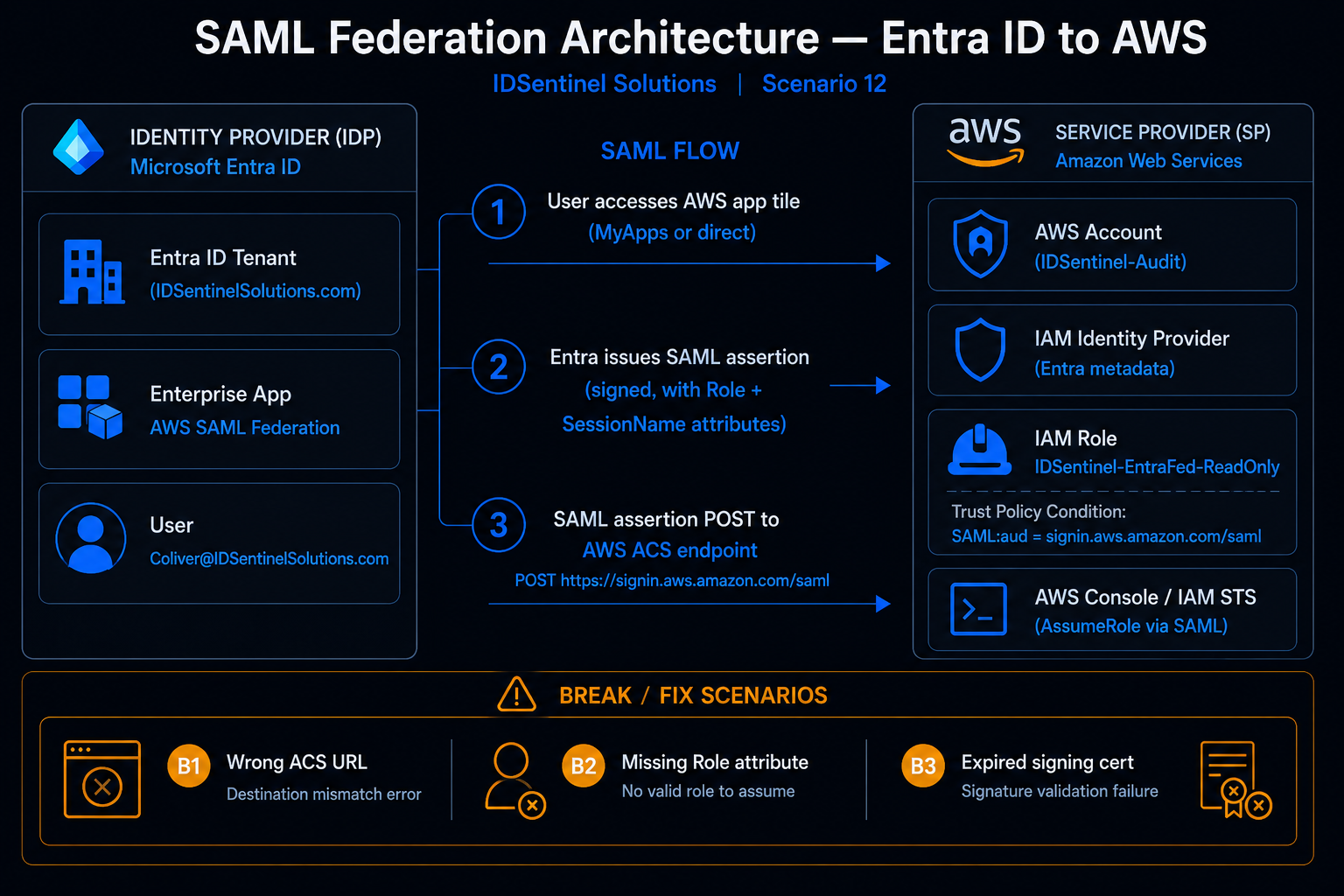
Entra ID configured as SAML 2.0 IdP. Enterprise app registered with SAML SSO, Role and RoleSessionName claim mapping, and federation metadata XML exported for AWS. IAM Identity Provider and federated role created in AWS with scoped trust policy. Federation validated end-to-end with SAML Tracer assertion capture.
Break/Fix Lab + SSO Troubleshooting Runbook
Three real SAML failure modes intentionally reproduced — wrong ACS URL, missing Role attribute, stale IdP metadata. Each diagnosed with SAML Tracer, resolved, and documented with root cause, fix steps, and resolution time target. Compiled into a reusable production runbook.
Implementation
Workstream 1 — Entra ID + AWS SAML Federation
-
01
Entra Enterprise App Registration
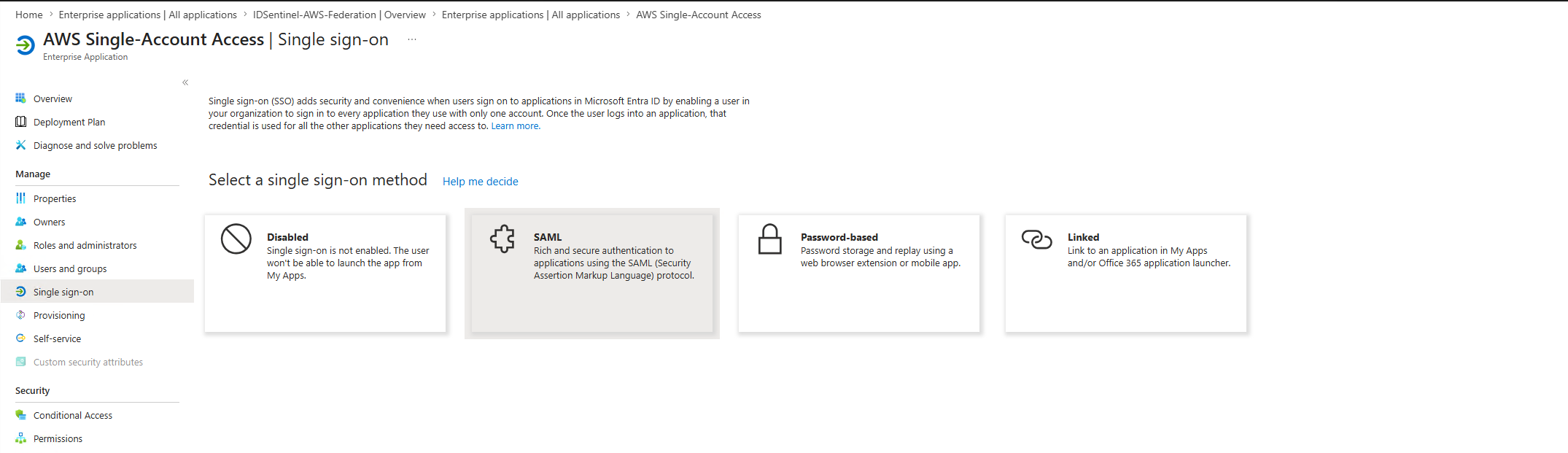
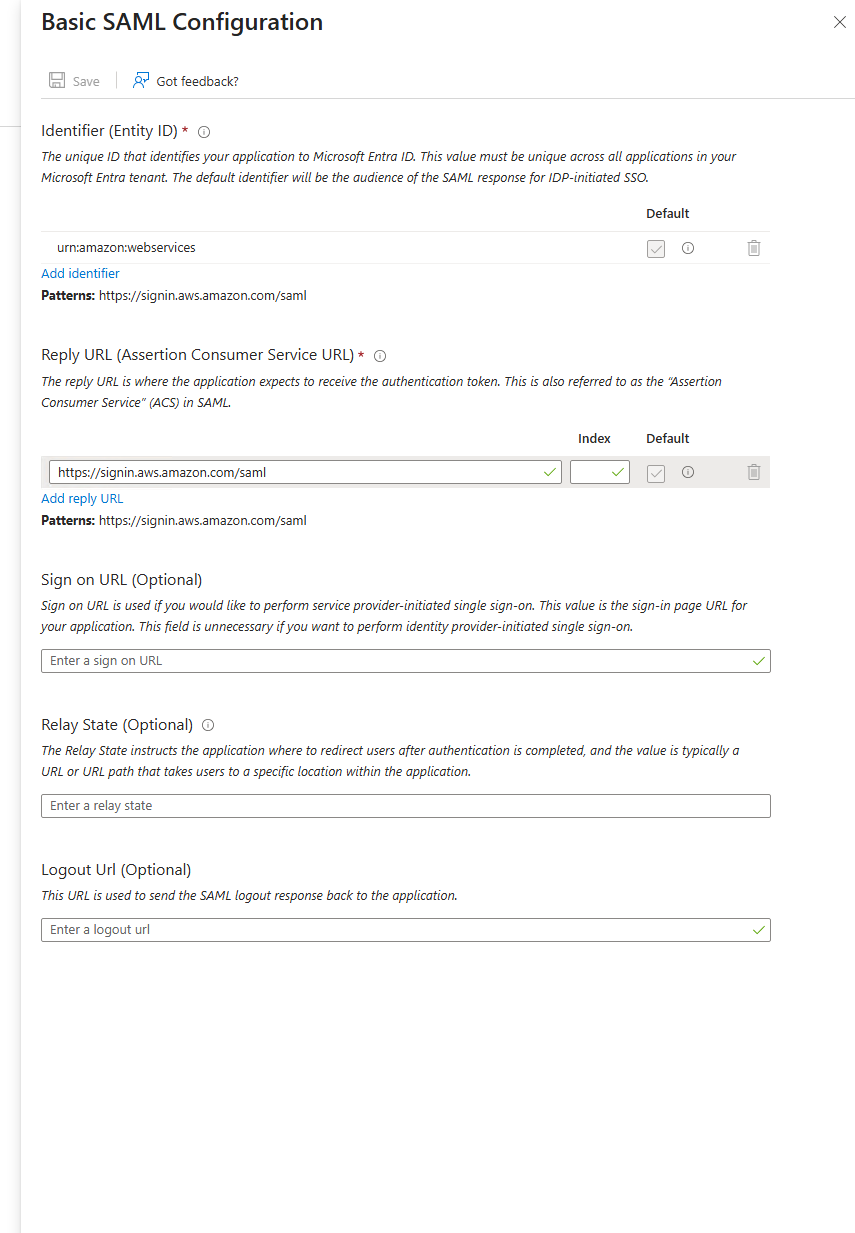
AWS Single Account Access enterprise app created from the Entra gallery. SAML SSO configured — entity ID (
urn:amazon:webservices) and ACS URL (https://signin.aws.amazon.com/saml) populated. Federation Metadata XML downloaded for upload to AWS IAM.// 01-entra-app-registration/entra-enterprise-app-created // 01-entra-app-registration/saml-sso-method-selected
 // 01-entra-app-registration/basic-saml-config
 // 01-entra-app-registration/signing-certificate-downloaded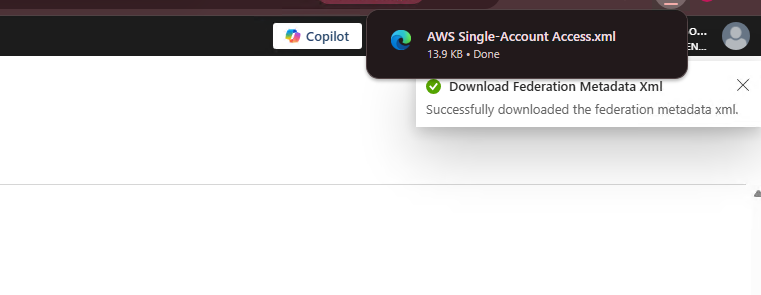
-
02
SAML Attribute Mapping
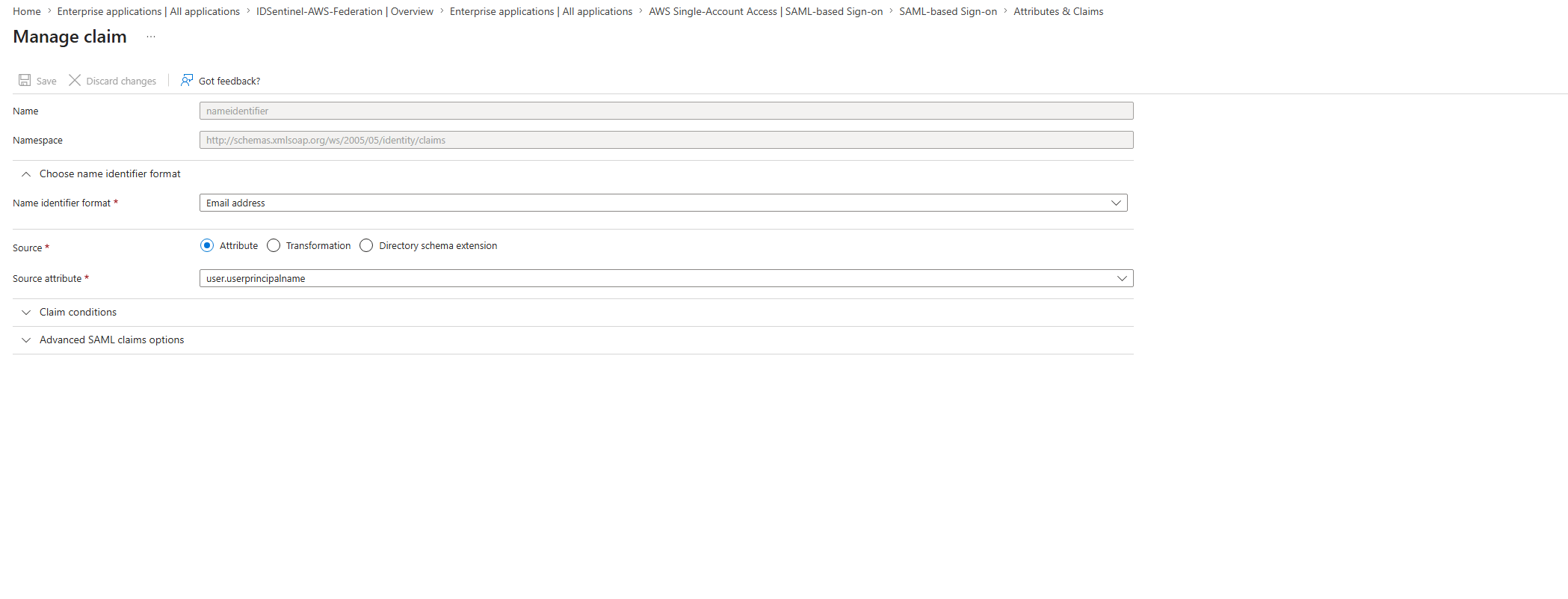
Claim Value Purpose https://aws.amazon.com/SAML/Attributes/RoleRoleARN,IdPARNMaps assertion to IAM role in AWS STS https://aws.amazon.com/SAML/Attributes/RoleSessionNameuser.userprincipalnameEngineer's Entra UPN appears in CloudTrail session name // 02-saml-config/attribute-mapping-role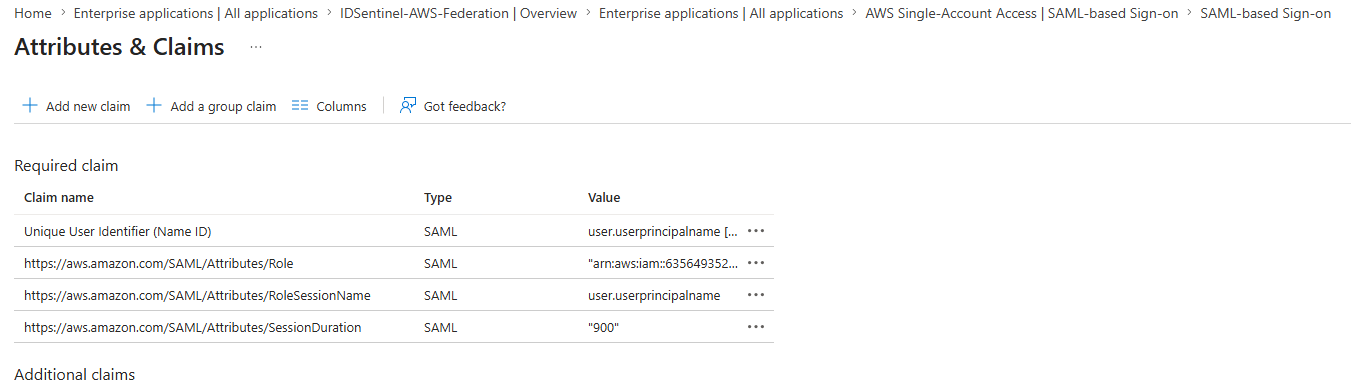 // 02-saml-config/attribute-mapping-uid
 // 02-saml-config/saml-tracer-assertion-clean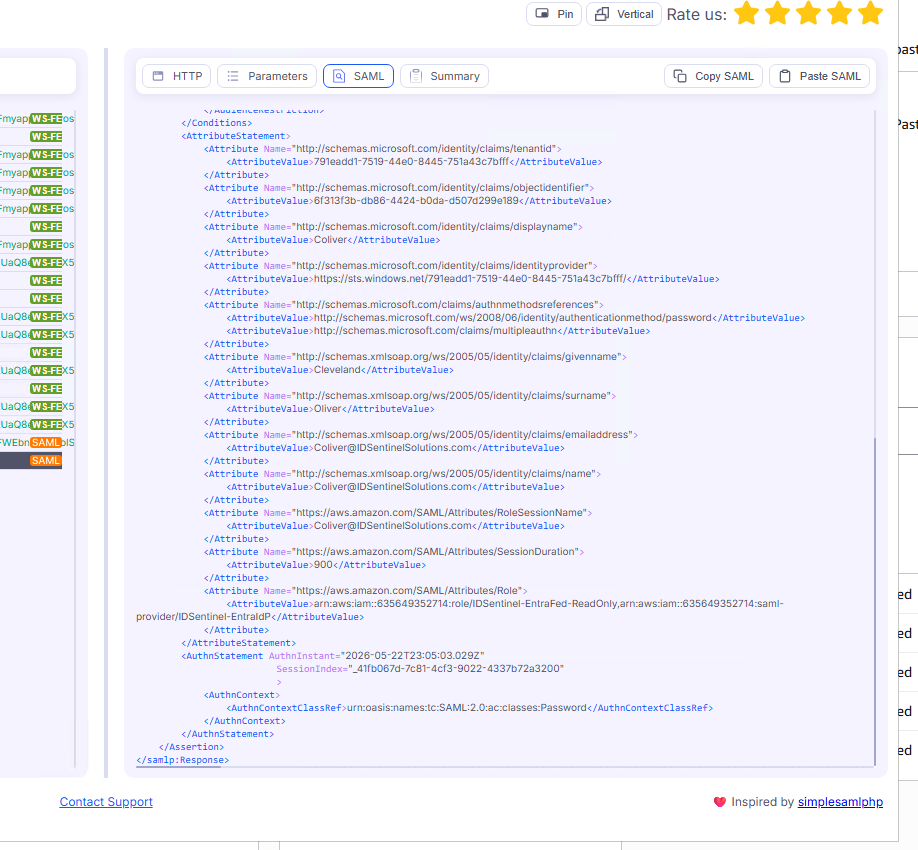
-
03
AWS IAM Identity Provider Setup
IAM Identity Provider
IDSentinel-EntraIdPregistered in AWS using the Entra federation metadata XML. Provider ARN noted for use in the role trust policy and Entra attribute mapping.// 03-aws-idp-setup/aws-idp-created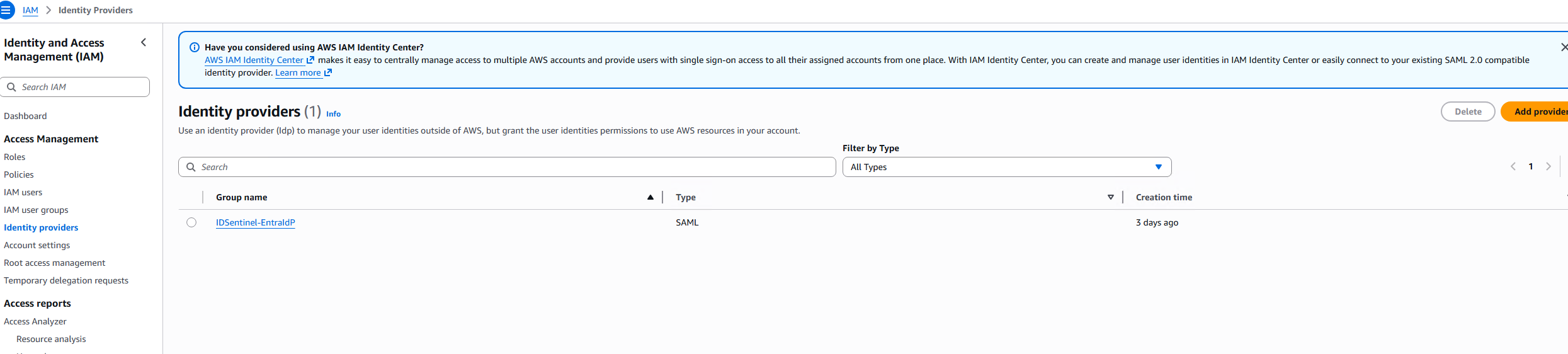 // 03-aws-idp-setup/aws-idp-metadata-uploaded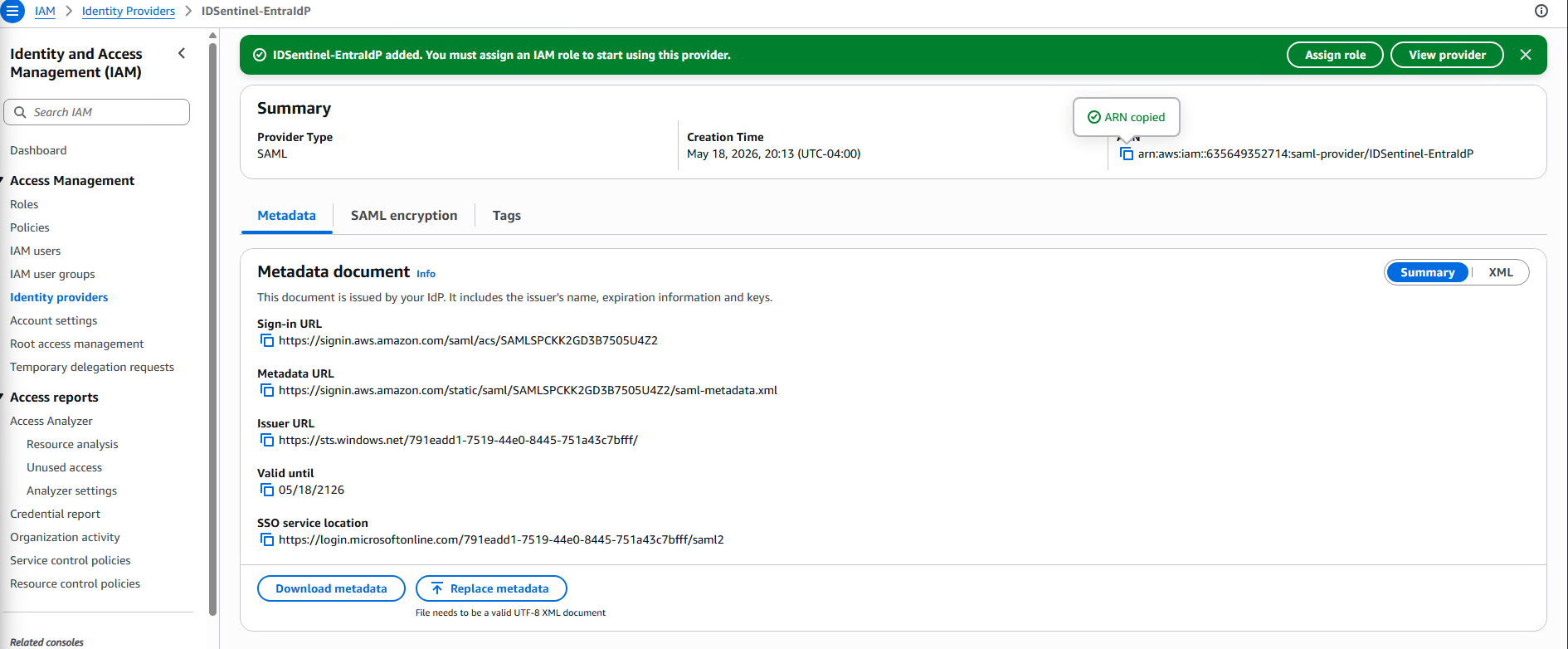
-
04
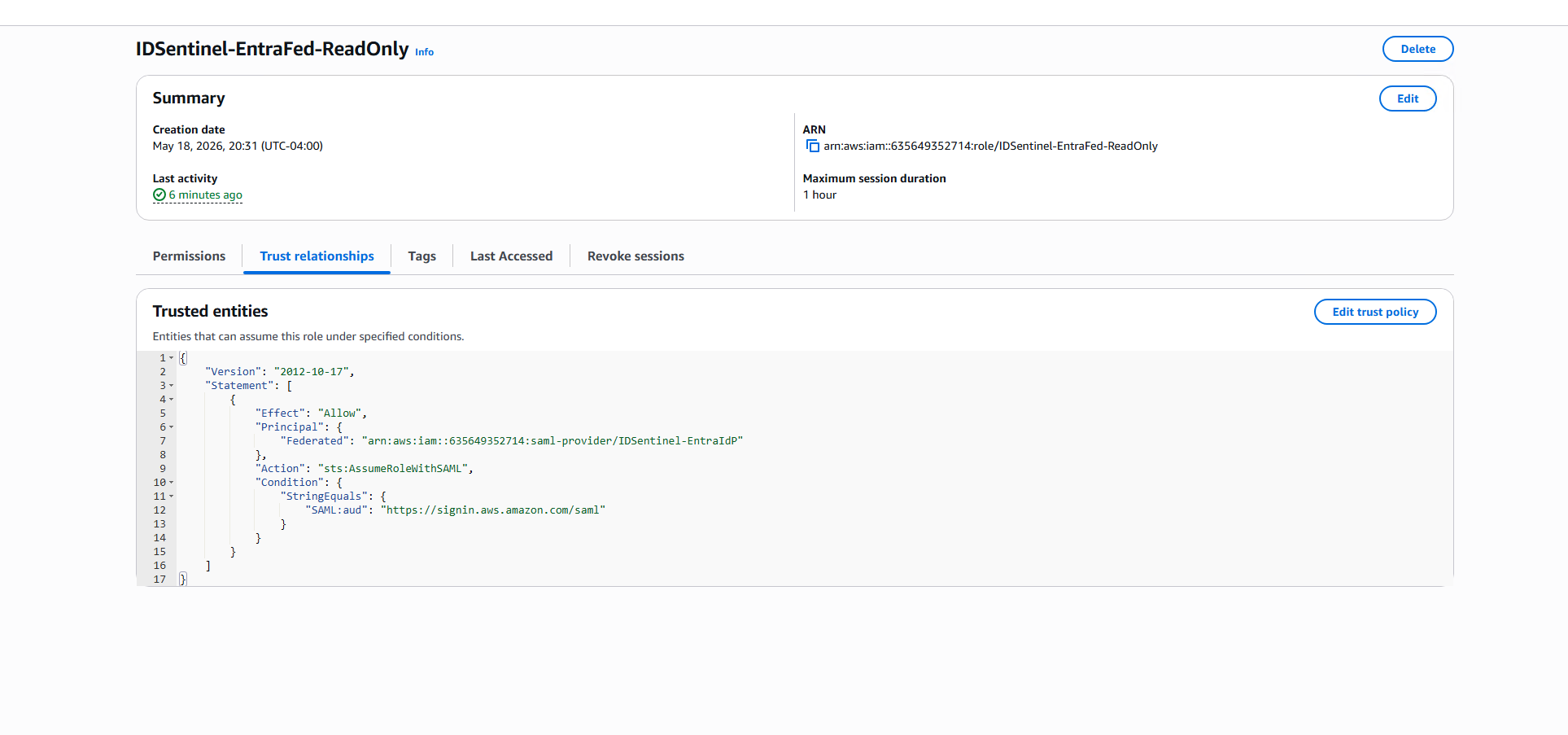
Federated IAM Role and Trust Policy
Role
IDSentinel-EntraFed-ReadOnlycreated with trust policy scoped toIDSentinel-EntraIdPand aSAML:audcondition enforcing the correct ACS endpoint.ReadOnlyAccessmanaged policy attached — no write permissions at any scope.// 04-aws-role-config/role-summary-page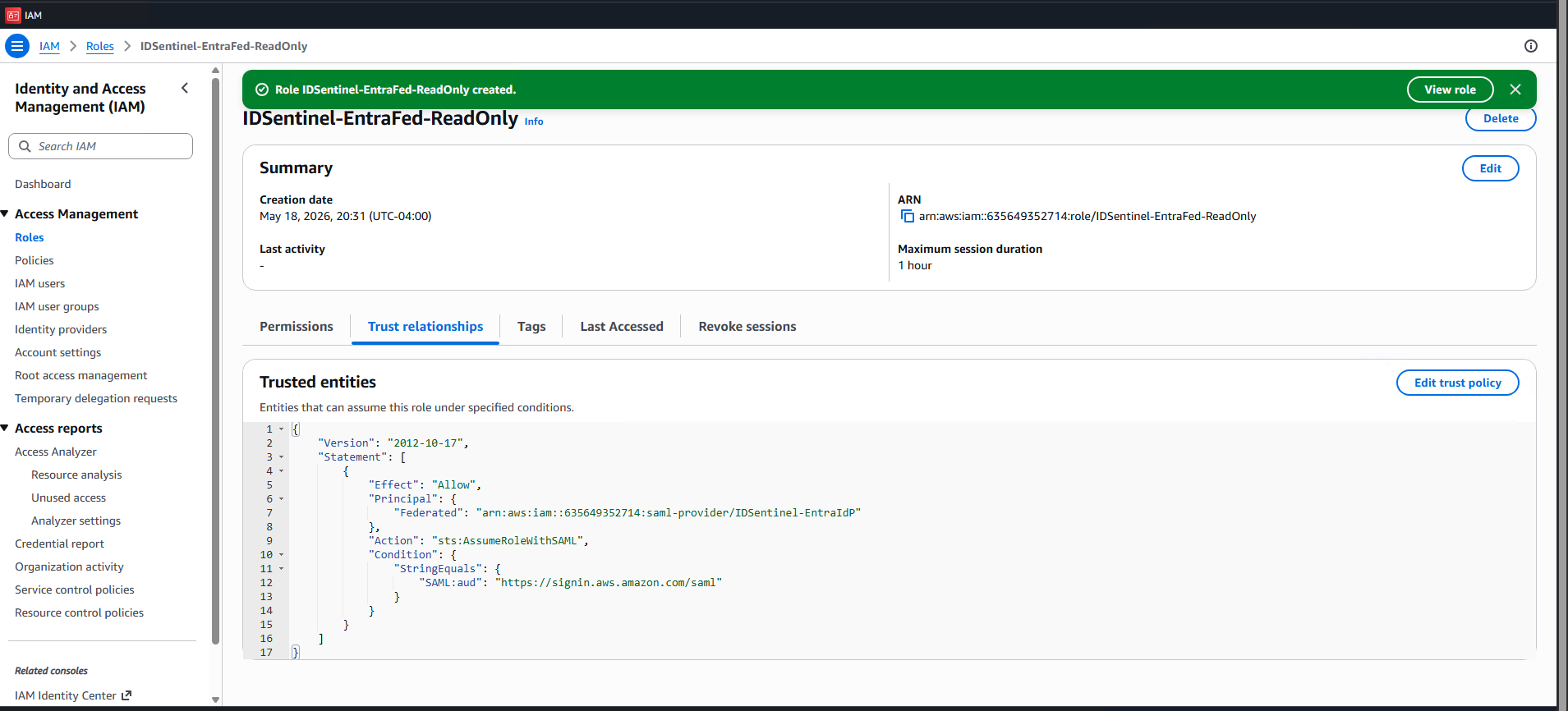 // 04-aws-role-config/trust-policy-saml-condition
 // 04-aws-role-config/permission-policy-attached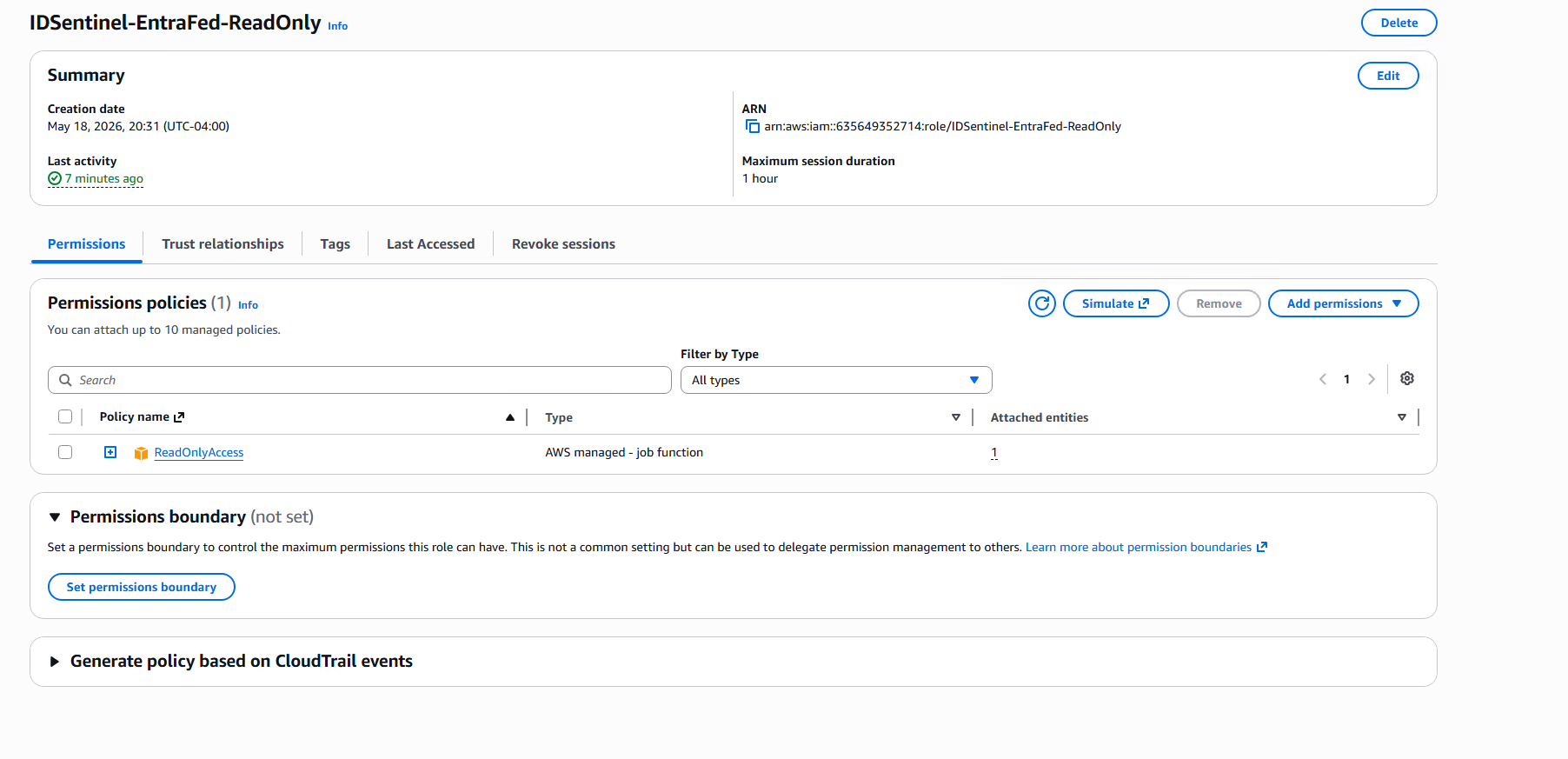
-
05
Federation Validated — SAML Tracer Assertion Confirmed
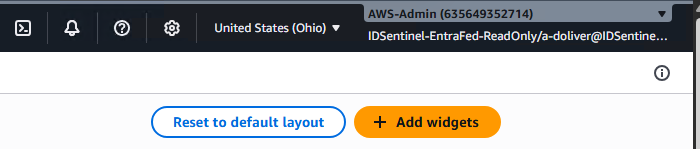
Test user assigned to the enterprise app. Login initiated via MyApps portal — AWS Management Console loaded via federated SAML session with no password prompt, no IAM user credentials. Assumed role confirmed. Write access denied.
// 05-federation-test/myapps-tile-visible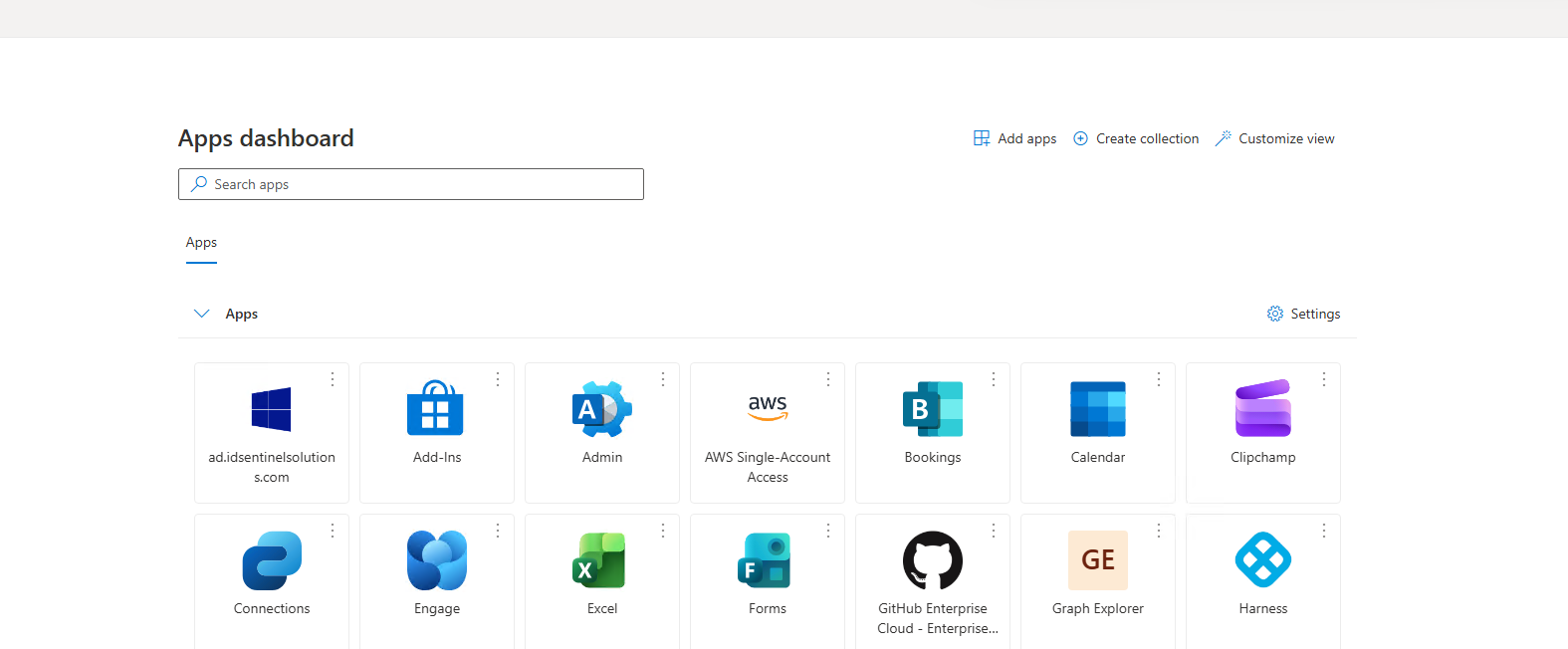 // 05-federation-test/aws-console-login-via-saml
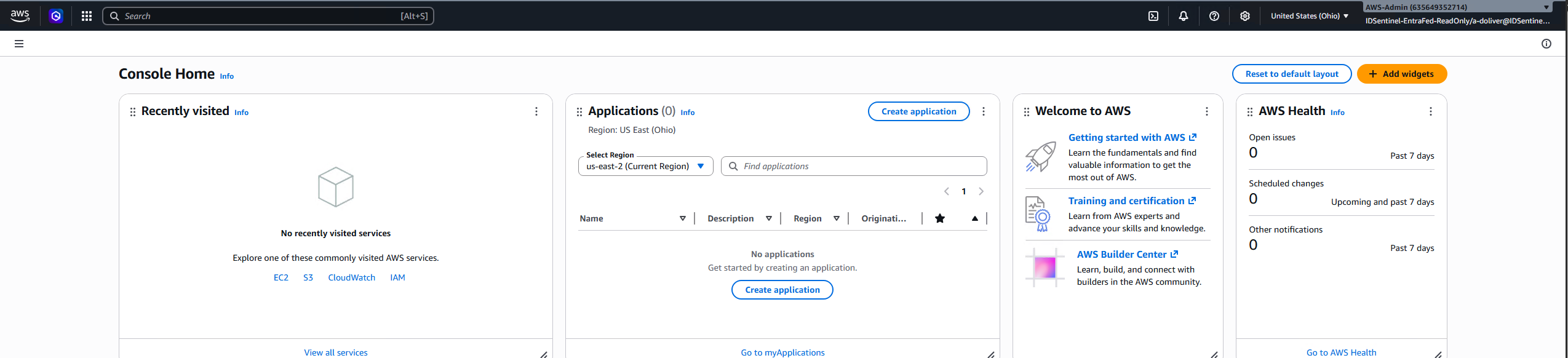 // 05-federation-test/assumed-role-shown
 // 05-federation-test/write-denied-confirmation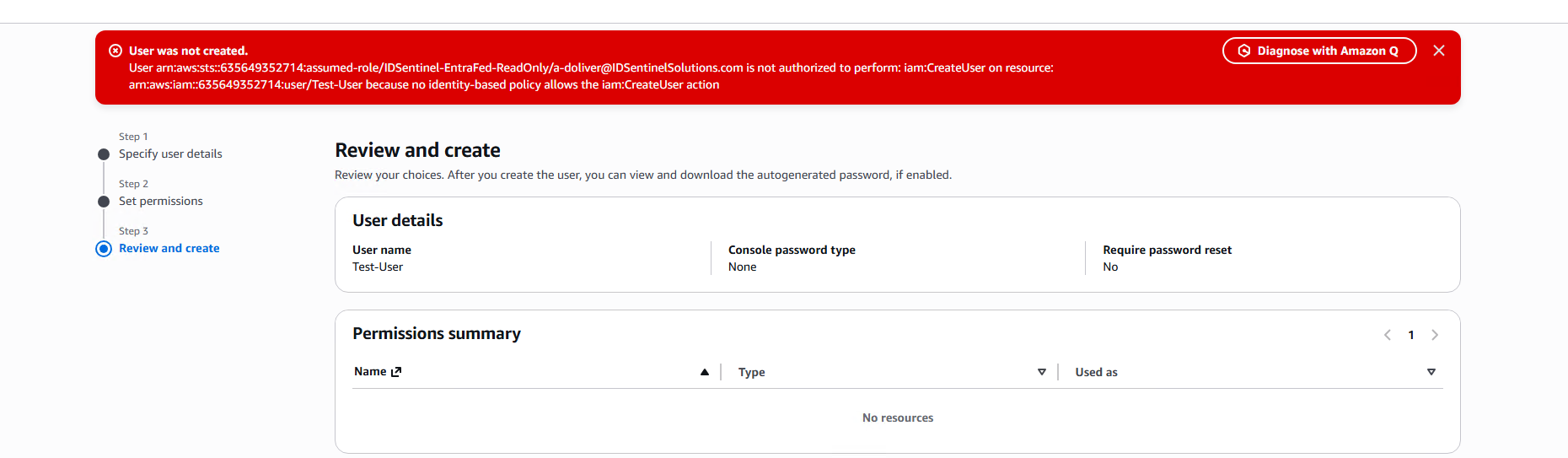
Workstream 2 — Break/Fix Lab
-
06
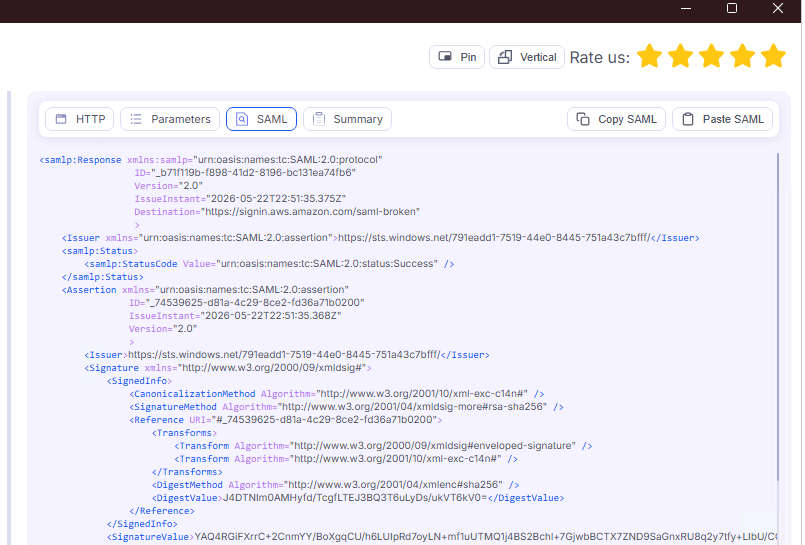
Break 1 — Wrong ACS URL (Destination Mismatch)
- Break: Reply URL changed to
https://signin.aws.amazon.com/saml-broken - Symptom: Login fails at the Entra layer — assertion not reaching AWS
- SAML Tracer:
Destinationfield in assertion contains wrong URL - Fix: Reply URL restored to
https://signin.aws.amazon.com/saml
// 06-break-fix-lab/break1-wrong-acs-url-error // 06-break-fix-lab/break1-saml-tracer-capture
 // 06-break-fix-lab/break1-fix-applied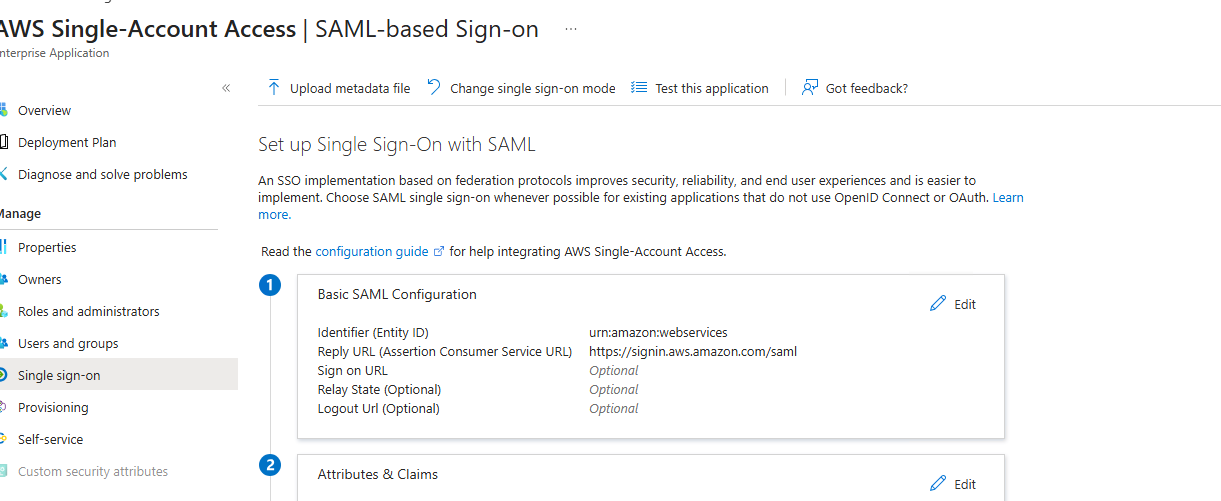
- Break: Reply URL changed to
-
07
Break 2 — Missing Role Attribute (No Valid Role)
- Break: Role claim deleted from Attributes & Claims
- Symptom: Login fails at AWS after Entra auth succeeds — STS has no role to map session to
- SAML Tracer:
https://aws.amazon.com/SAML/Attributes/Roleabsent from decoded assertion - Fix: Role claim re-added with correct
RoleARN,IdPARNformat
// 06-break-fix-lab/break2-attribute-error-aws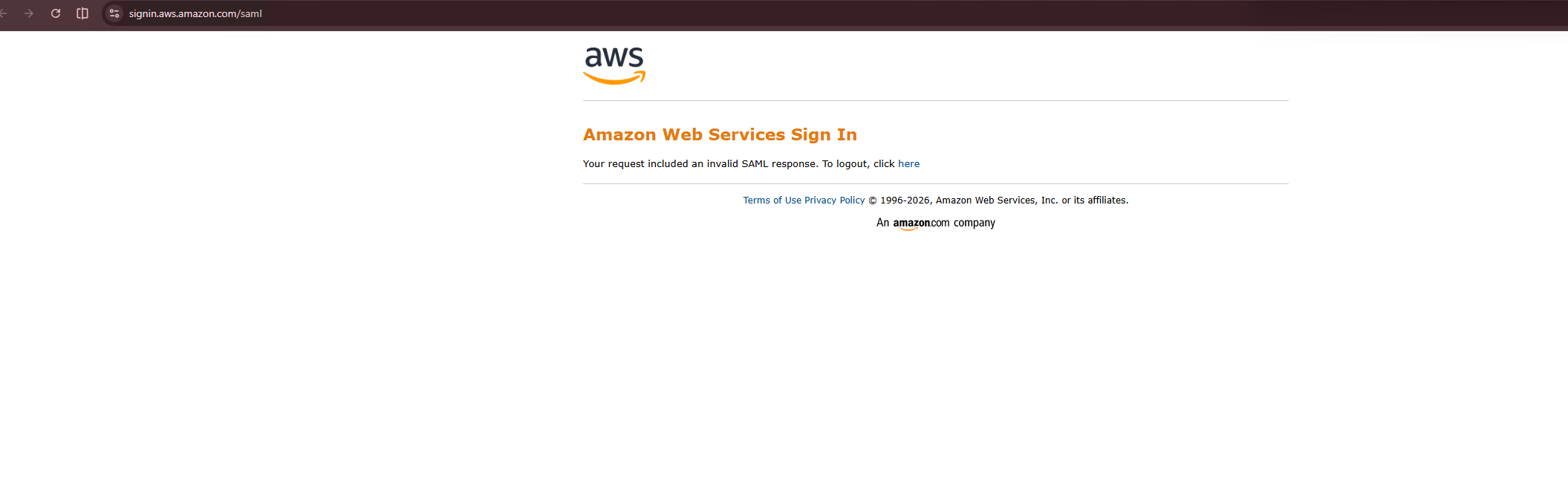 // 06-break-fix-lab/break2-saml-tracer-missing-attr
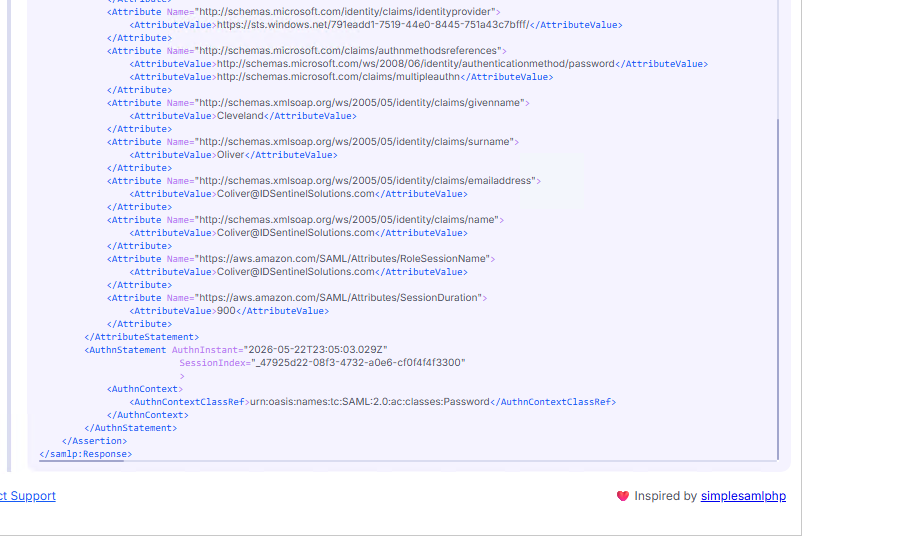 // 06-break-fix-lab/break2-fix-attribute-mapping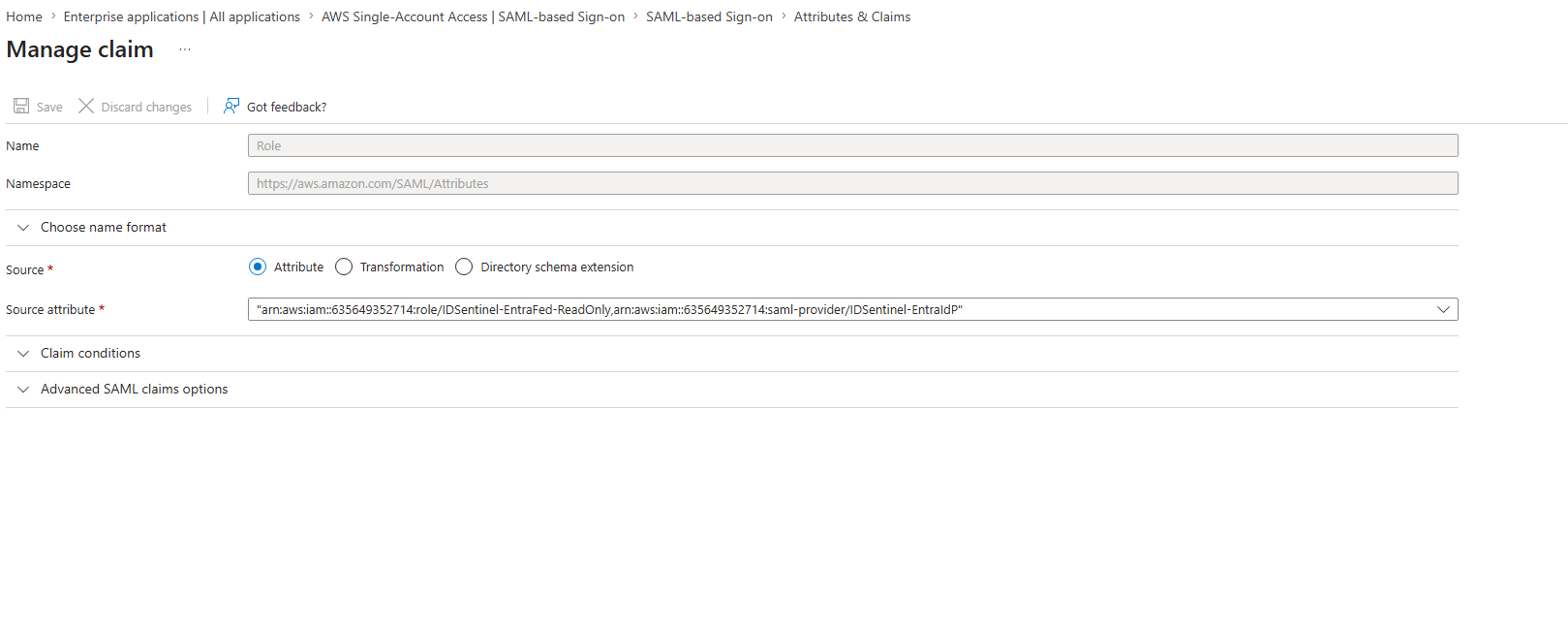
-
08
Break 3 — Stale IdP Metadata (Signature Validation Failure)
- Break: Federation metadata XML uploaded to AWS modified to corrupt the X509Certificate — simulating a certificate rotation where SP metadata was not updated
- Symptom: Entra auth succeeds but AWS rejects assertion — certificate used to sign no longer matches the AWS IdP registration
- Fix: Original Entra federation metadata XML re-uploaded to
IDSentinel-EntraIdP
// 06-break-fix-lab/break3-cert-expired-error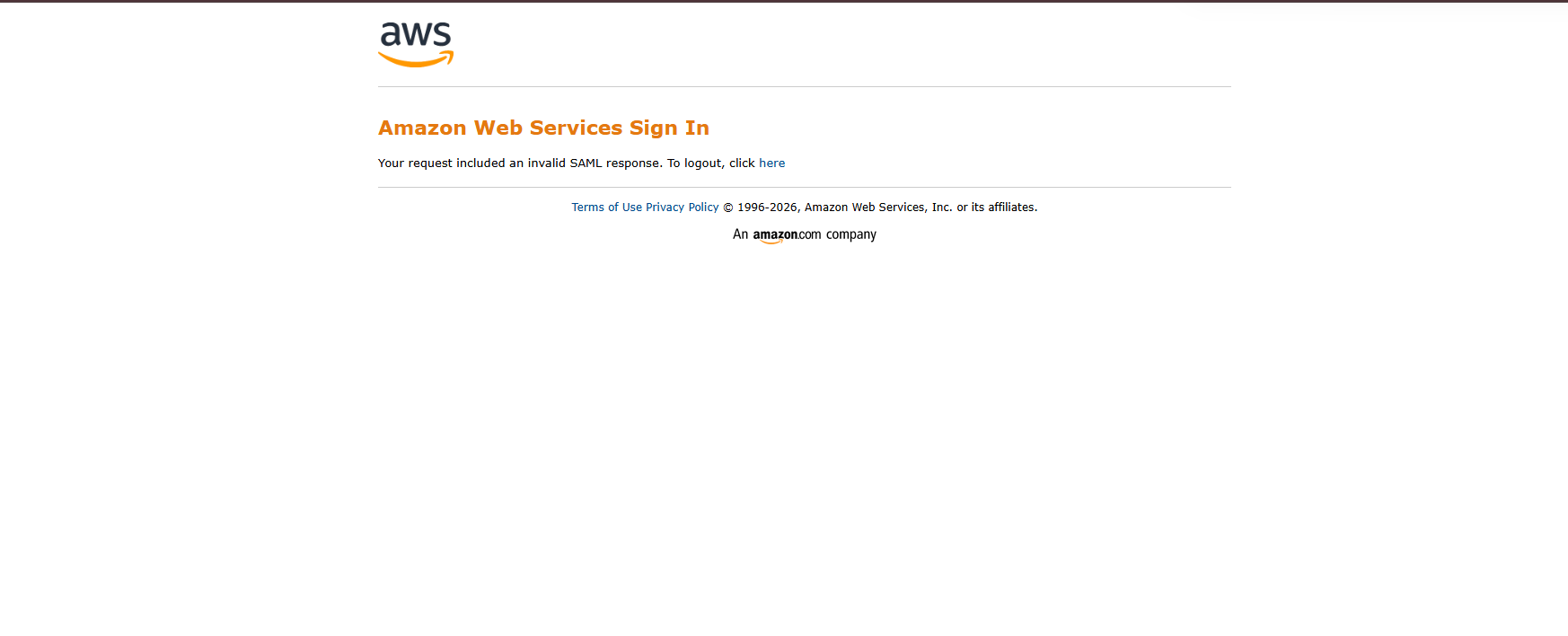 // 06-break-fix-lab/break3-aws-metadata-updated
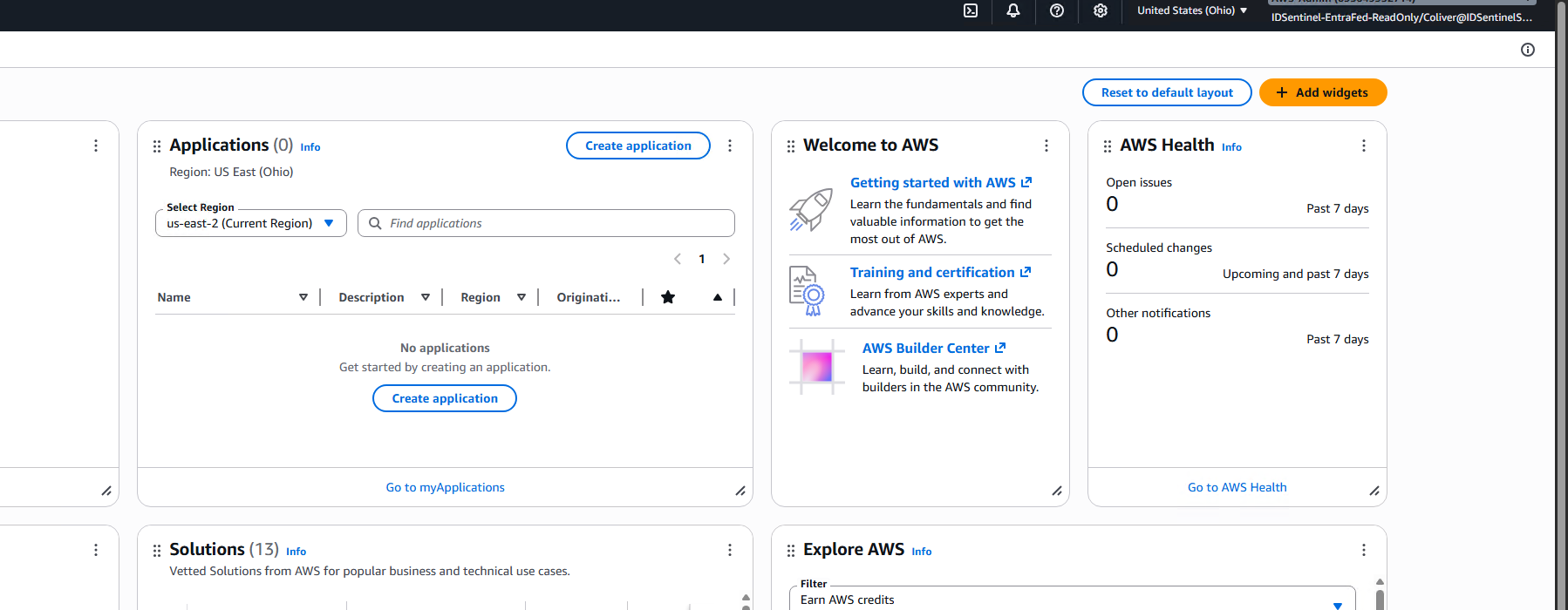 // 06-break-fix-lab/break3-new-cert-generated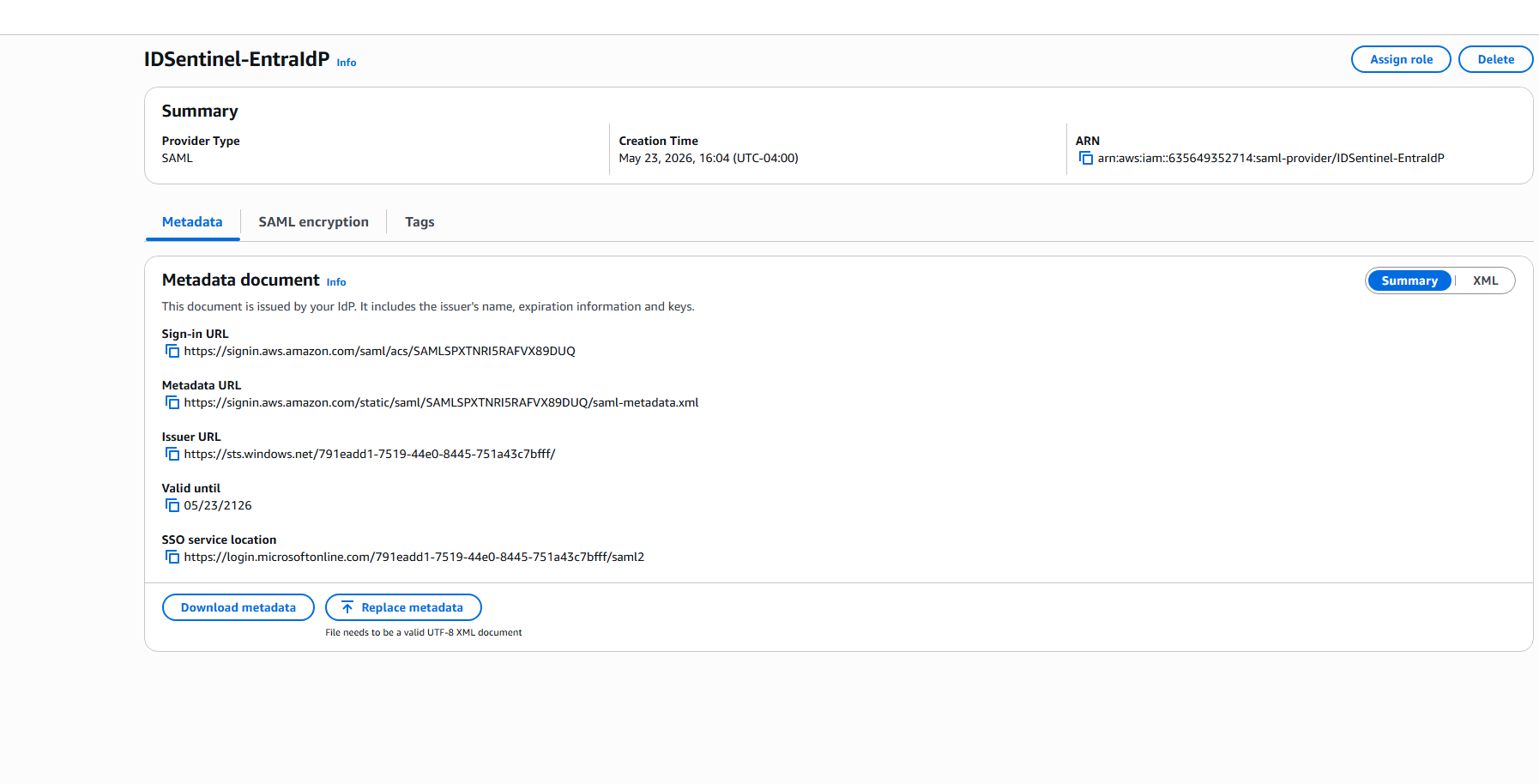
Outcome
Implementation Results
| Metric | Value |
|---|---|
| IAM users created | 0 — federated access only |
| Static credentials issued | 0 |
| IAM Identity Providers created | 1 (IDSentinel-EntraIdP) |
| Federated IAM roles created | 1 (IDSentinel-EntraFed-ReadOnly) |
| SAML attribute claims configured | 2 (Role, RoleSessionName) |
| SAML breaks reproduced | 3 of 3 |
| Mean diagnosis time per break | Under 5 minutes with SAML Tracer |
| SOC 2 evidence items produced | 5 |
Files
-
scripts/validate-saml-federation.ps1Validates IdP, role trust policy, and permission config via AWS CLI -
runbooks/saml-sso-break-fix-runbook.mdSAML SSO troubleshooting runbook — three failure modes with SAML Tracer diagnosis steps -
diagrams/saml-federation-architecture.pngArchitecture diagram — Entra ID to AWS SAML federation flow -
evidence/SOC2-EVIDENCE.mdSOC 2 control mapping and evidence checklist -
screenshots/Implementation evidence organized by workstream and break/fix scenario