Business Problem
IDSentinel Solutions recently completed a company-wide MFA rollout across Microsoft Entra ID. Following the rollout, the Security team identified a critical gap during a routine sign-in log review: a significant number of users were still authenticating via legacy protocols — SMTP, IMAP, POP3, and Basic Auth — which completely bypass MFA enforcement.
An internal audit confirmed that several third-party email clients and older line-of-business applications were configured to use Basic Authentication, meaning a stolen credential alone was sufficient to grant full mailbox and application access with no additional verification required.
This is a direct violation of IDSentinel's Zero Trust initiative and creates unacceptable risk of account compromise via credential stuffing and password spray attacks.
Risk
- MFA rendered ineffective for any account using legacy authentication
- No visibility into legacy auth attempts without explicit log filtering
- Active threat vector: password spray attacks targeting legacy endpoints
- Non-compliant with IDSentinel's Zero Trust access initiative
- Potential compliance exposure under SOC 2 Type II controls
Scope
| Field | Detail |
|---|---|
| Affected users | All 1,108 employees across all departments |
| Affected protocols | SMTP Auth, IMAP, POP3, Basic Authentication |
| Target | Block all legacy authentication org-wide within 48 hours |
| Exception process | Document and track any legitimate exemptions |
Solution Design
A Conditional Access policy was implemented to block all legacy authentication protocols across the organization. The rollout follows a staged approach to minimize business disruption.
Audit Mode — Report-Only
Deploy policy in report-only mode for 24 hours to identify impacted users before enforcement begins.
Enforcement
Switch policy to enabled after reviewing report-only sign-in logs and notifying impacted teams.
Key Design Decisions:
Block conditionTargets "Other clients" and legacy auth client app filters — covers all legacy protocol sign-insBreak-glass exclusionGRP-SEC-BreakGlass accounts excluded from policy scopeExemption groupGRP-SEC-LegacyAuthExempt created for time-limited exceptions requiring change control approvalScopeAll users with targeted exclusions only — no broad exclusions
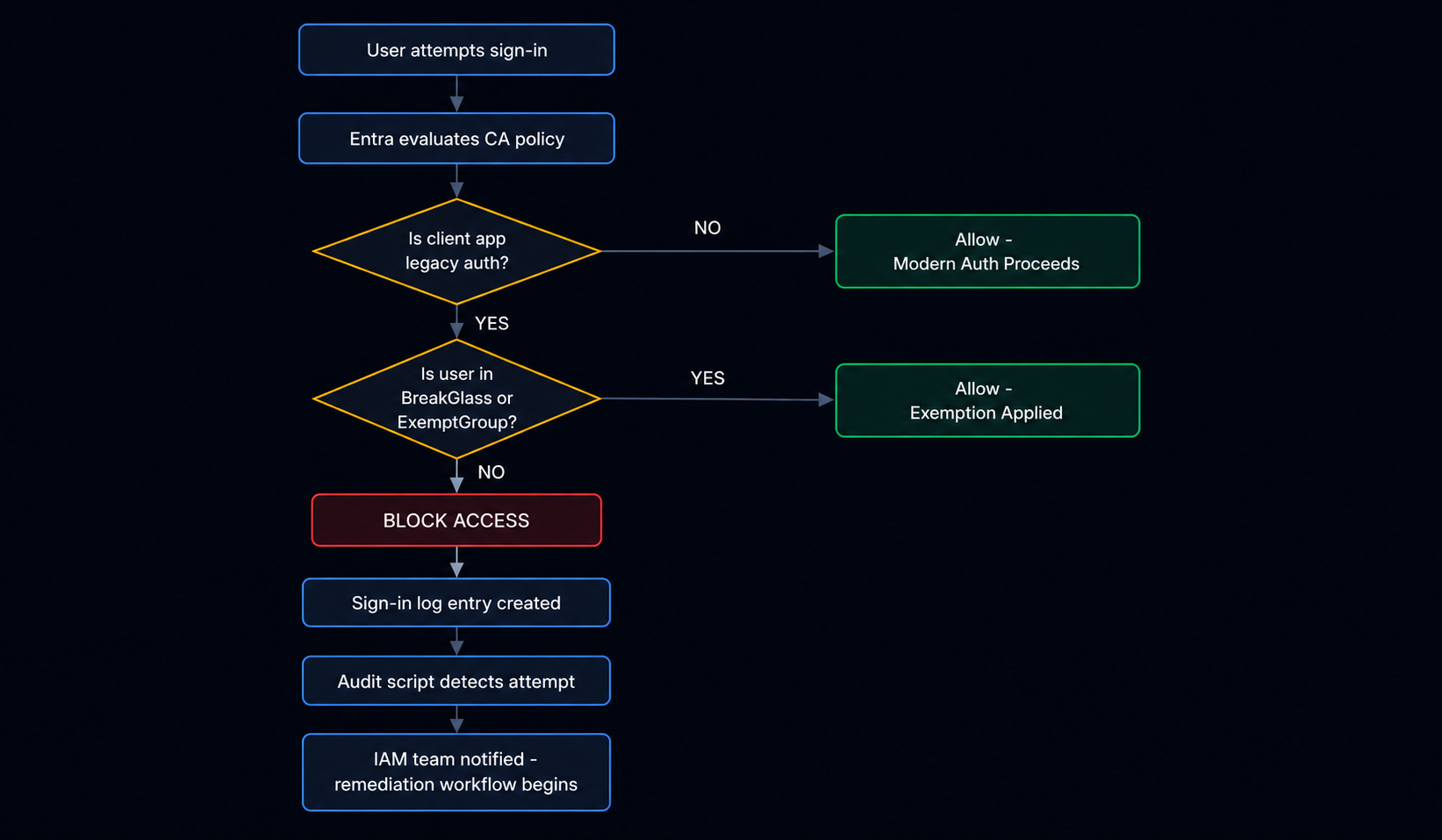
Implementation
Prerequisites: Microsoft Entra ID P1 or P2 license · Conditional Access Administrator or Security Administrator role · Sign-in logs reviewed prior to enforcement
-
01
Review Legacy Auth Sign-in Logs
Baselined current legacy auth volume using Sign-in logs and the PowerShell audit script before deploying any policy. Established the scope of the problem before enforcement.
// 01-baseline-audit — legacy auth sign-ins before policy deployment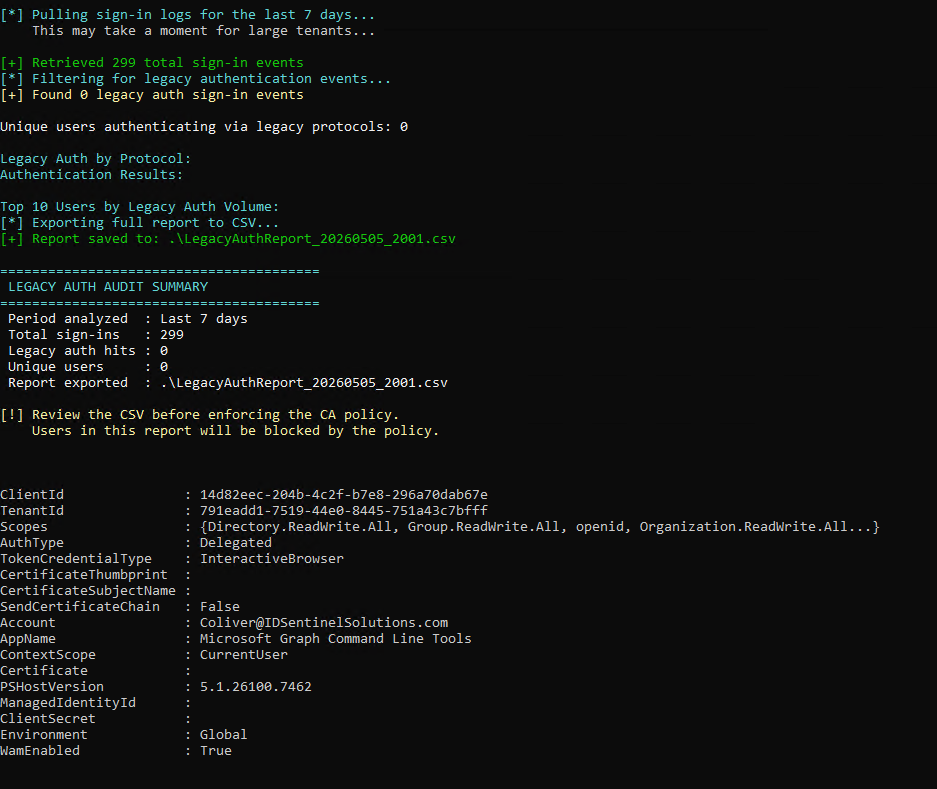
-
02
Deploy Policy in Report-Only Mode
Conditional Access policy deployed in report-only mode. Sign-in logs monitored for 24 hours to identify impacted users and applications without blocking any access.
// 02-policy-report-only-config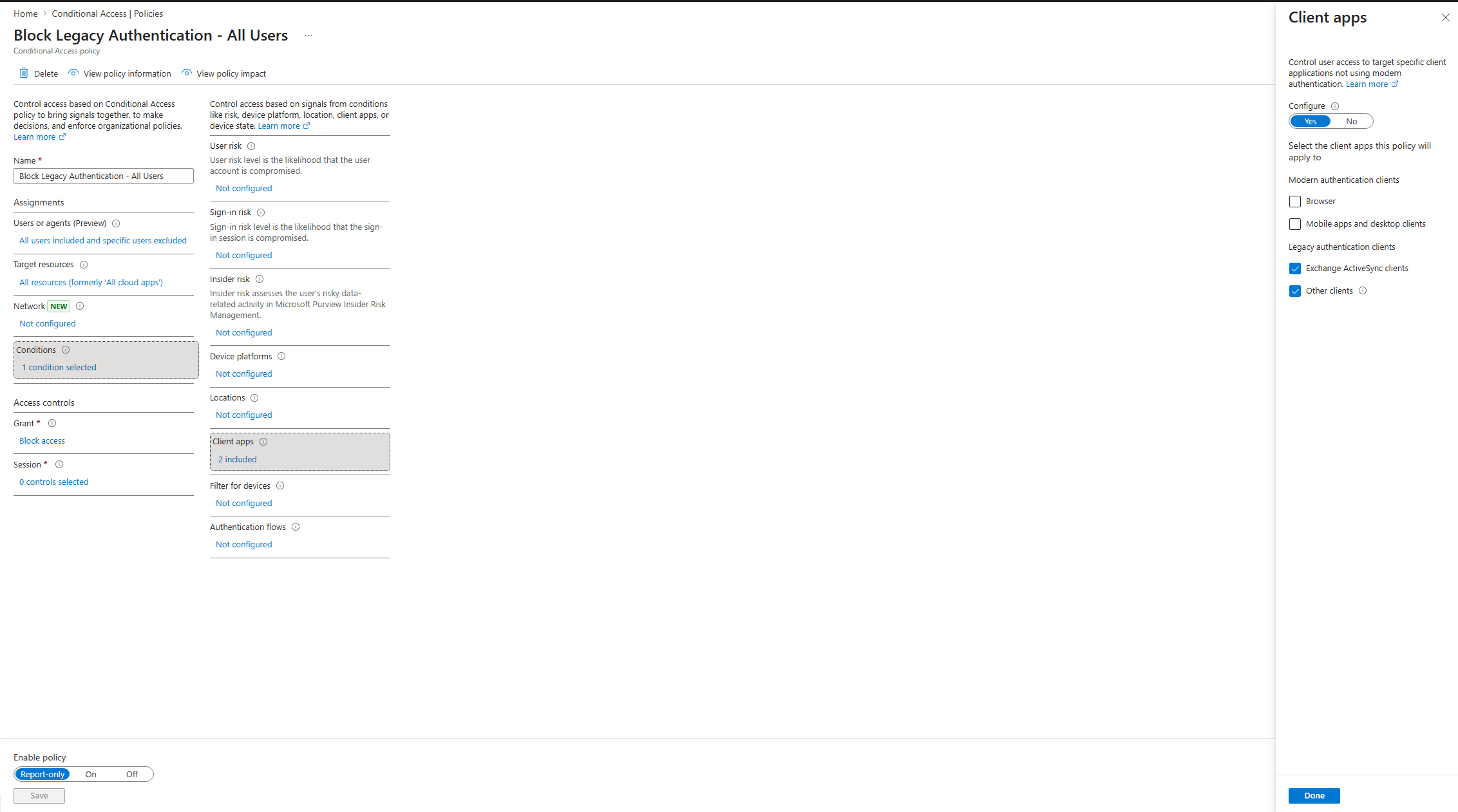 // 03-policy-report-only-confirmed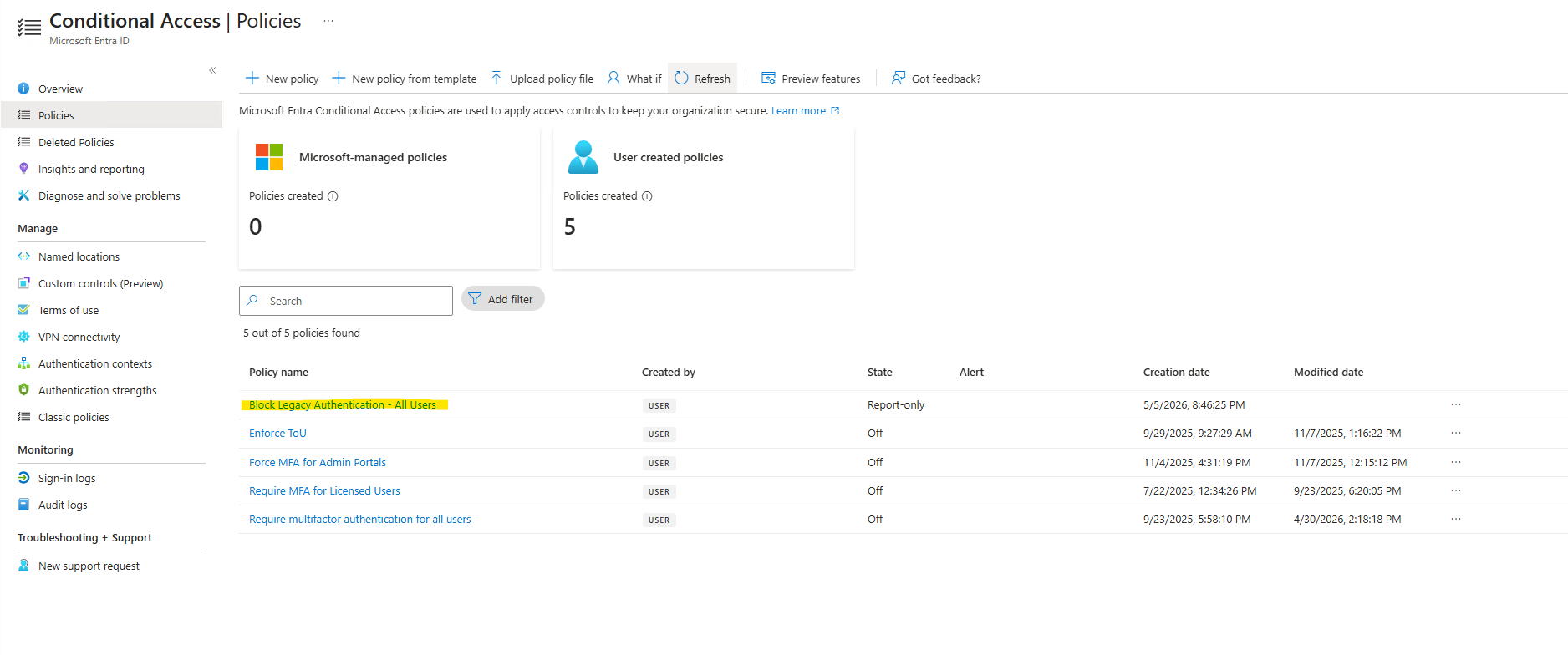
-
03
Validate Policy with What-If Tool
Prior to enforcement, the What-If tool was used to simulate legacy auth sign-in scenarios across Exchange ActiveSync and Other client types — confirmed the policy would block as expected before any users were impacted.
// 04-whatif-would-block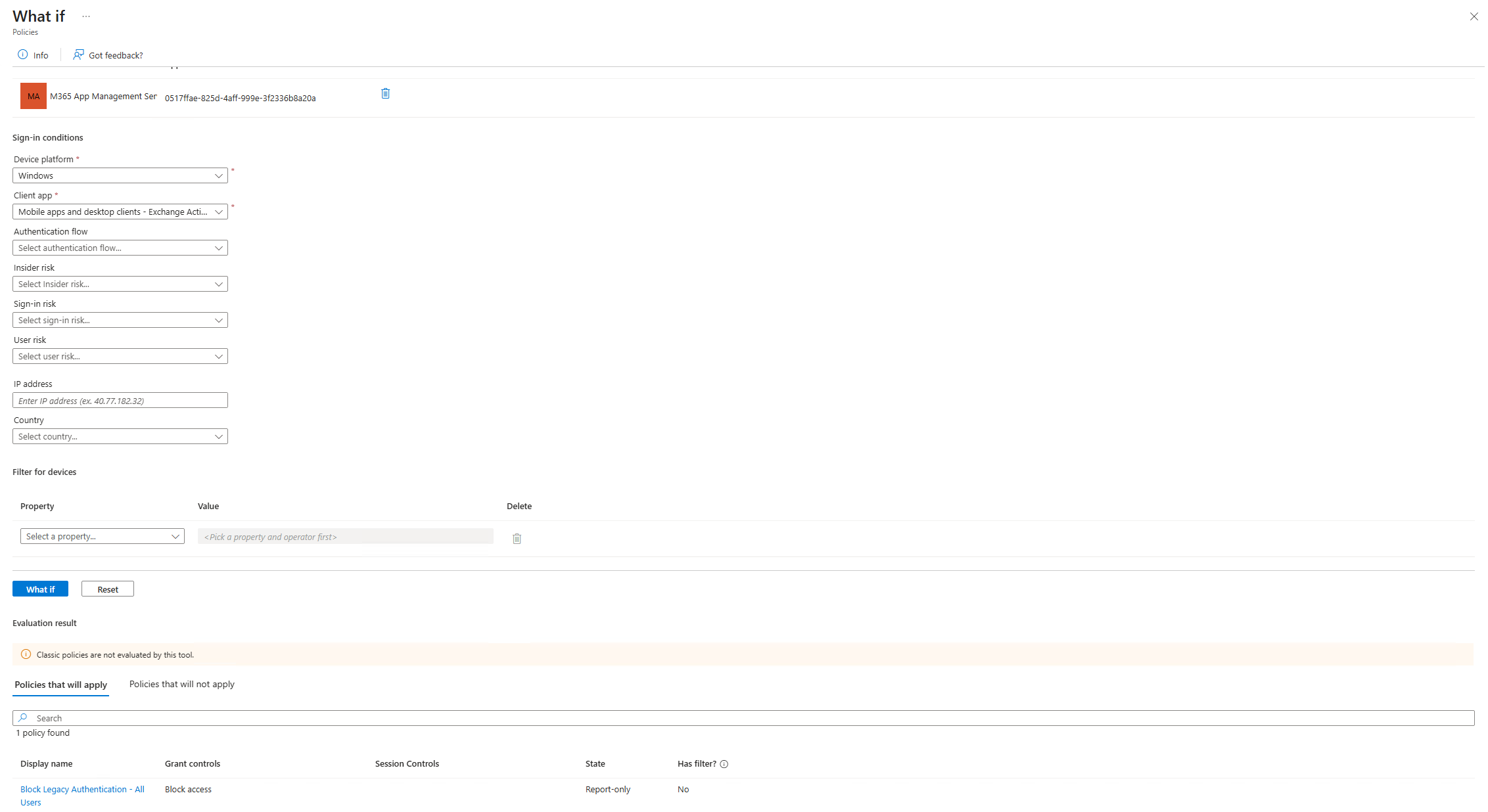 // 04b-whatif-other-clients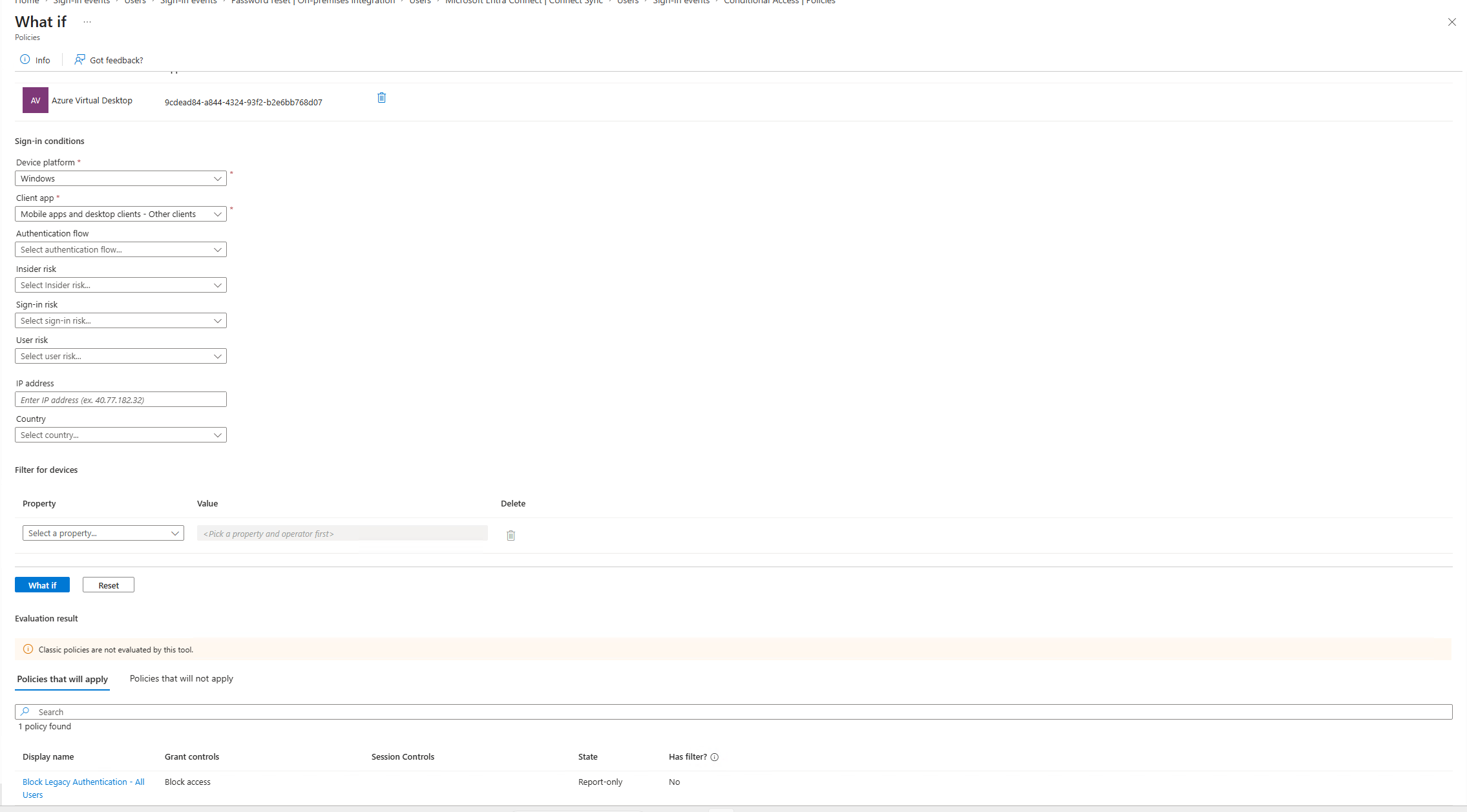
-
04
Switch Policy to Enabled
After 24-hour report-only validation and stakeholder notification, policy switched from report-only to enabled. Legacy authentication now blocked org-wide.
// 05-policy-enabled — CA policy switched to Enabled state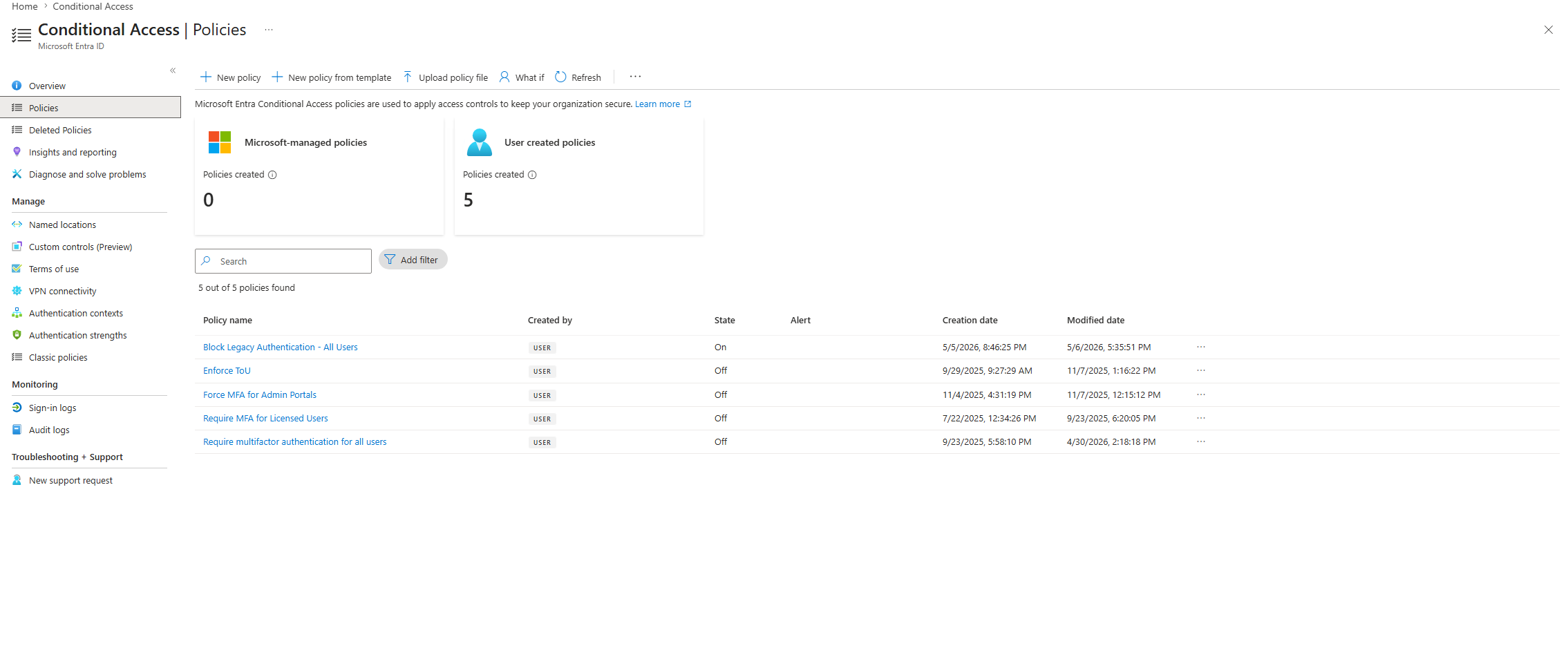
-
05
Post-Enforcement Validation
What-If tool re-run to confirm enforced block on all legacy auth client types. Audit script re-run confirmed zero unauthorized legacy auth sign-ins post-enforcement. One Authenticated SMTP attempt detected from a privileged account during testing — flagged and added to exemption group pending mail client reconfiguration.
// 06-whatif-enforced-block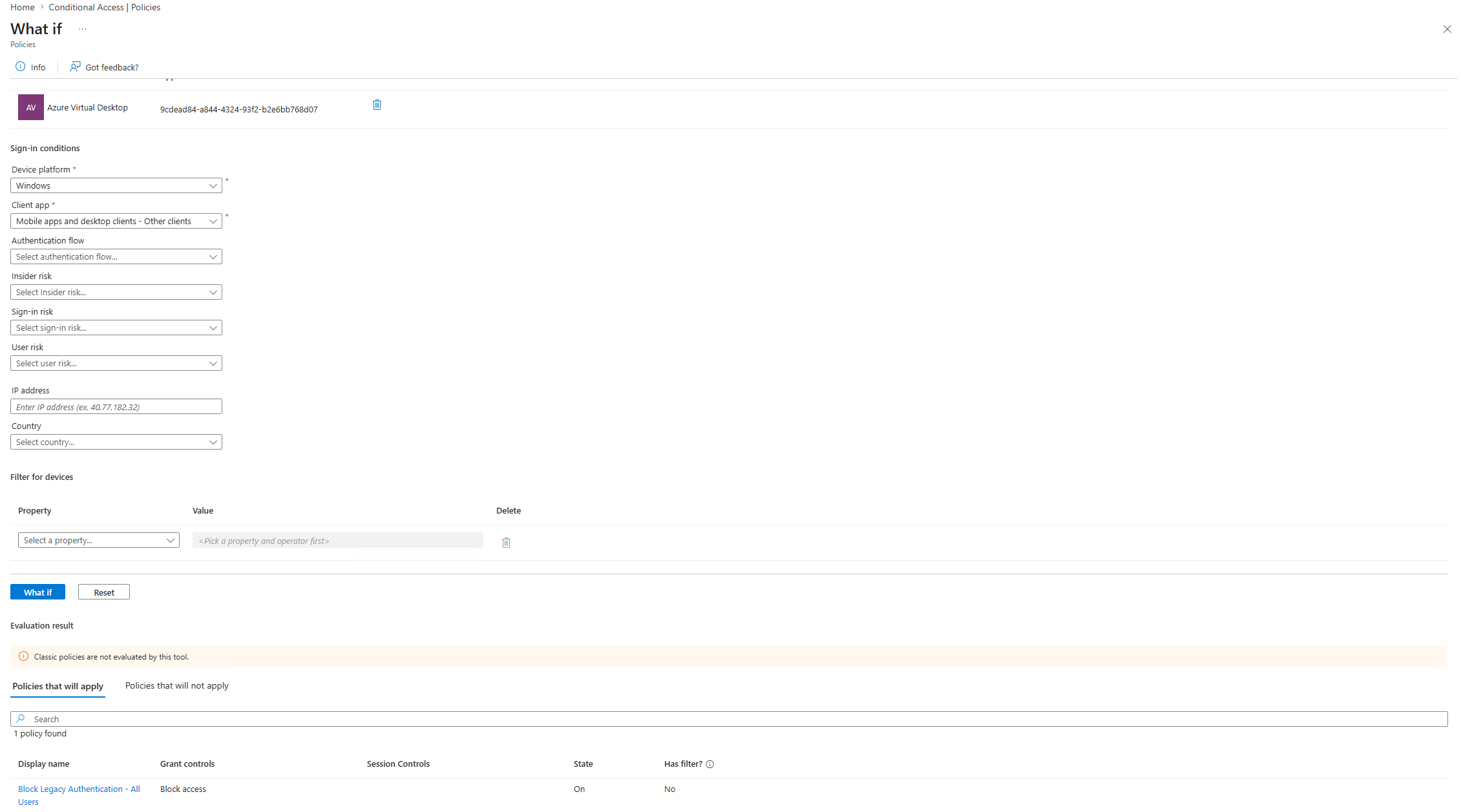 // 07-post-enforcement-audit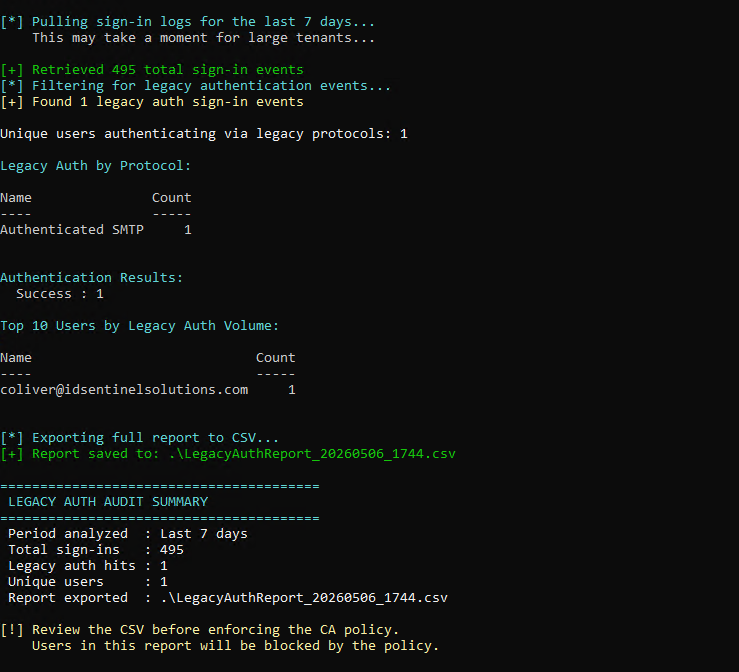
Outcome
Audit Results
| Metric | Value |
|---|---|
| Audit period | 7 days |
| Total sign-in events | 495 |
| Legacy auth attempts detected | 1 |
| Unique users flagged | 1 |
| Protocol | Authenticated SMTP |
| Result | Detected and flagged — exemption granted pending remediation |
Files
-
scripts/Get-LegacyAuthReport.ps1Audits legacy auth sign-ins via Graph API and exports CSV compliance report -
diagrams/ca-policy-flow.pngConditional Access decision flow diagram -
screenshots/Evidence of implementation at each stage — report-only config, What-If validation, enforcement, post-audit