Business Problem
Following a security assessment, IDSentinel Solutions' executive leadership issued a mandate to implement a Zero Trust access model across the organization. The assessment identified three critical gaps:
Gap 1No least-privilege enforcement — administrators held permanent privileged roles with no time limits or approval requirementsGap 2No device compliance requirements — any device including personal and unmanaged devices could access corporate resourcesGap 3No location-based access controls — access was permitted from any geographic location with no risk-based evaluation
The CISO tasked the IAM team with designing and implementing a Zero Trust architecture to address all three gaps within 30 days.
Risk
- Permanent admin access creates insider threat and credential theft risk
- Unmanaged devices accessing sensitive data violates Zero Trust principles
- No location controls means compromised credentials work from anywhere
- Non-compliant with IDSentinel's cyber insurance requirements
- Fails SOC 2 Type II access control requirements
Scope
| Field | Detail |
|---|---|
| Affected population | All ~1,000 employees and contractors |
| Mandate | Executive-driven Zero Trust rollout, 30-day deadline |
| Target systems | Microsoft Entra ID — Privileged Identity Management, Conditional Access, Terraform-managed policy |
| Workstreams | Just-in-Time admin access (PIM), 4-policy Conditional Access suite, CA policies defined as Terraform code |
| Out of scope | Network-layer Zero Trust controls (segmentation, micro-perimeters) — identity layer only |
| Compliance driver | Cyber insurance requirements, SOC 2 Type II access control criteria |
Zero Trust Principles Applied
| Principle | Implementation |
|---|---|
| Verify explicitly | MFA + device compliance required for all access |
| Use least privilege | PIM Just-in-Time admin access replaces permanent roles |
| Assume breach | Named locations + sign-in risk policies limit blast radius |
Solution Design
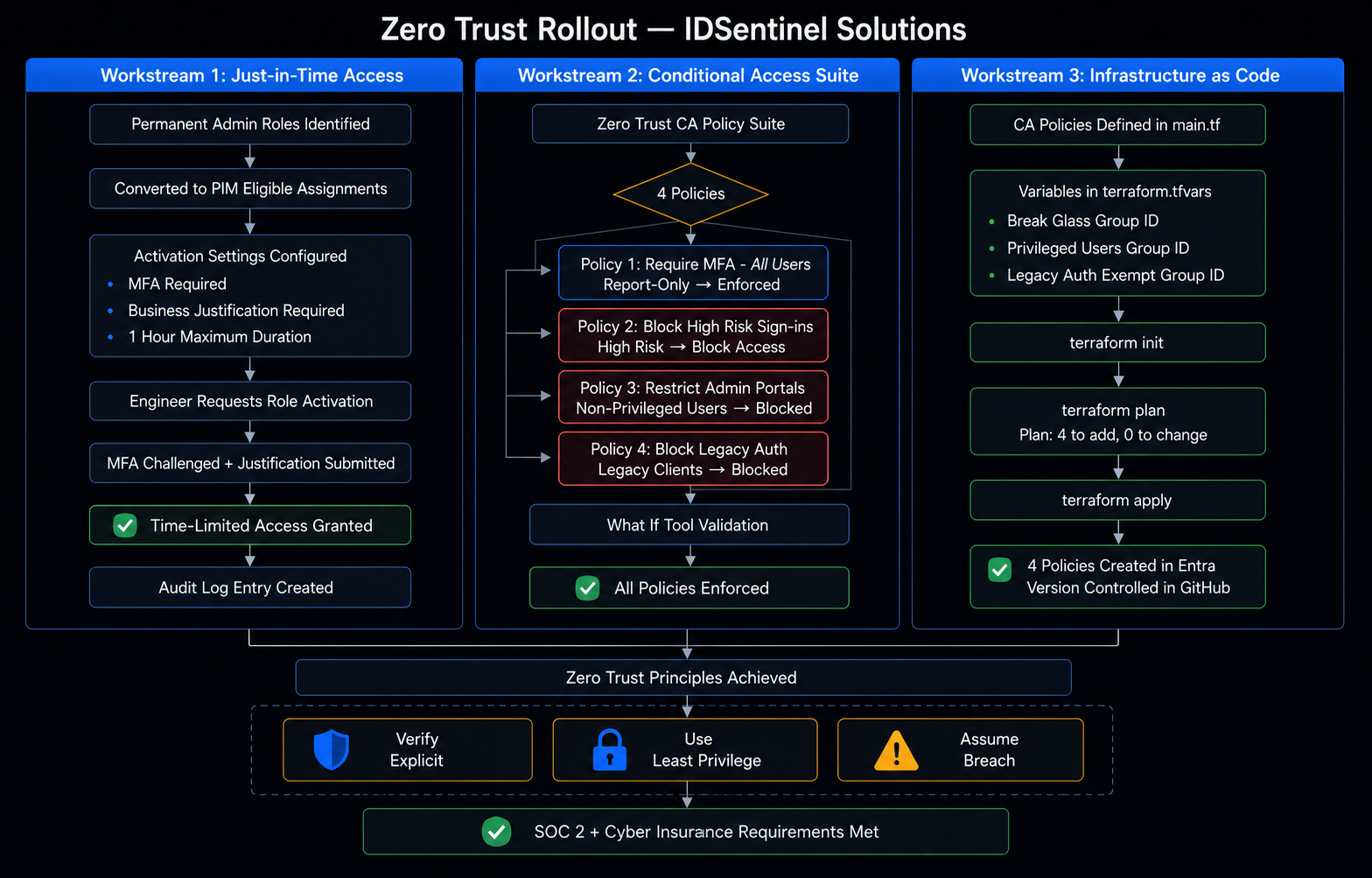
The Zero Trust rollout was implemented across three parallel workstreams:
Just-in-Time Admin Access (PIM)
All privileged roles converted from permanent to eligible. Admins must request and justify access with time-limited 1-hour activation windows.
Conditional Access Policy Suite
Four CA policies deployed — MFA enforcement, device compliance, risk-based sign-in blocking, and admin portal access restriction.
Infrastructure as Code (Terraform)
All Conditional Access policies defined as Terraform code for repeatable, auditable, version-controlled deployment.
Implementation
Workstream 1 — PIM Just-in-Time Access
-
01
Convert Permanent Roles to Eligible
All privileged roles (Global Admin, Security Admin, etc.) converted from permanent to PIM eligible assignments. Zero standing admin access outside of break-glass accounts.
// 01-pim-eligible-assignments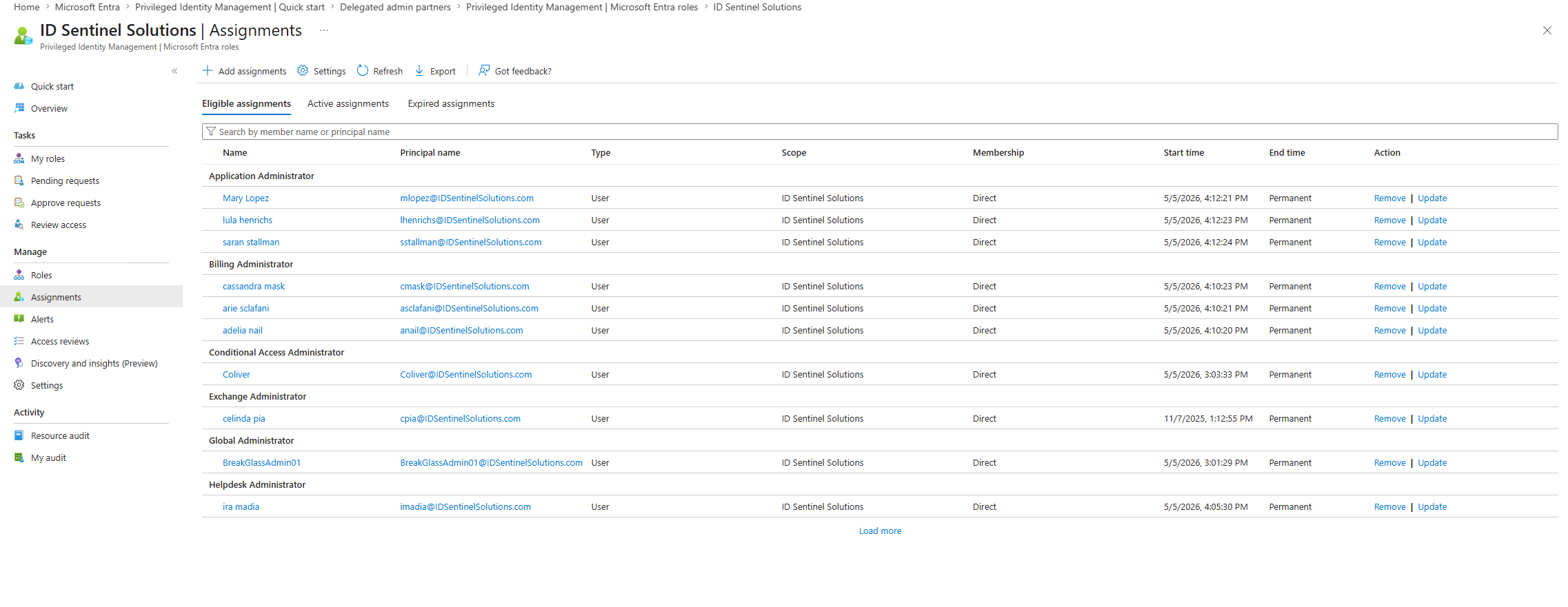
-
02
Configure Activation Requirements
PIM activation configured to require MFA verification, business justification entry, and a maximum 1-hour activation window with full audit logging.
// 02-pim-activation-settings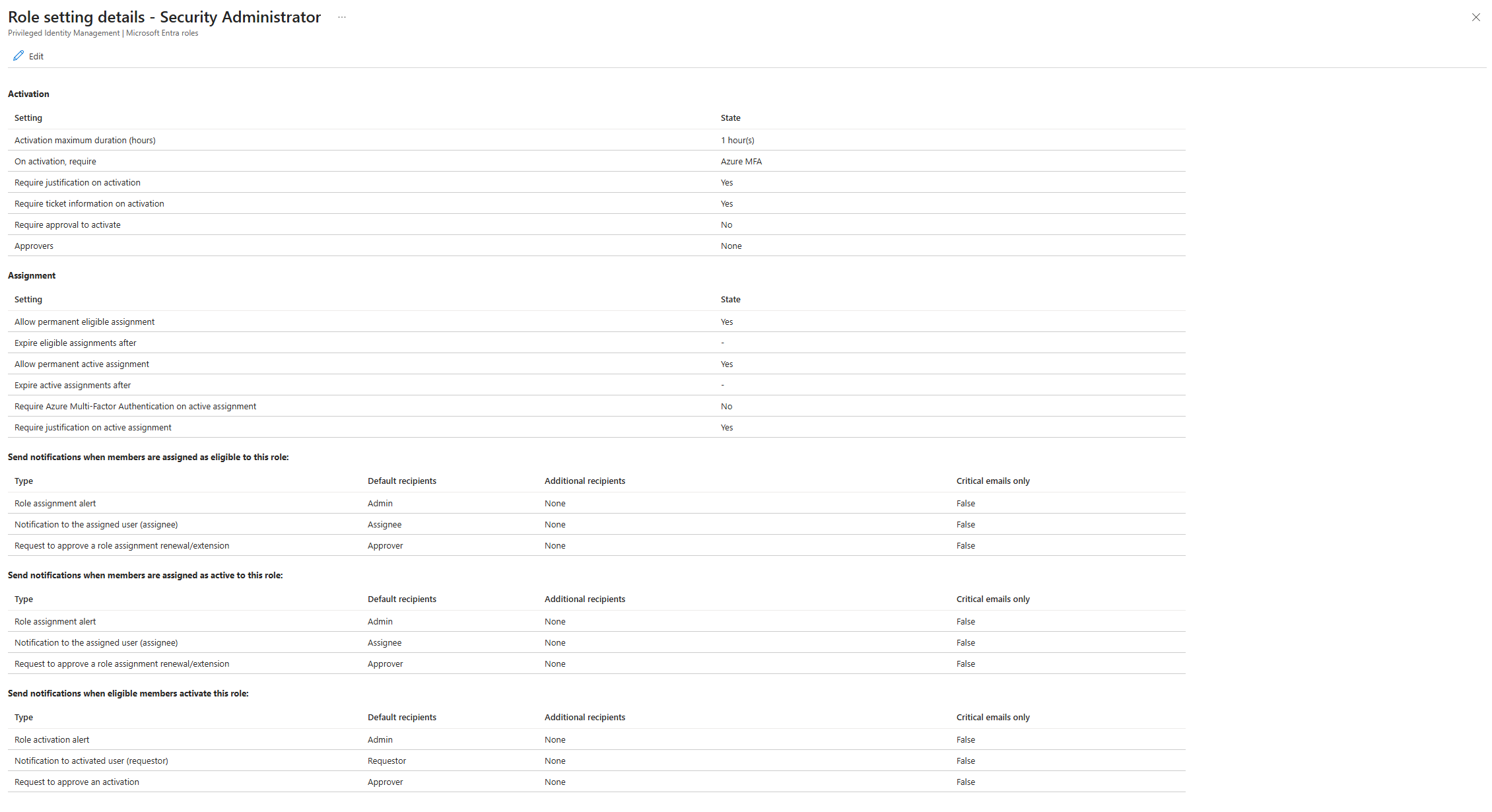
-
03
Validate JIT Access Request Flow
End-to-end tested from the IAM Engineer perspective — activated Security Administrator role via PIM with MFA challenge and business justification required. Role confirmed active for 1-hour window then automatically expired.
// 03a-pim-access-request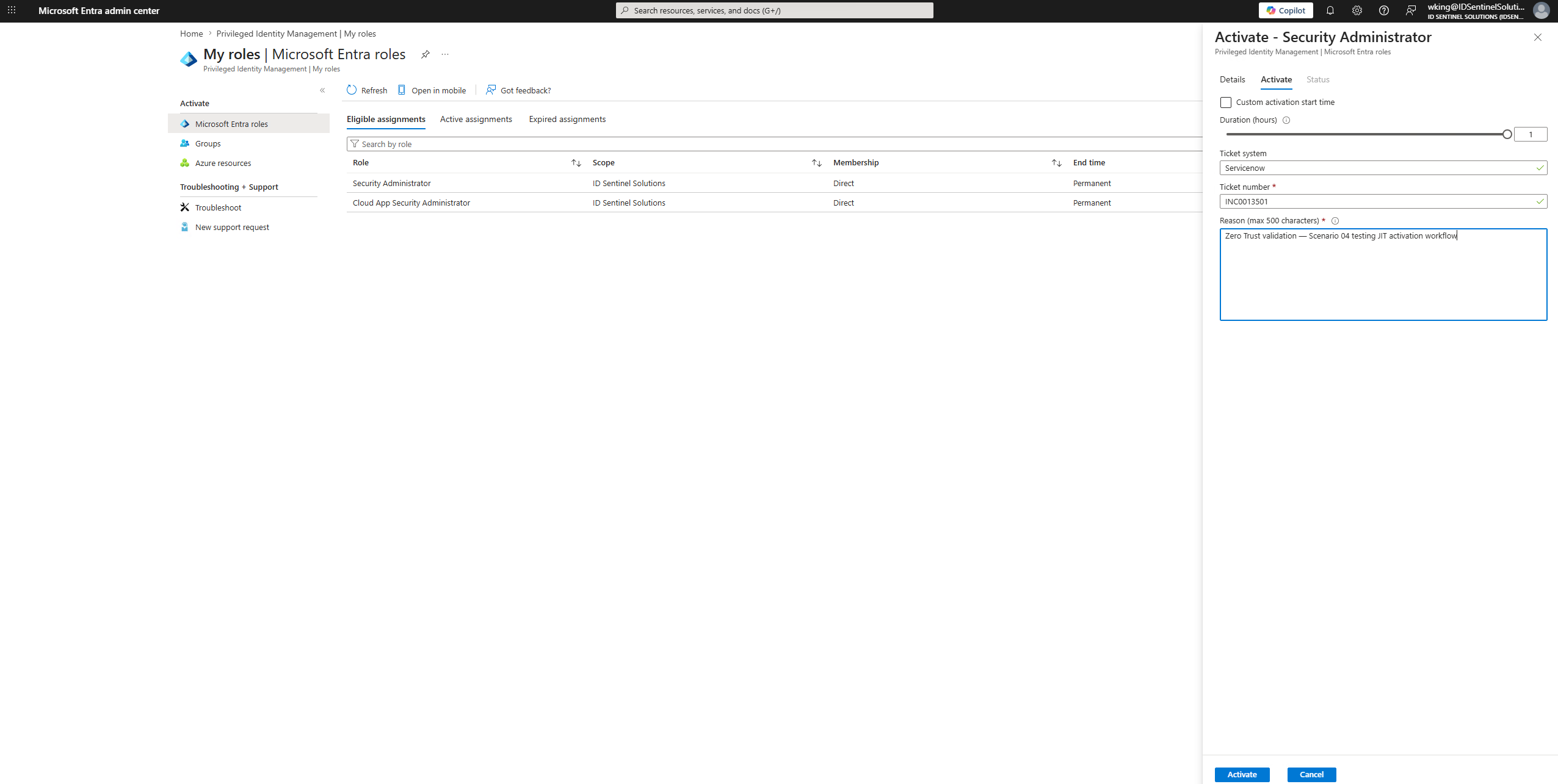 // 03b-role-activated
Workstream 2 — Conditional Access Policy Suite
-
04
Policy 1 — Require MFA for All Users
MFA required for all users on all cloud apps. No exclusions except break-glass accounts.
// 04-ca-mfa-all-users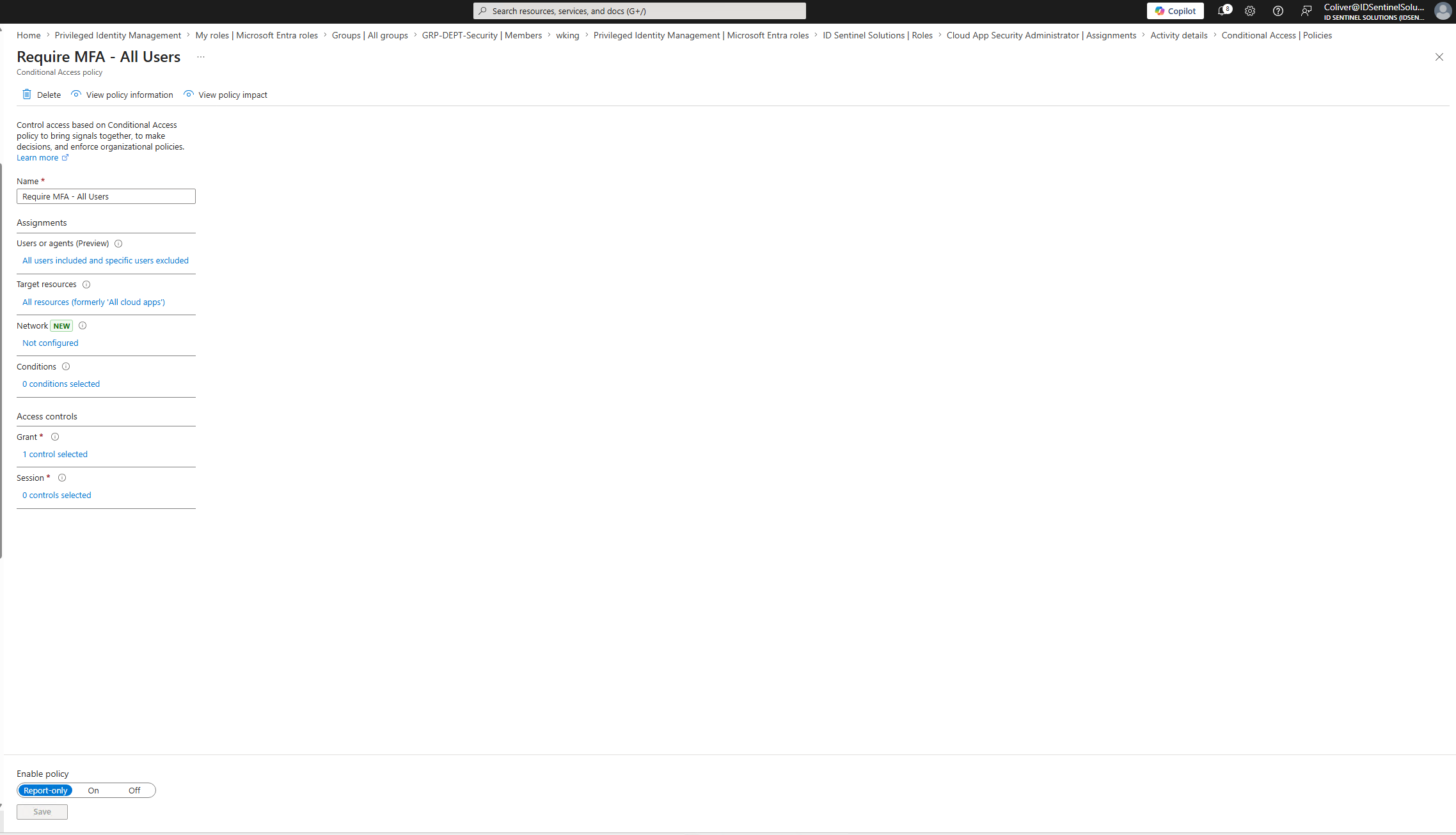
-
05
Policy 2 — Block High Risk Sign-ins
Sign-ins at high risk level (Identity Protection) blocked outright. Medium risk challenged with MFA step-up.
// 05-ca-block-risky-signins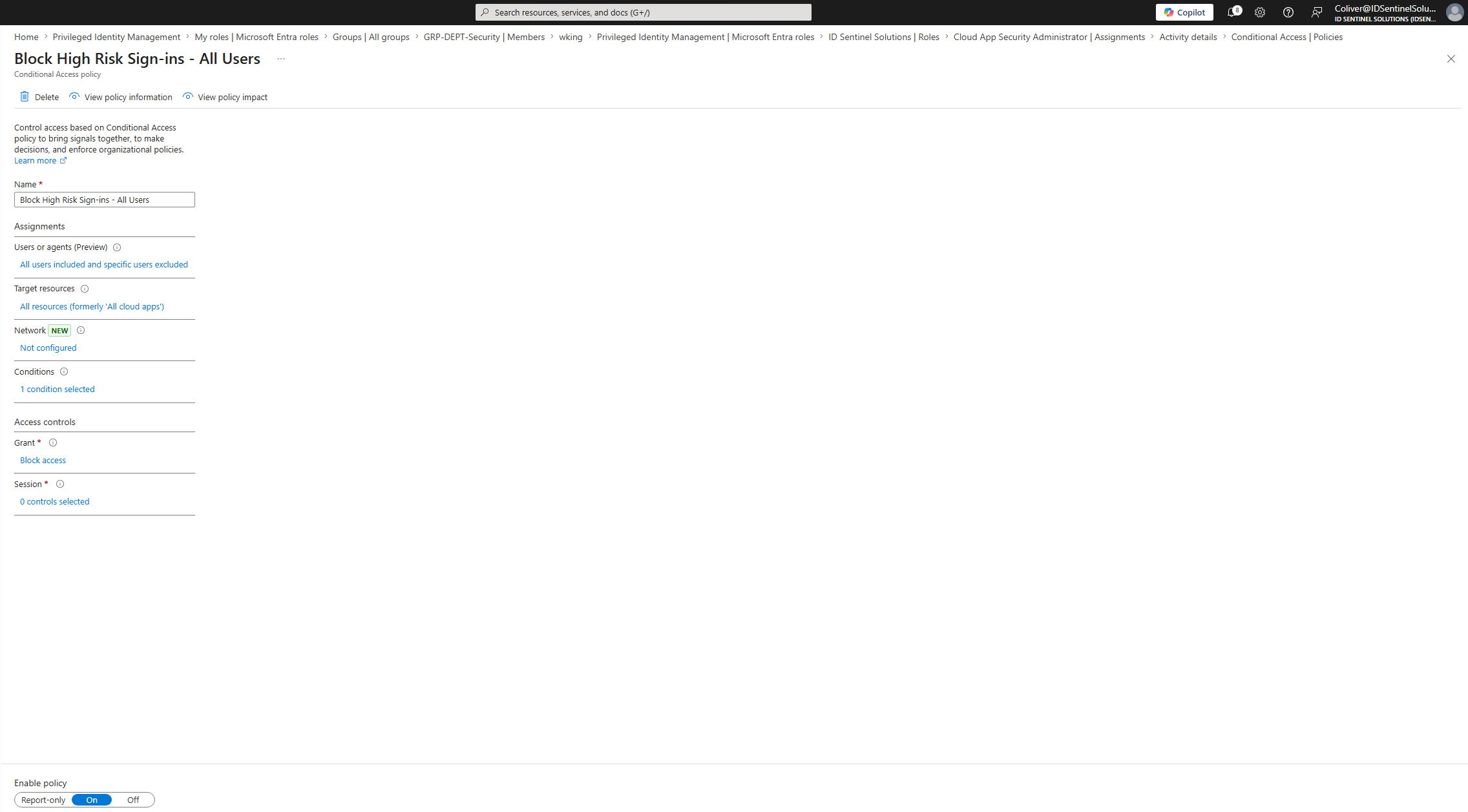
-
06
Policy 3 — Restrict Admin Portal Access
Azure/Entra admin portals restricted to compliant, managed devices only — preventing admin access from personal or unmanaged endpoints.
// 06-ca-admin-portals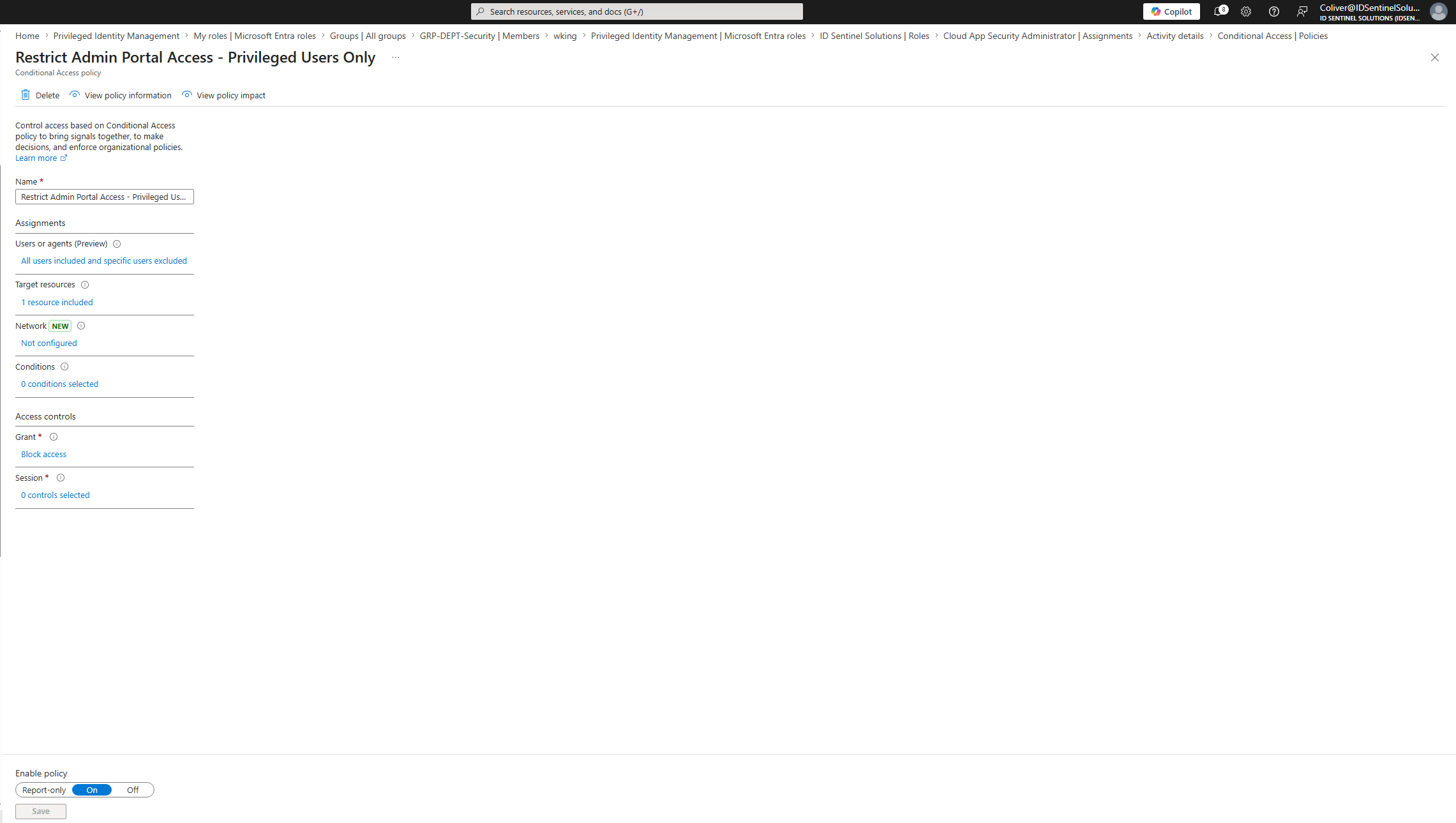 // 07-ca-policy-list-overview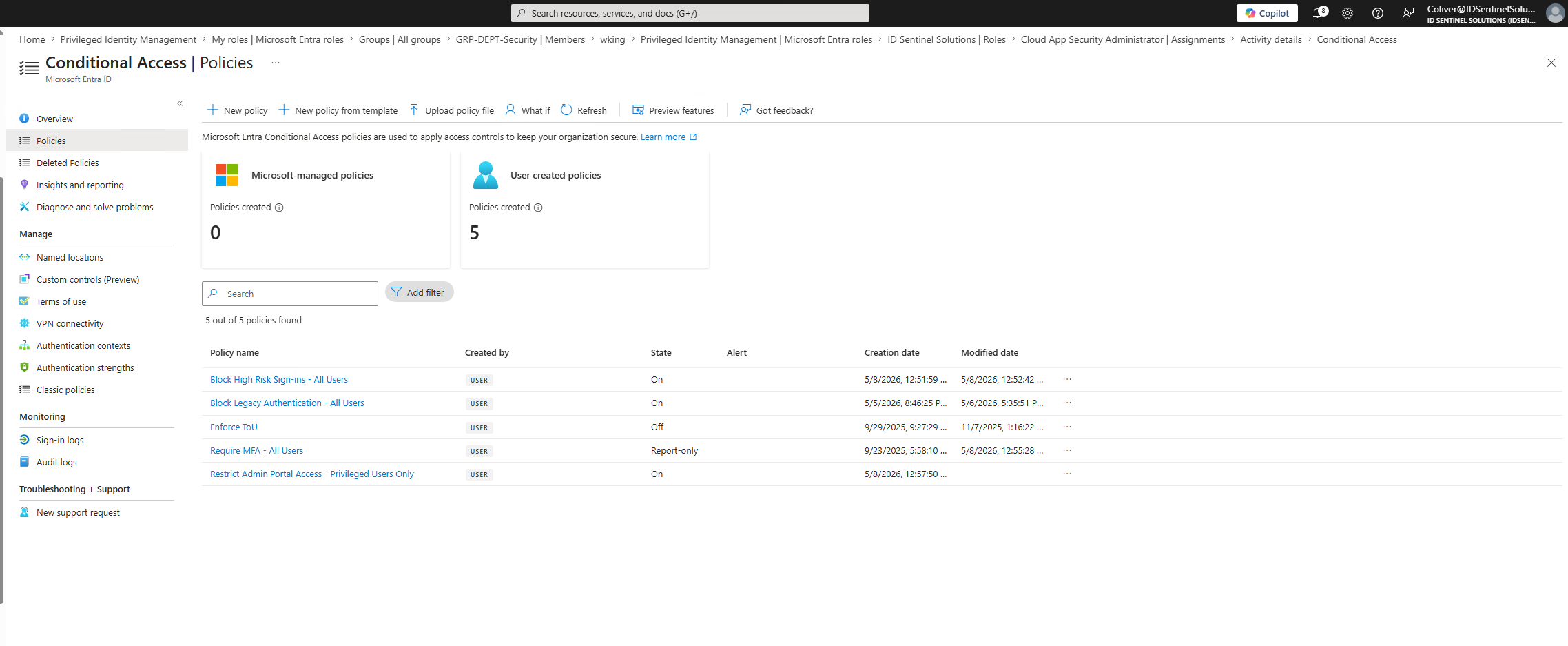
Workstream 3 — Terraform as Code
-
07
Configure Terraform Entra Provider
AzureAD Terraform provider configured with service principal authentication.
terraform initrun to initialize the working directory.// 08-terraform-init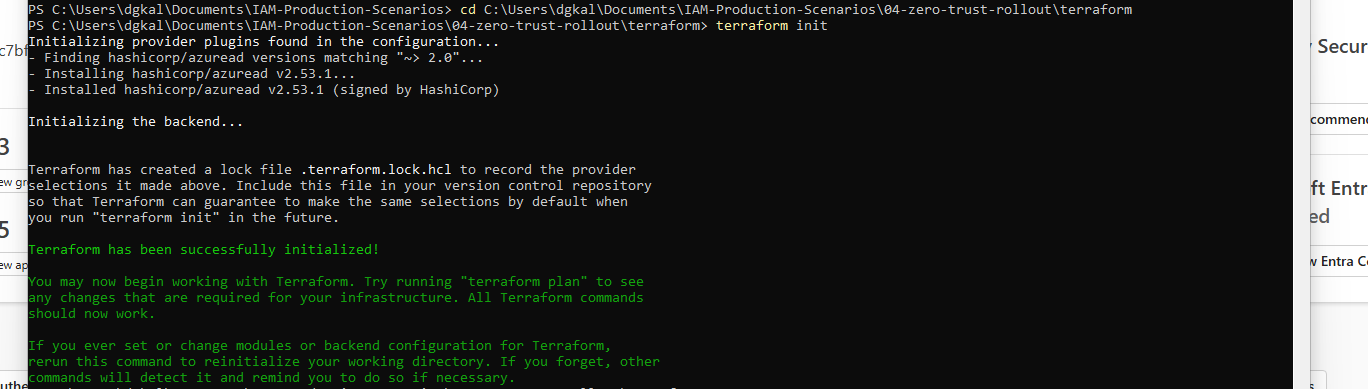
-
08
Define CA Policies as Code
All four Conditional Access policies defined in
main.tfusing theazuread_conditional_access_policyresource.terraform planvalidated all resources before apply.// 09a-terraform-plan // 09b-terraform-plan
 // 09c-terraform-plan
-
09
Apply Infrastructure
terraform applydeployed all CA policies to Entra ID. Policies confirmed active in Entra admin center — version-controlled and repeatable.// 10-terraform-apply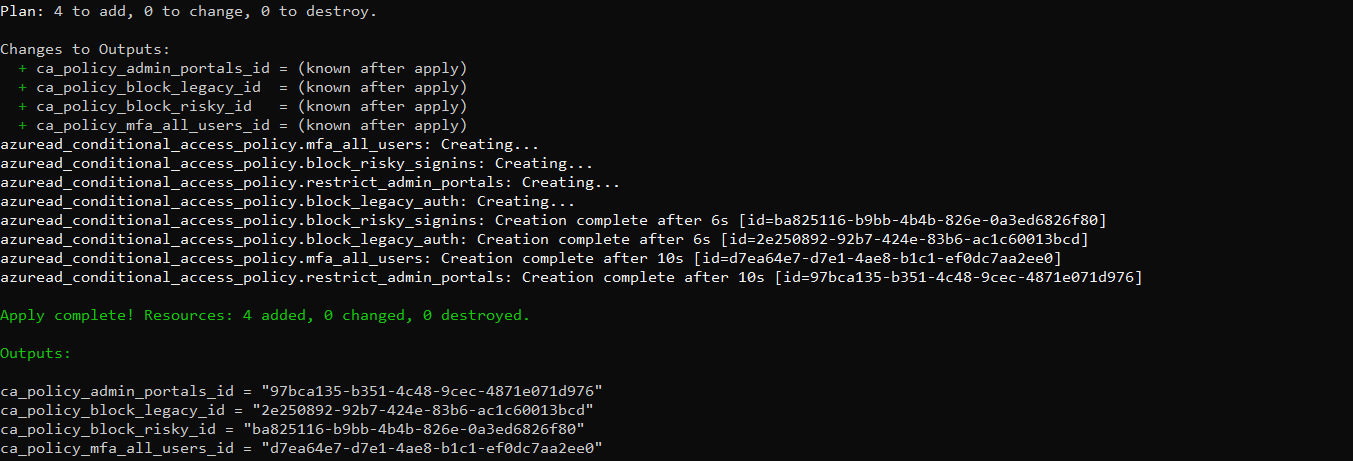 // 11-terraform-policies-in-entra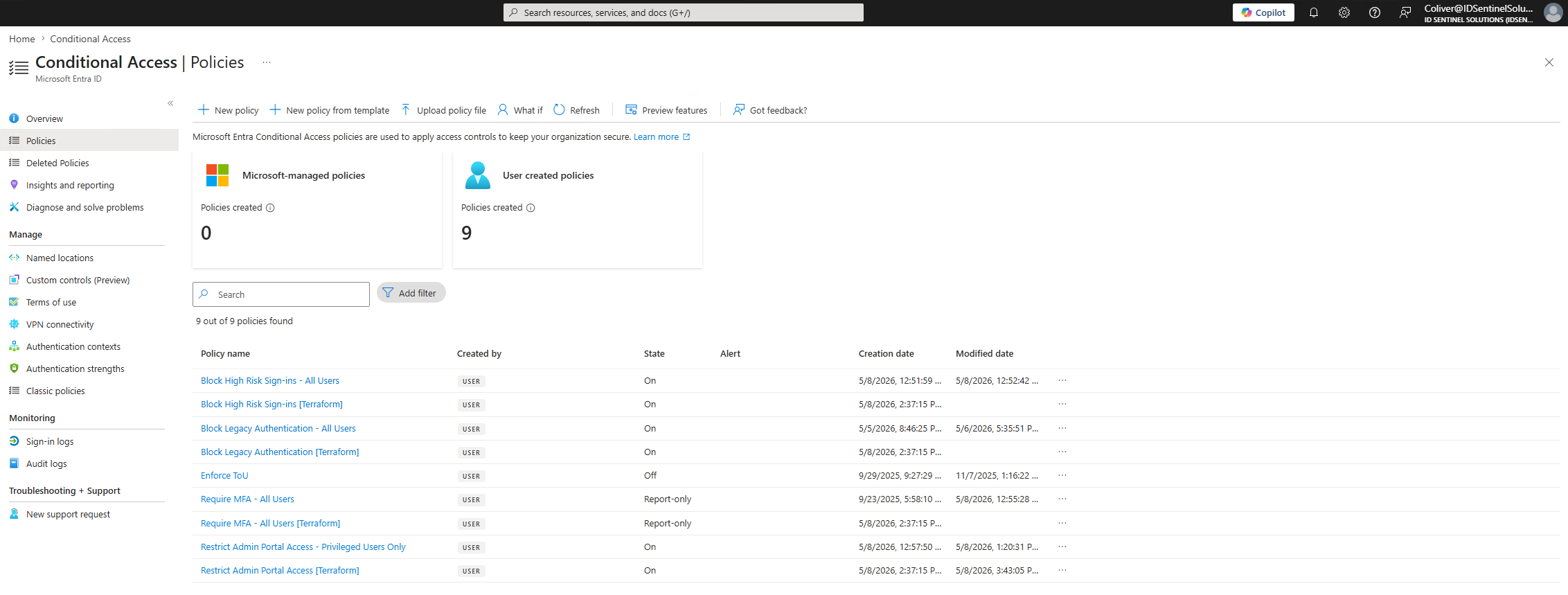
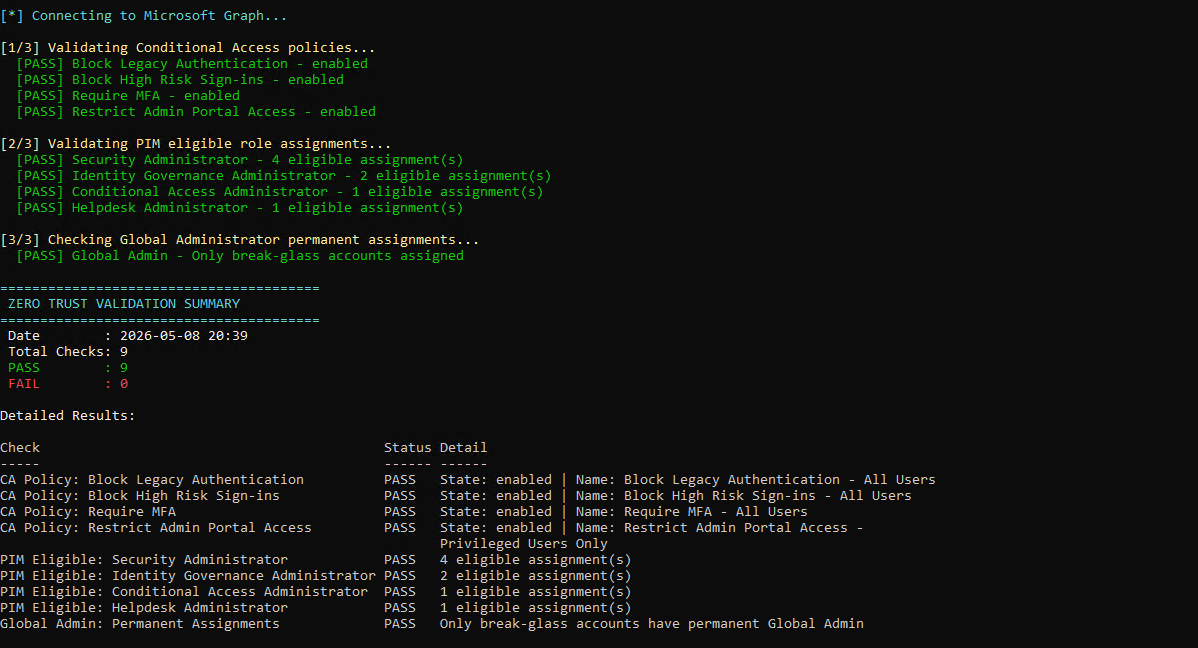
Zero Trust Posture Validation
Outcome
Files
-
terraform/main.tfTerraform configuration for all CA policies -
terraform/variables.tfVariable definitions -
terraform/outputs.tfOutput values -
diagrams/zero-trust-architecture.pngZero Trust architecture diagram -
scripts/Validate-ZeroTrustPosture.ps1Validates CA policies and PIM assignments are correctly configured -
screenshots/Evidence of implementation across all three workstreams