Business Problem
IDSentinel Solutions' annual SOC 2 Type II audit flagged a critical finding: terminated employees and contractors were retaining access to company systems and applications after their offboarding date. A sample review of 50 accounts revealed that 12 former employees still had active Entra ID accounts with valid group memberships and application assignments — some dating back over 90 days post-termination.
Additionally, the audit identified a large number of guest (B2B) accounts that had been invited for project work but never cleaned up, and several groups with no designated owner — meaning no one was accountable for reviewing or approving access.
Risk
- Former employees retaining access to sensitive systems post-offboarding
- Stale guest accounts with no expiration or review process
- Ownerless groups creating ungoverned access assignments
- Direct SOC 2 Type II audit finding requiring remediation
- Potential data exfiltration risk from orphaned privileged accounts
Scope
| Target | Detail |
|---|---|
| Entra ID user accounts | All accounts synced from Active Directory |
| Guest accounts | All cloud-only guest (B2B) accounts |
| Security groups | All groups with no designated owner |
| Inactive accounts | Accounts inactive 30+ days with active group memberships |
Solution Design
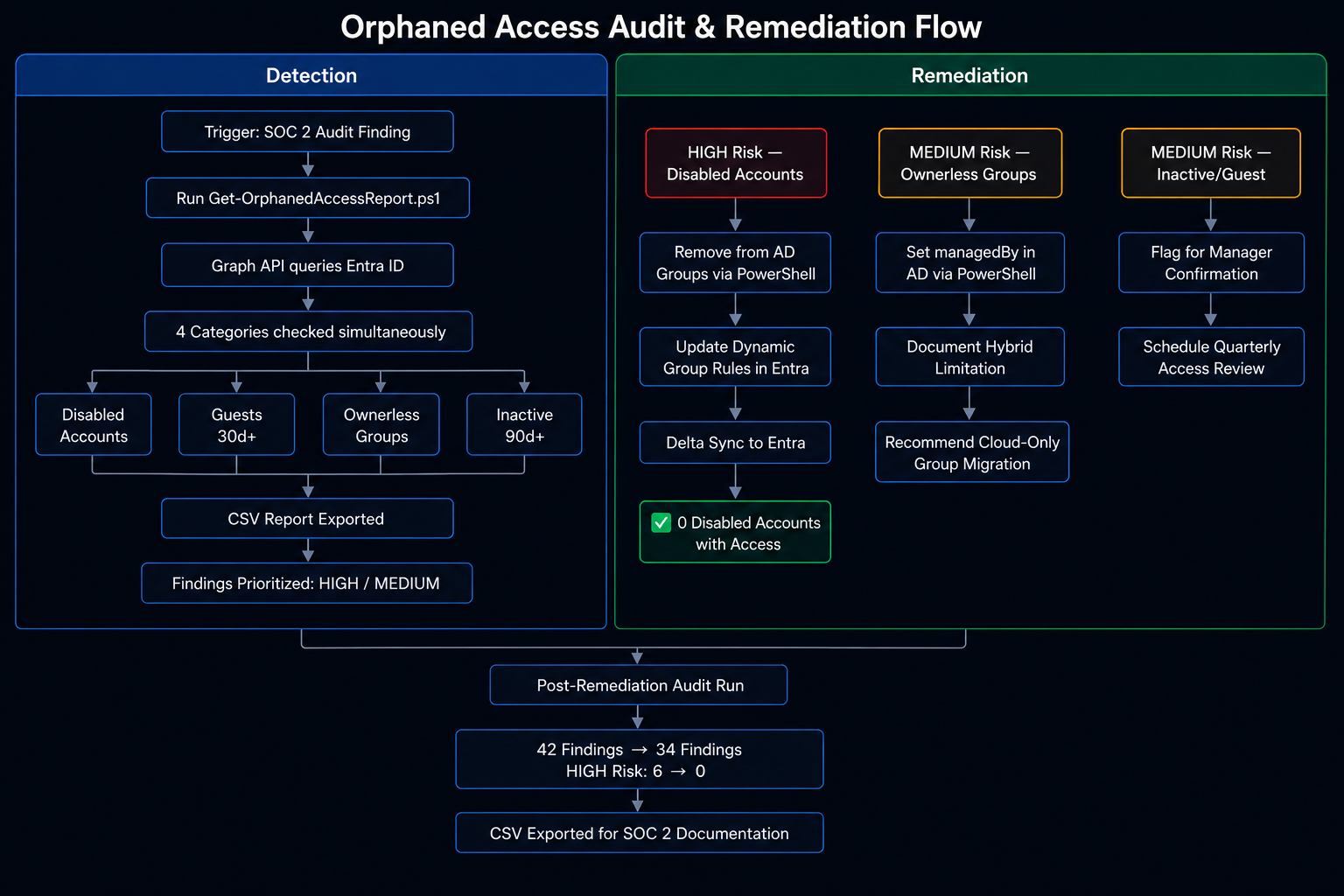
A PowerShell script using Microsoft Graph API automated detection across four orphaned access categories:
Category 1Disabled AD accounts still synced to Entra with active group membershipsCategory 2Stale guest accounts not seen in 30+ days with active assignmentsCategory 3Ownerless groups with active members but no designated ownerCategory 4Accounts with no sign-in activity in 90+ days
Hybrid Identity Note: Group ownership for AD-synced groups cannot be set directly in Entra ID or via Graph API — a known Entra Connect limitation. The AD managedBy attribute does not sync to the Entra owner property. Ownership governance for hybrid groups was enforced at the AD layer. This finding was documented as a recommendation to migrate security groups to cloud-only objects for full Entra-native access review capabilities.
Implementation
-
01
Run Orphaned Access Audit Script
PowerShell script executed against Graph API, scanning all four orphaned access categories. Initial run produced 42 findings.
// 01-audit-script-output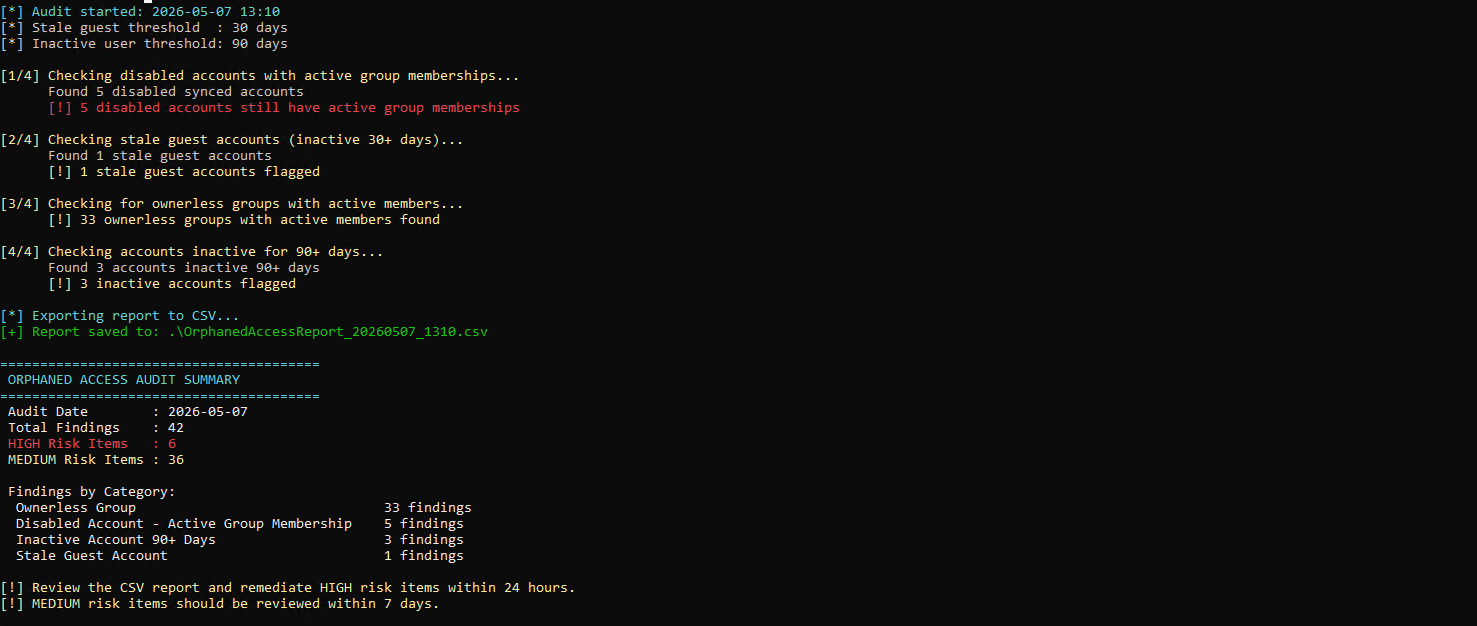
-
02
Review CSV Export
Script exported full findings to CSV for compliance documentation and remediation prioritization by the IAM team.
// 02-csv-report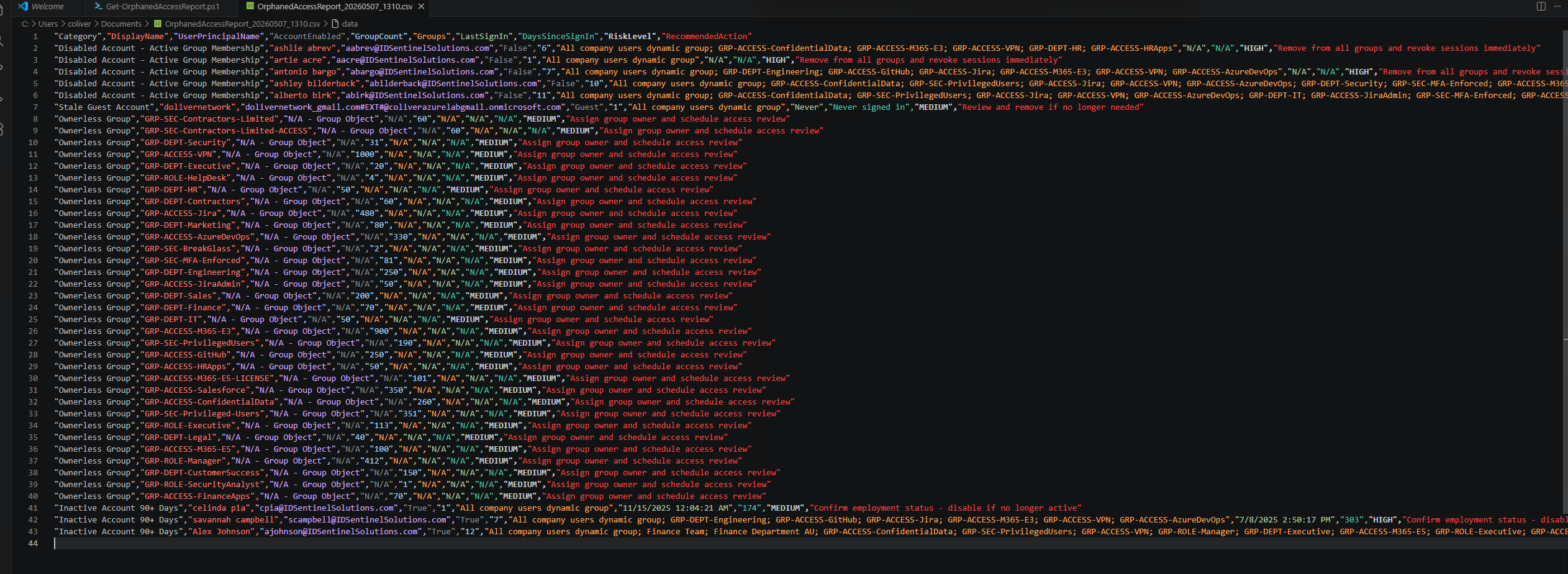
-
03
Remediate Disabled Accounts
Disabled accounts removed from all AD group memberships via PowerShell. Dynamic group rules updated to exclude disabled accounts using
user.accountEnabled -eq truecondition.// 03a-disabled-account-remediated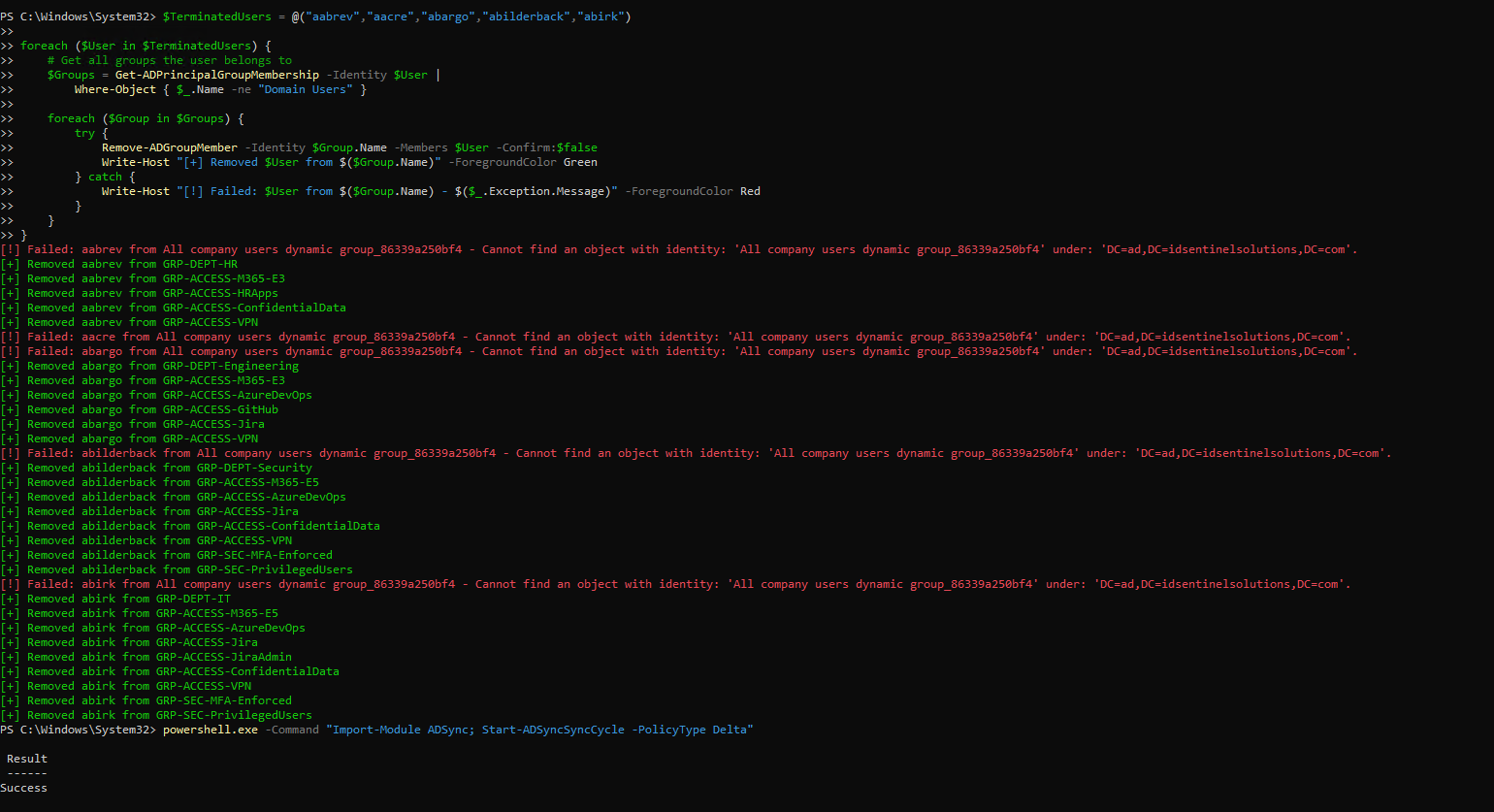 // 03b-disabled-account-remediated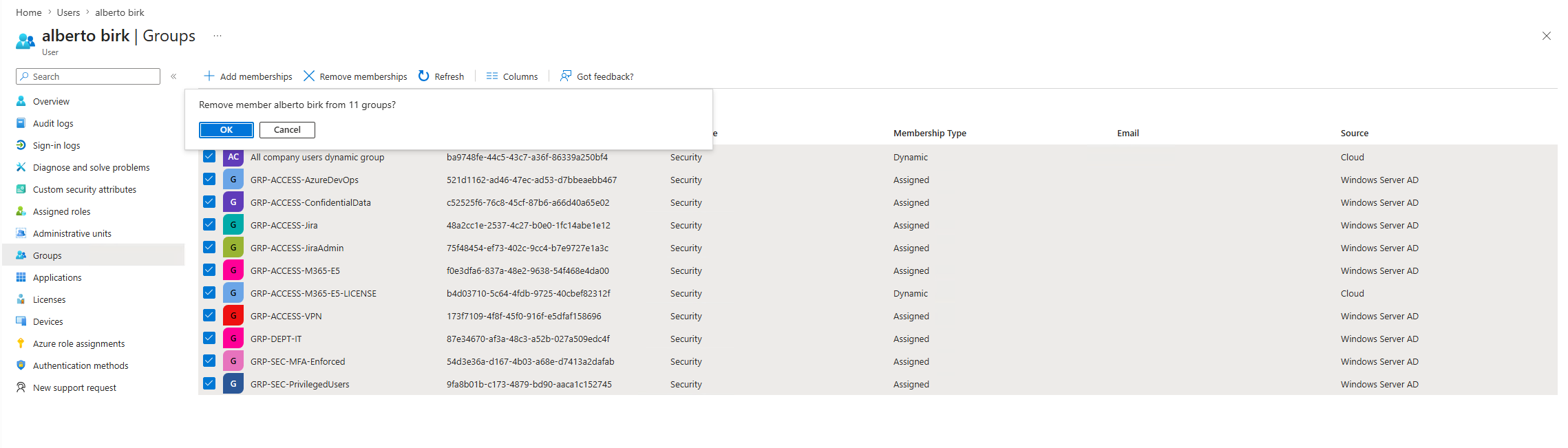
-
04
Update Dynamic Group Rules
Dynamic membership rules updated to explicitly exclude disabled accounts — preventing future orphaned access from terminated employees automatically at offboarding.
// 04-dynamic-rule-updated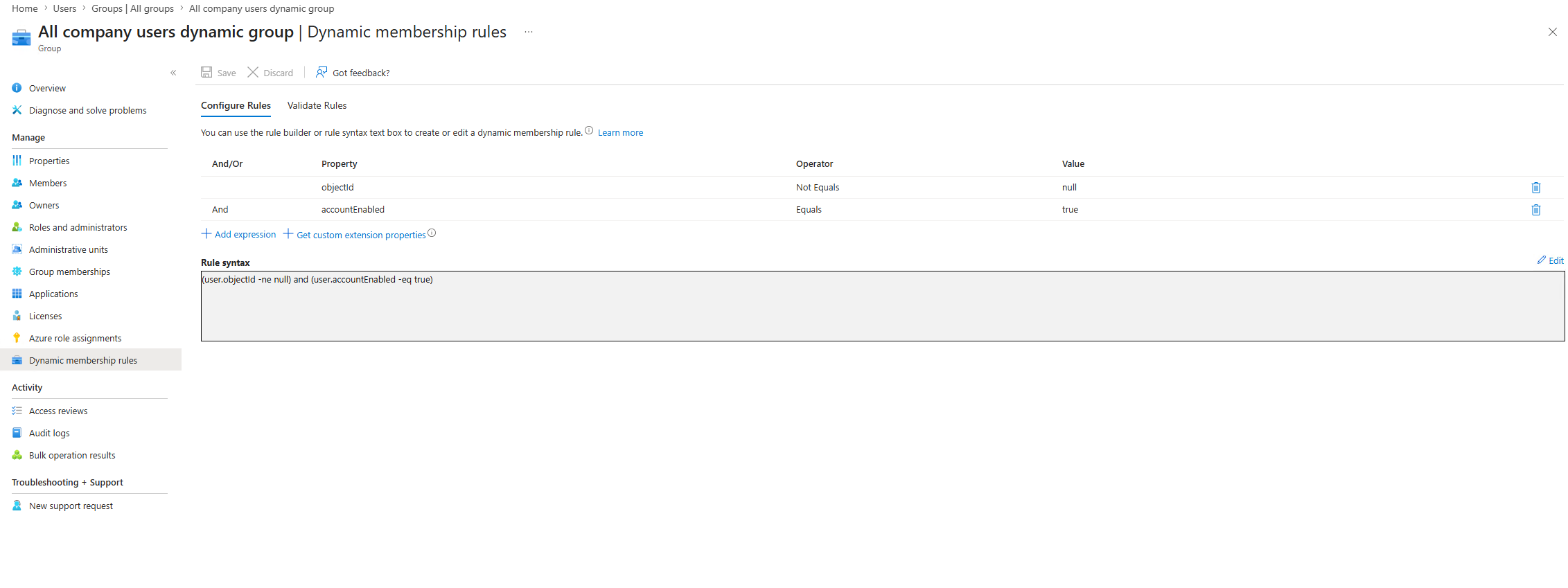
-
05
Post-Remediation Audit
Audit script re-run to validate remediation. HIGH risk findings confirmed at zero. Ownerless groups documented as architectural recommendation — ownership managed at AD layer via
managedByattribute.// 05-post-remediation-audit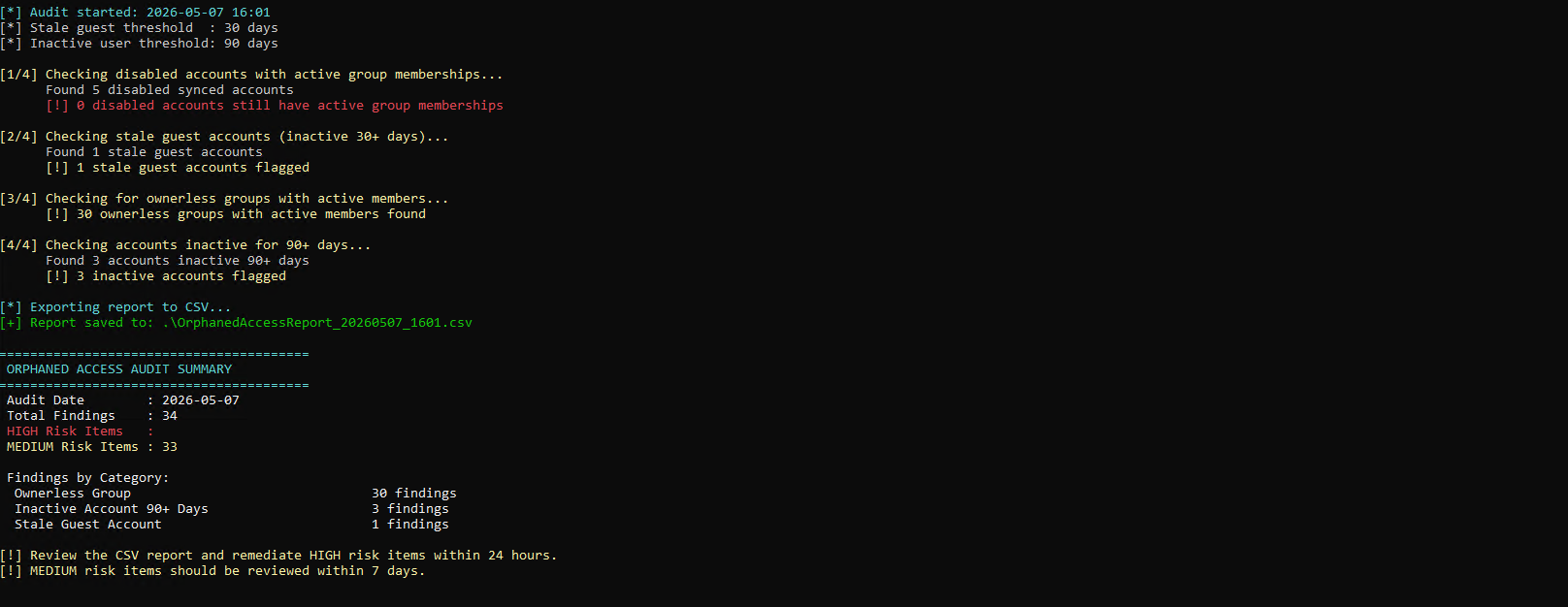
Outcome
Audit Results
Pre-Remediation
| Category | Findings | Risk Level |
|---|---|---|
| Ownerless Groups | 33 | MEDIUM |
| Disabled Accounts with Active Group Membership | 5 | HIGH |
| Inactive Accounts 90+ Days | 3 | HIGH |
| Stale Guest Accounts | 1 | MEDIUM |
| Total | 42 |
Post-Remediation
| Category | Findings | Status | Notes |
|---|---|---|---|
| Ownerless Groups | 30 | MEDIUM | Managed via AD managedBy attribute |
| Disabled Accounts with Active Group Membership | 0 | ✅ RESOLVED | Removed from AD groups + dynamic rules updated |
| Inactive Accounts 90+ Days | 3 | MEDIUM | Flagged for manager confirmation |
| Stale Guest Accounts | 1 | MEDIUM | Under review |
| Total | 34 | 19% reduction — HIGH risk fully resolved |
Files
-
scripts/Get-OrphanedAccessReport.ps1Main audit script — detects all orphaned access categories via Graph API -
diagrams/orphaned-access-flow.pngAudit and remediation workflow diagram -
screenshots/Evidence of findings and remediation at each stage