Business Problem
IDSentinel Solutions' security team needed automated, scheduled reporting on the organization's identity risk posture. Manual reviews of Entra ID sign-in logs, MFA registration status, and guest account inventory were taking 4–6 hours per week and producing inconsistent results depending on who ran them.
The IAM team was tasked with building a programmatic solution using the Microsoft Graph API to automate identity risk reporting — replacing manual portal reviews with scheduled, consistent, exportable reports.
Risk
- Manual reporting creates inconsistency and human error
- No audit trail for when reports were run or who reviewed them
- 4–6 hours per week of analyst time wasted on repeatable tasks
- Delayed detection of MFA gaps and stale guest accounts
- No programmatic access to identity data for downstream SIEM integration
Scope — Reports Automated
| # | Report | Graph API Endpoint |
|---|---|---|
| 1 | MFA Registration Report | beta/reports/credentialUserRegistrationDetails |
| 2 | Guest Account Inventory | v1.0/users?$filter=userType eq 'Guest' |
| 3 | Sign-in Risk Report | v1.0/identityProtection/riskyUsers |
Solution Design
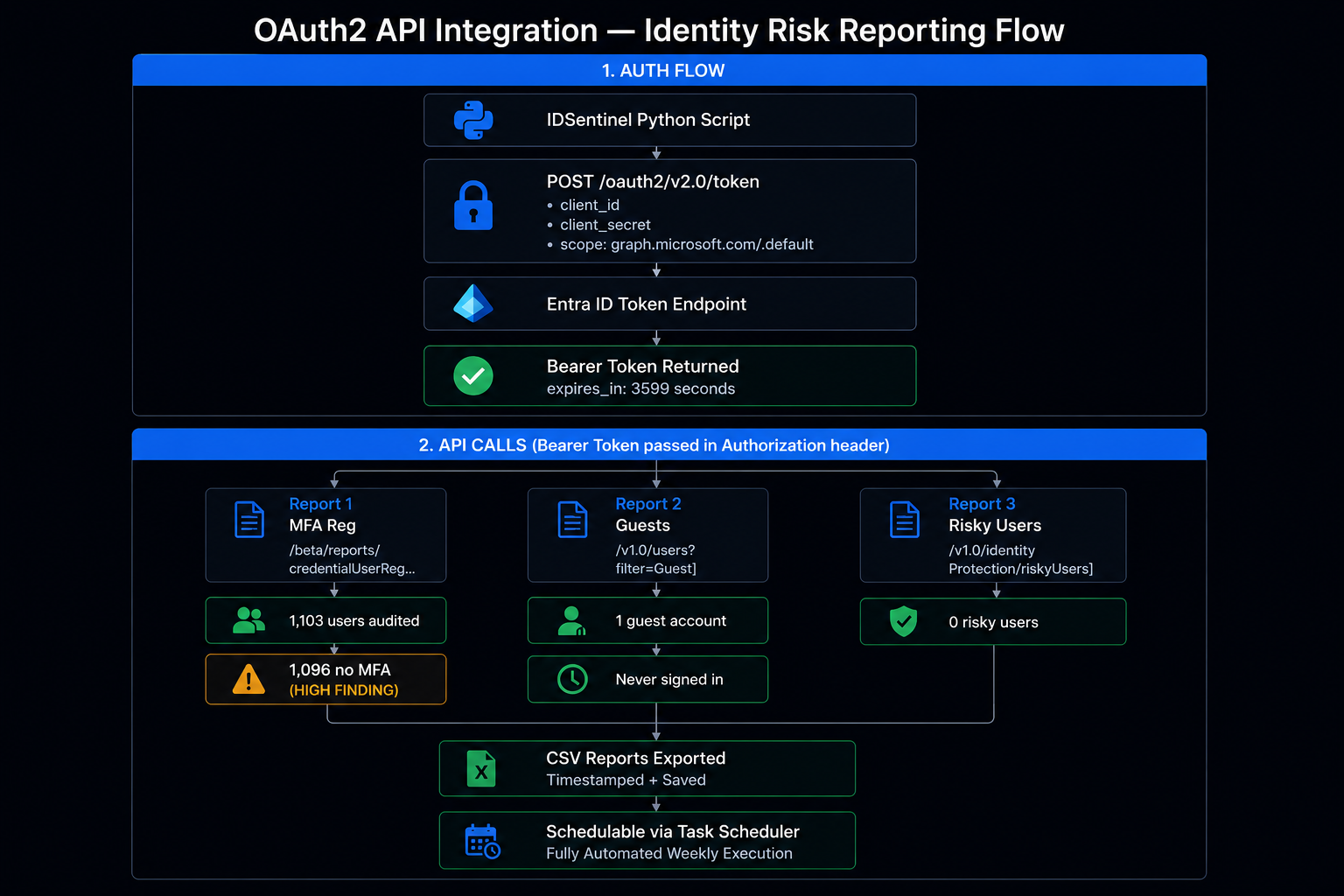
Authentication uses the OAuth2 Client Credentials flow — a service principal authenticates directly to Entra ID without user interaction, making it suitable for automated/scheduled execution.
Step 1App registration created in Entra ID with least-privilege API permissionsStep 2Client credentials (Client ID + Secret) used to obtain access token from token endpointStep 3Bearer token passed in Authorization header for all Graph API requestsStep 4Reports exported as timestamped CSV files for downstream consumption and compliance documentation
Implementation
-
01
Create App Registration in Entra ID
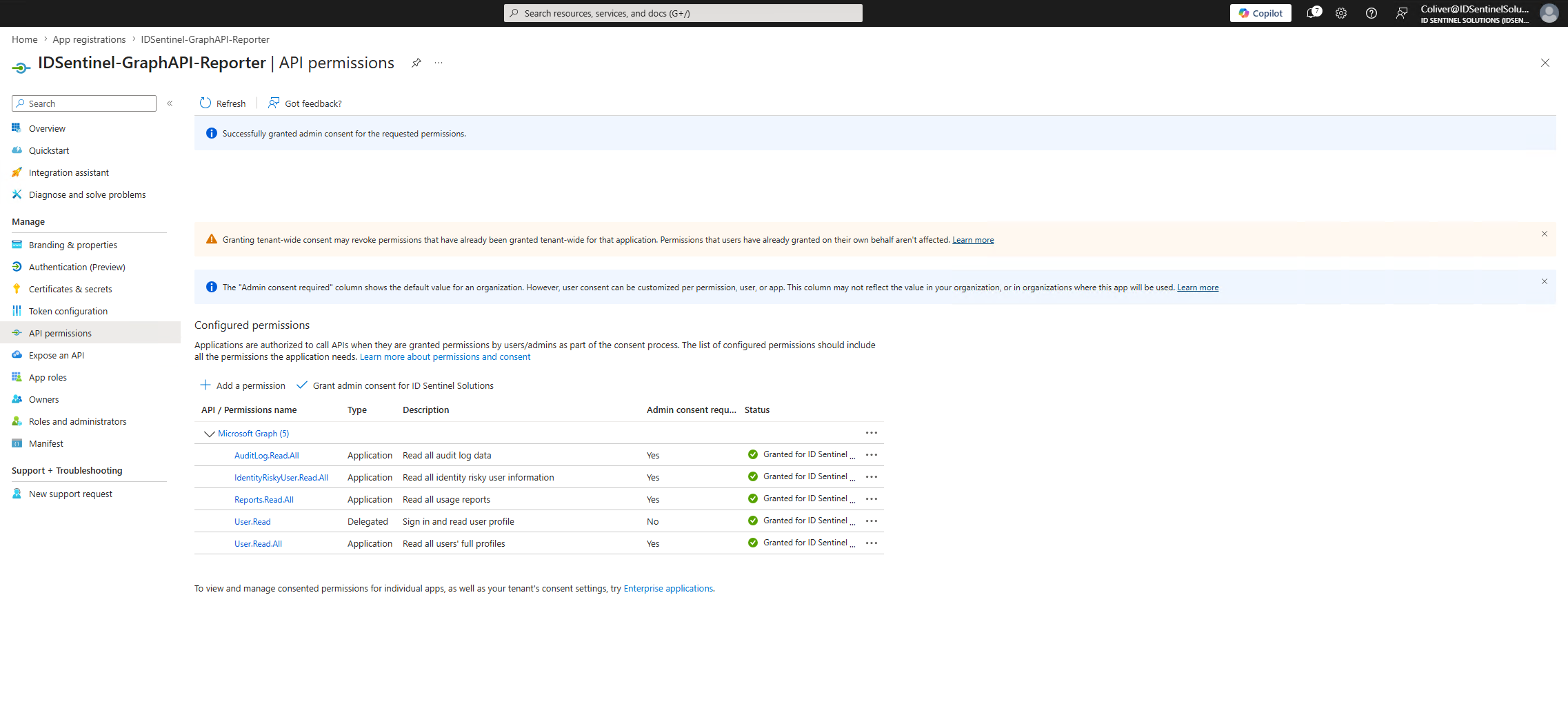
App registration created with least-privilege API permissions:
Reports.Read.All,User.Read.All,IdentityRiskyUser.Read.All. Client secret generated for service principal authentication.// 01-app-registration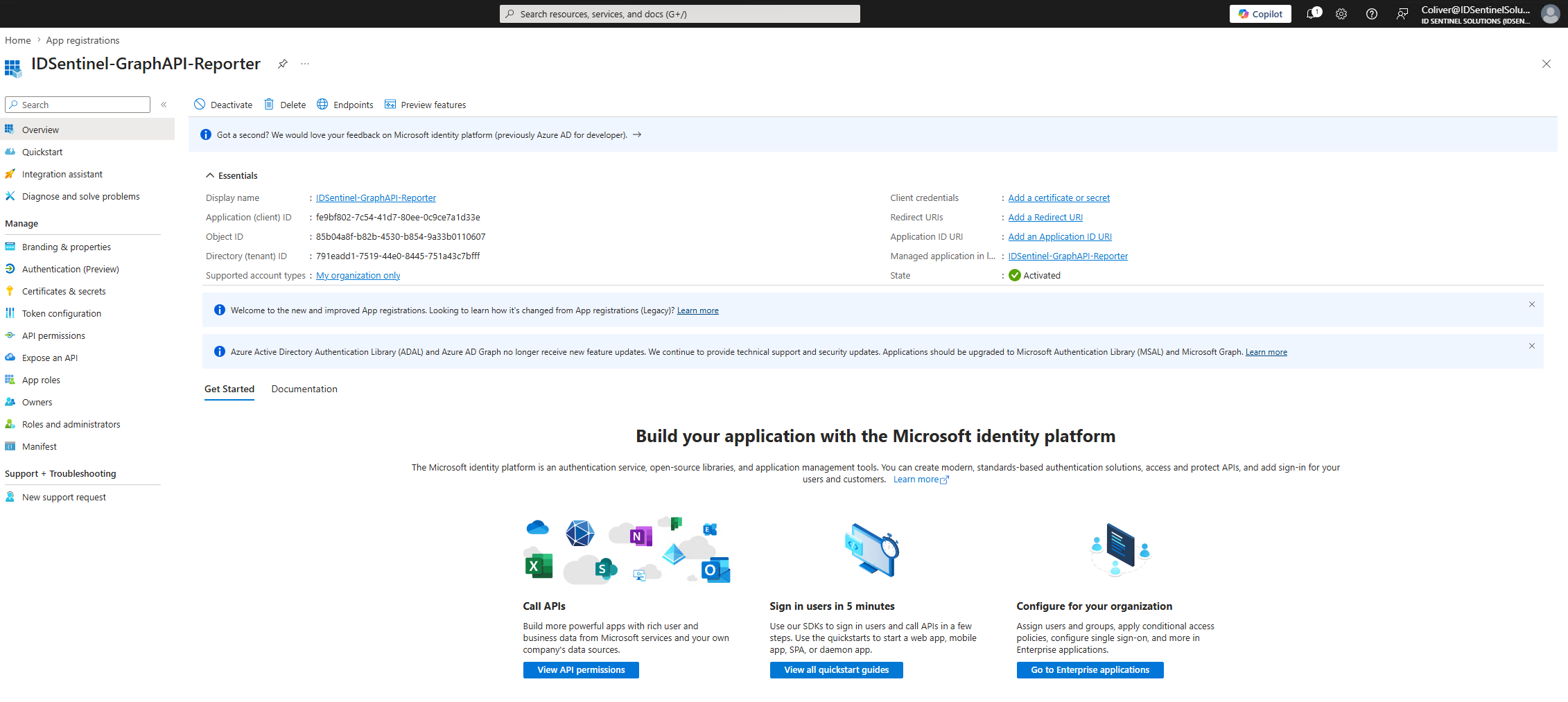 // 02-api-permissions
 // 03-client-secret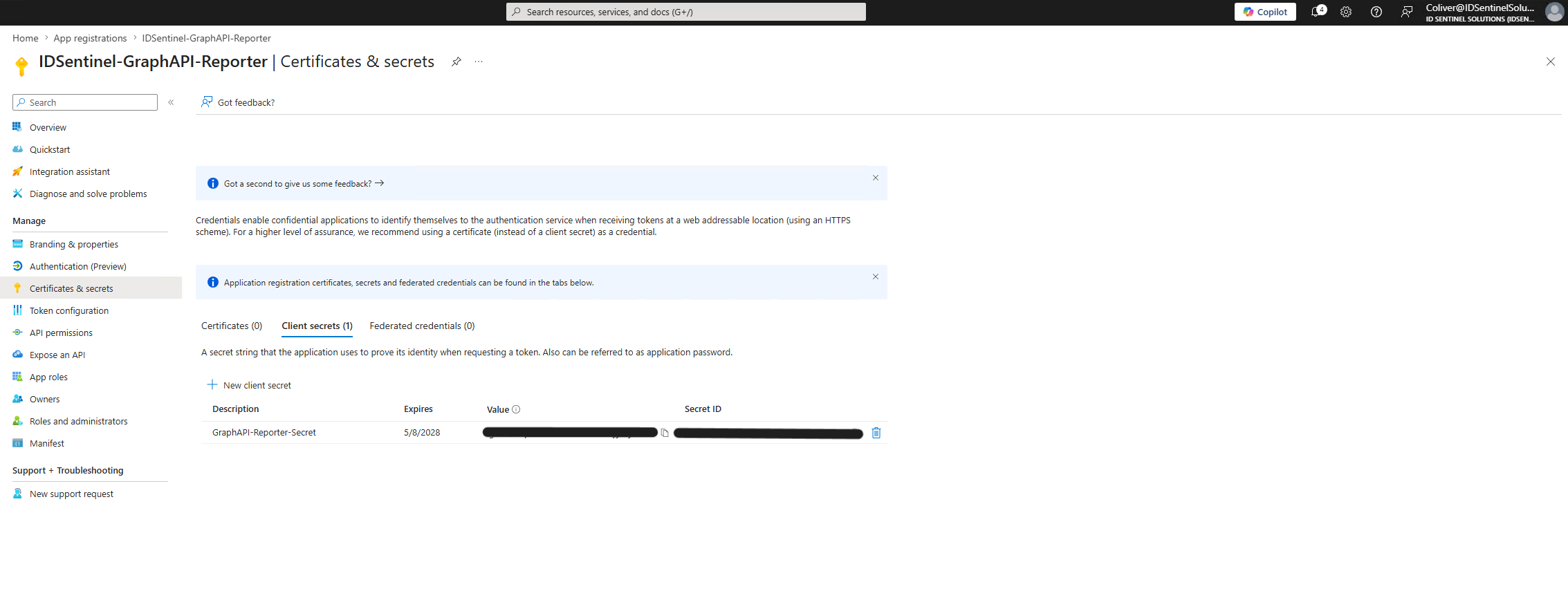
-
02
Test OAuth2 Token Request in Postman
Token request validated in Postman against the Entra token endpoint using client_id, client_secret, and
grant_type=client_credentials. Access token returned and confirmed valid.// 04-postman-token-request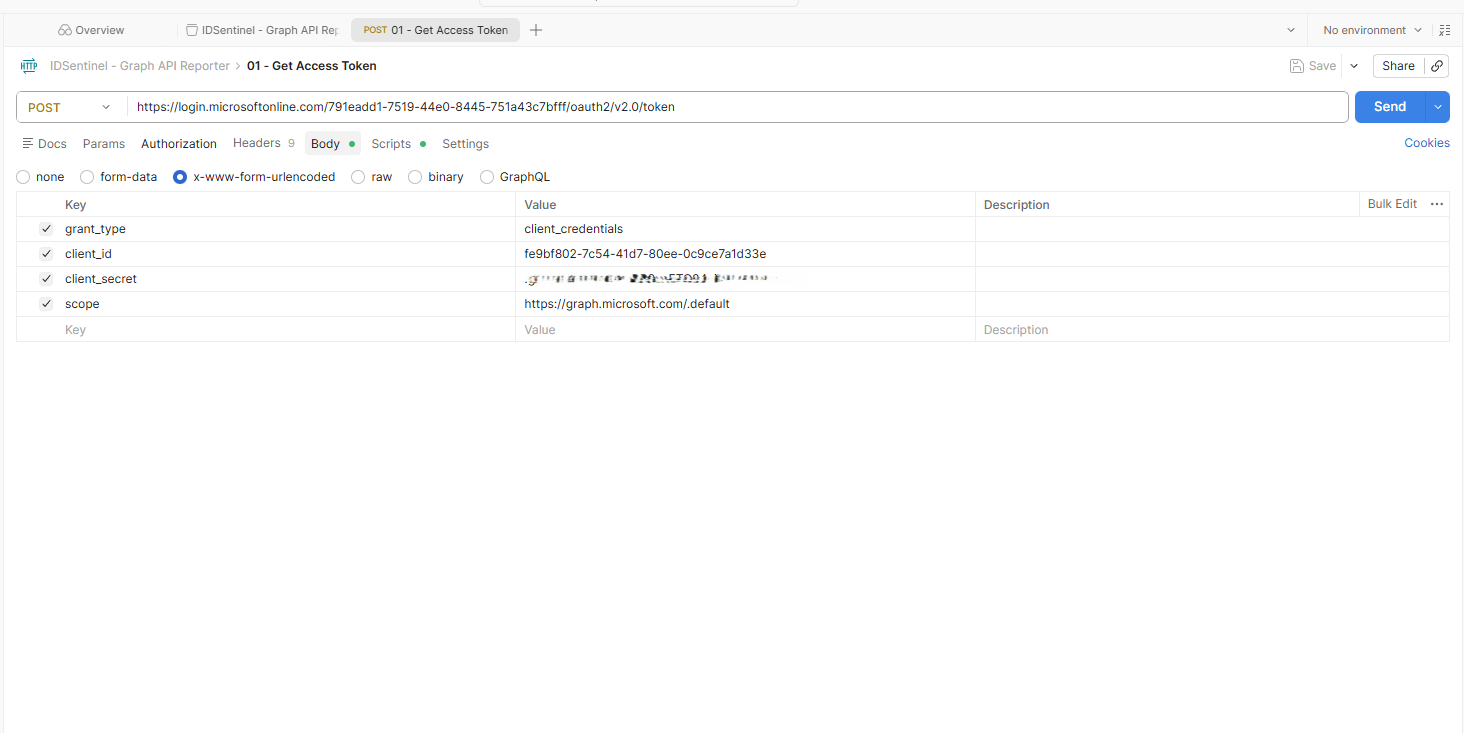 // 05-postman-token-response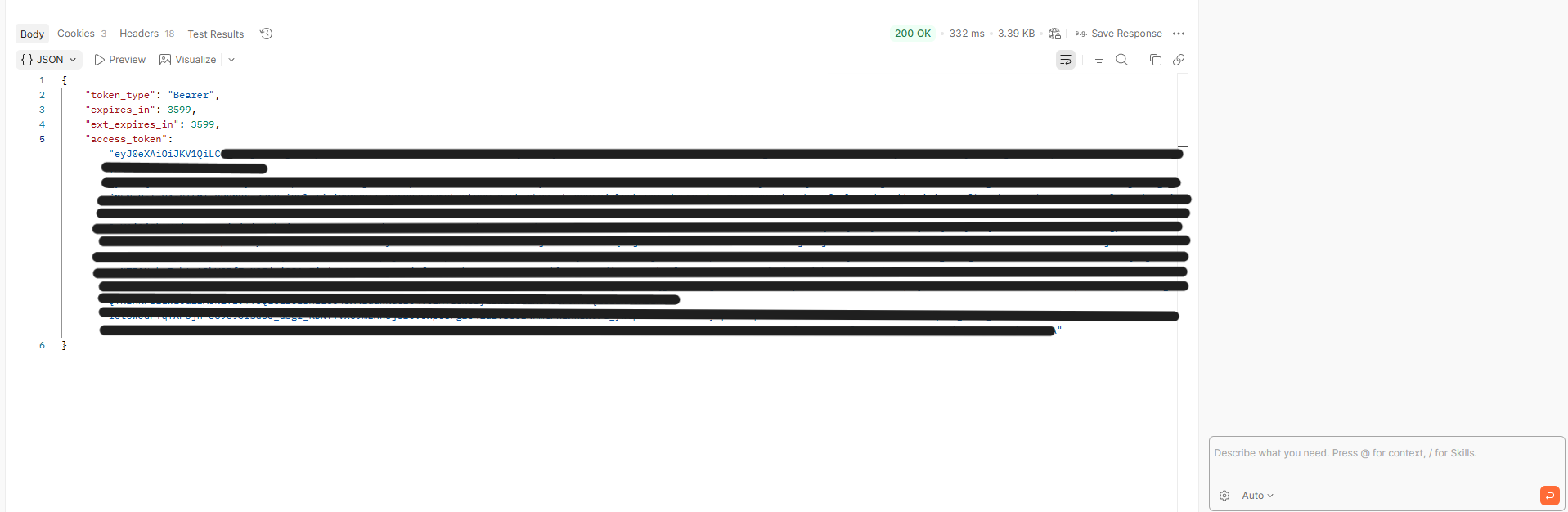
-
03
Call Graph API Endpoints in Postman
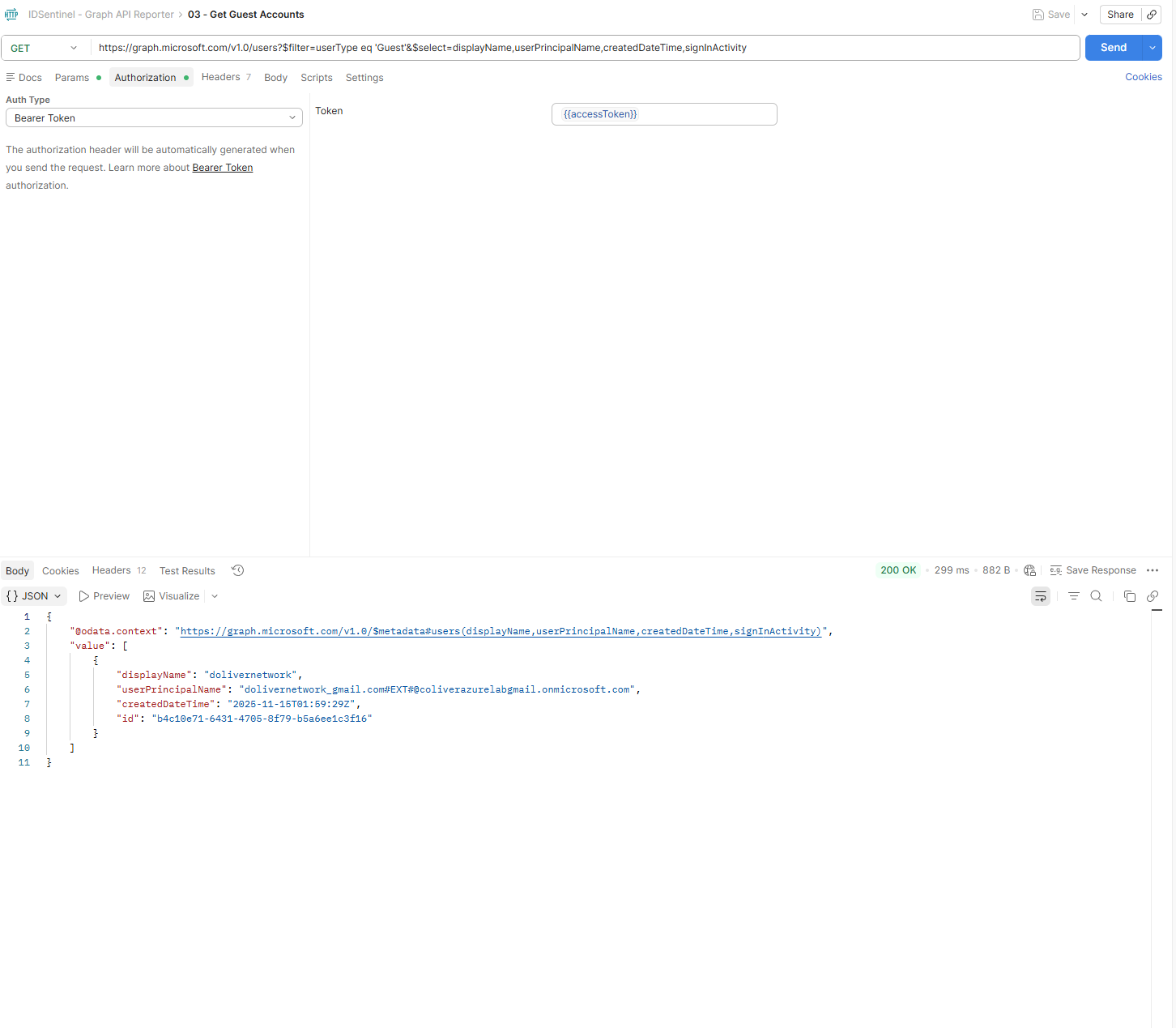
All three report endpoints tested individually with the Bearer access token before scripting:
MFA Registration ReportGET https://graph.microsoft.com/beta/reports/credentialUserRegistrationDetails
Guest Account InventoryGET https://graph.microsoft.com/v1.0/users?$filter=userType eq 'Guest'
Risky Users ReportGET https://graph.microsoft.com/v1.0/identityProtection/riskyUsers
// 06-postman-mfa-report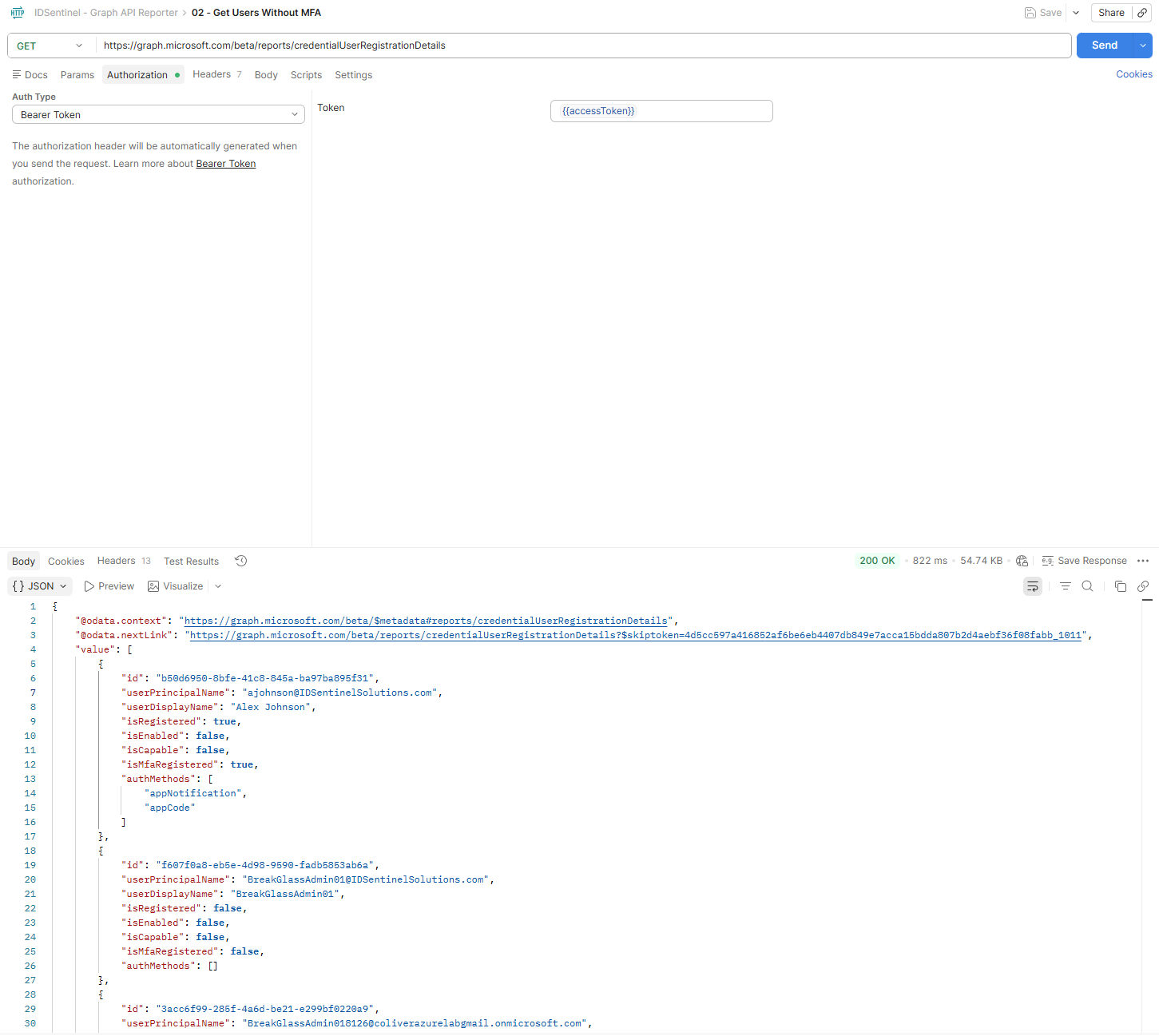 // 07-postman-guest-report
 // 08-postman-risky-users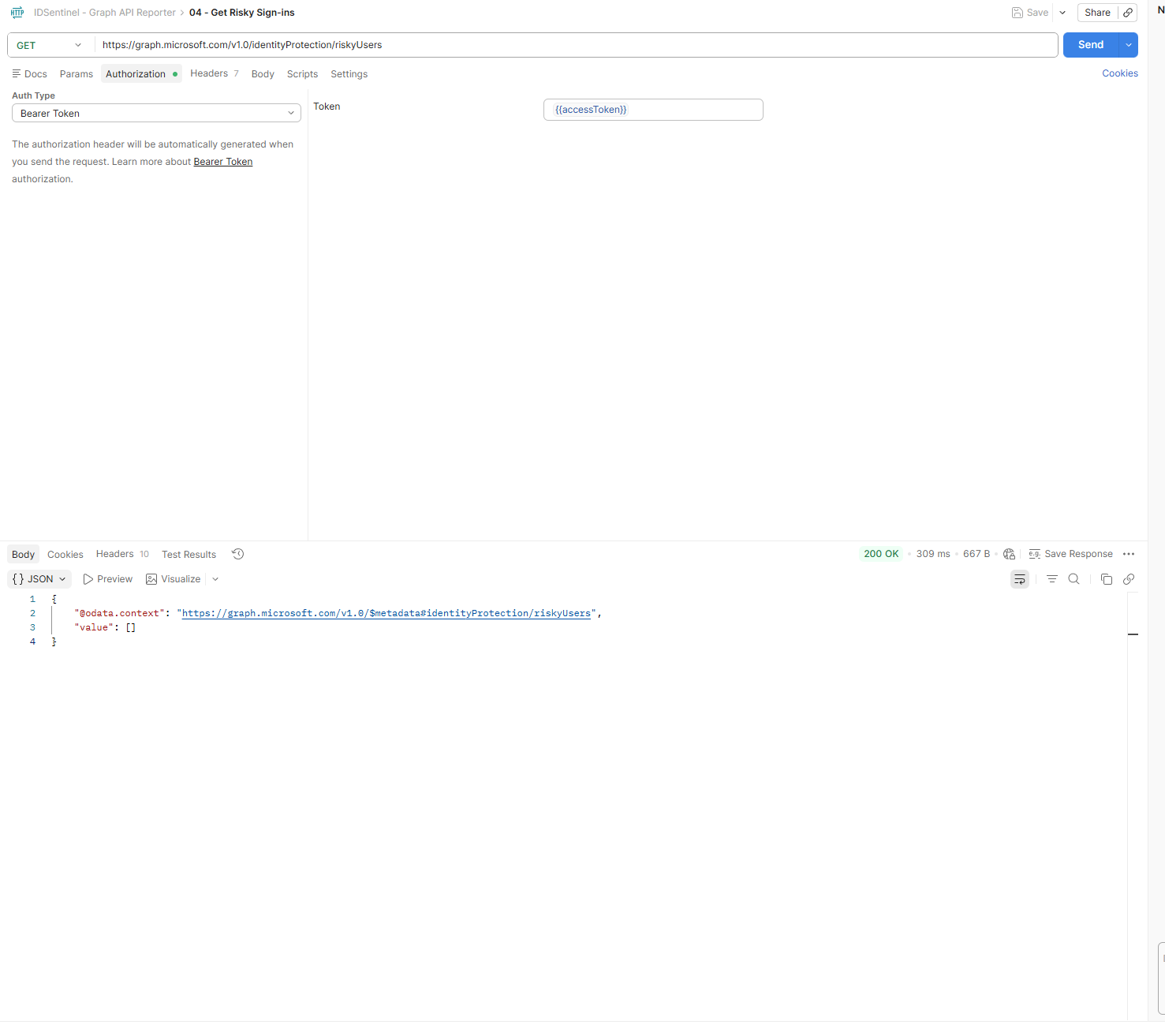
-
04
Python Automation Script
Python script built to authenticate via client credentials, call all three Graph API endpoints, and export results as timestamped CSV files. Solution is schedulable via Task Scheduler for fully automated execution.
// 09-python-script-output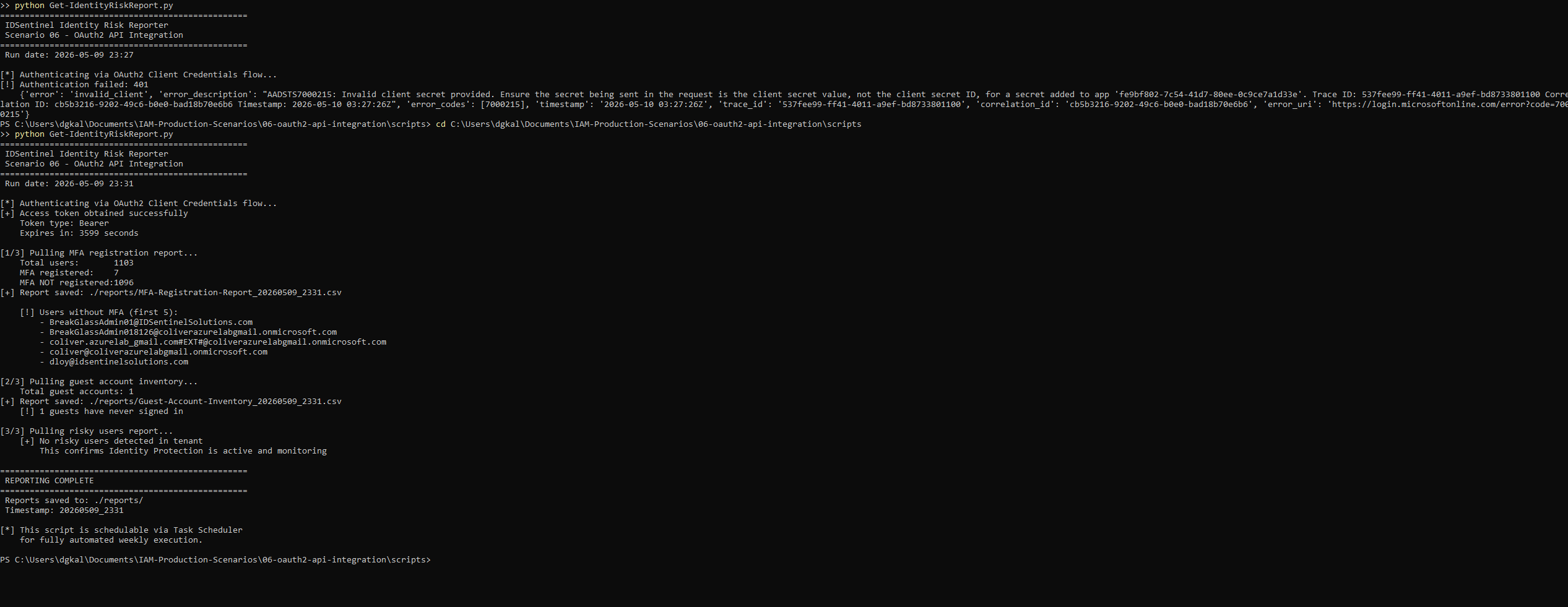 // 10-csv-reports-generated
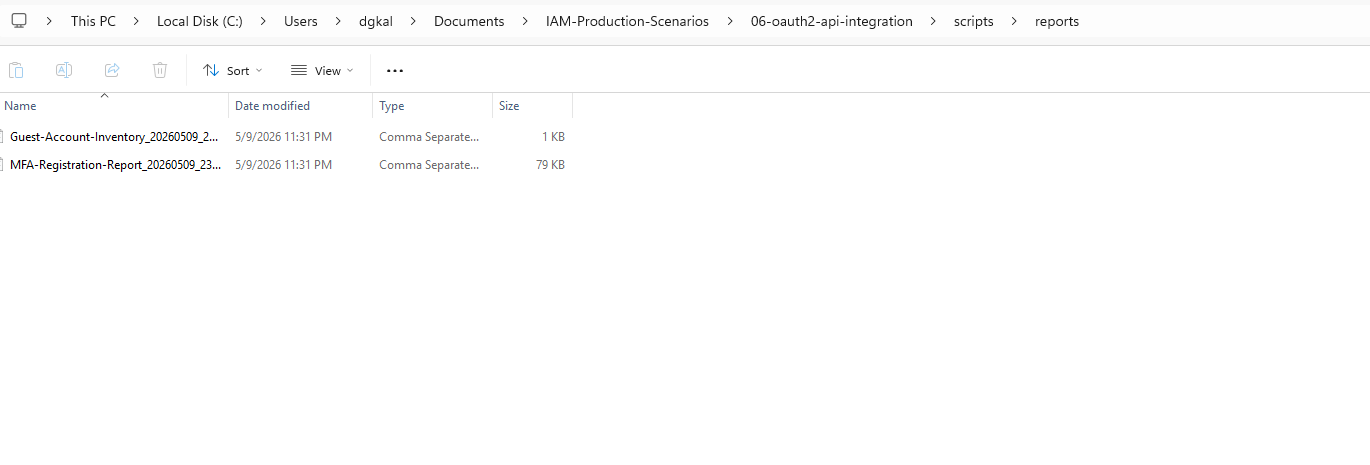 // 10b-csv-report-contents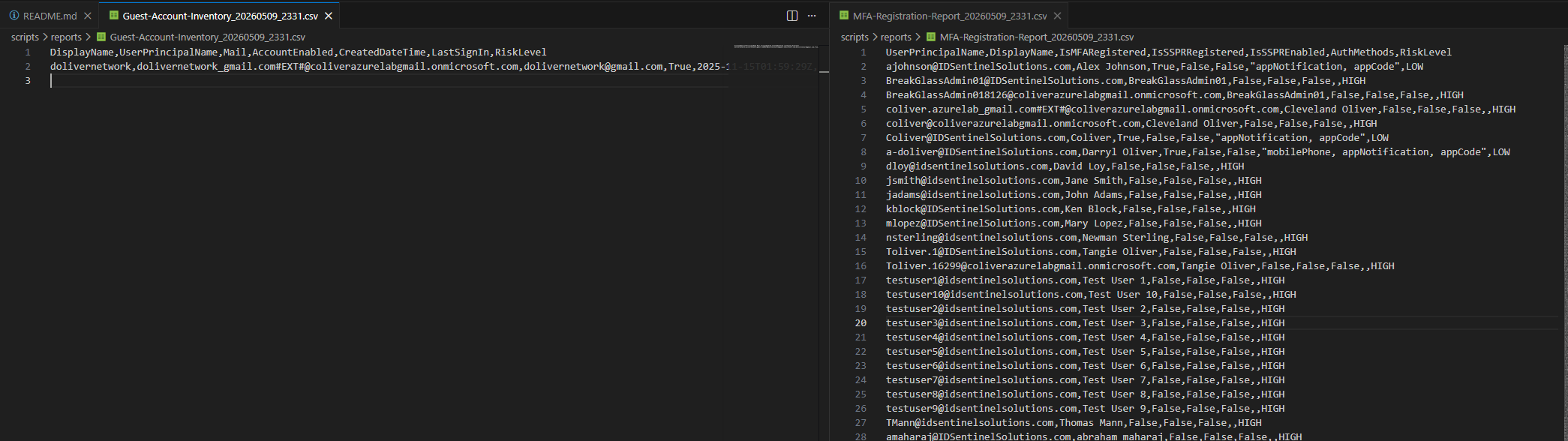
Outcome
Files
-
scripts/Get-IdentityRiskReport.pyPython script — OAuth2 auth + all three Graph API reports + CSV export -
postman/IDSentinel-GraphAPI.postman_collection.jsonPostman collection with token request and all three report endpoints -
diagrams/oauth2-flow.pngOAuth2 client credentials flow diagram -
screenshots/Evidence of implementation — app registration, Postman responses, Python output, CSV exports