Business Problem
IDSentinel Solutions was onboarding a new customer-facing SaaS application requiring a secure, branded login experience for external customers. Without a dedicated CIAM platform, customer accounts would need to be provisioned inside the corporate Entra ID tenant — co-mingling external users with employees, violating data separation principles, and creating an unscalable support burden.
The IAM team was tasked with designing and deploying a Customer Identity and Access Management (CIAM) platform using Auth0 — a dedicated external identity tenant fully isolated from the corporate Entra ID environment.
Risk
- Customer identities co-mingled with employee accounts — violates least-privilege and data separation principles
- No self-service registration or password reset — support desk handles all customer access requests
- Username/password only — no MFA path for customer accounts creates credential stuffing exposure
- No token-based API protection — customer-facing endpoints unauthenticated or using insecure API key patterns
- No customer authentication audit trail — compliance exposure under SOC 2 Type II
Scope
| Field | Detail |
|---|---|
| Affected population | External SaaS customers — fully isolated from employee and contractor accounts |
| Identity platform | Auth0 (dedicated CIAM tenant) |
| Protocols | OIDC, OAuth2 — Universal Login and client credentials flow |
| Identity providers | Auth0 database connection + Google social federation |
| MFA | Email OTP — Always policy, enforced on every sign-in |
| API protection | Bearer JWT scoped to read:data, audience https://api.idsentinel.com |
| Compliance target | SOC 2 Type II |
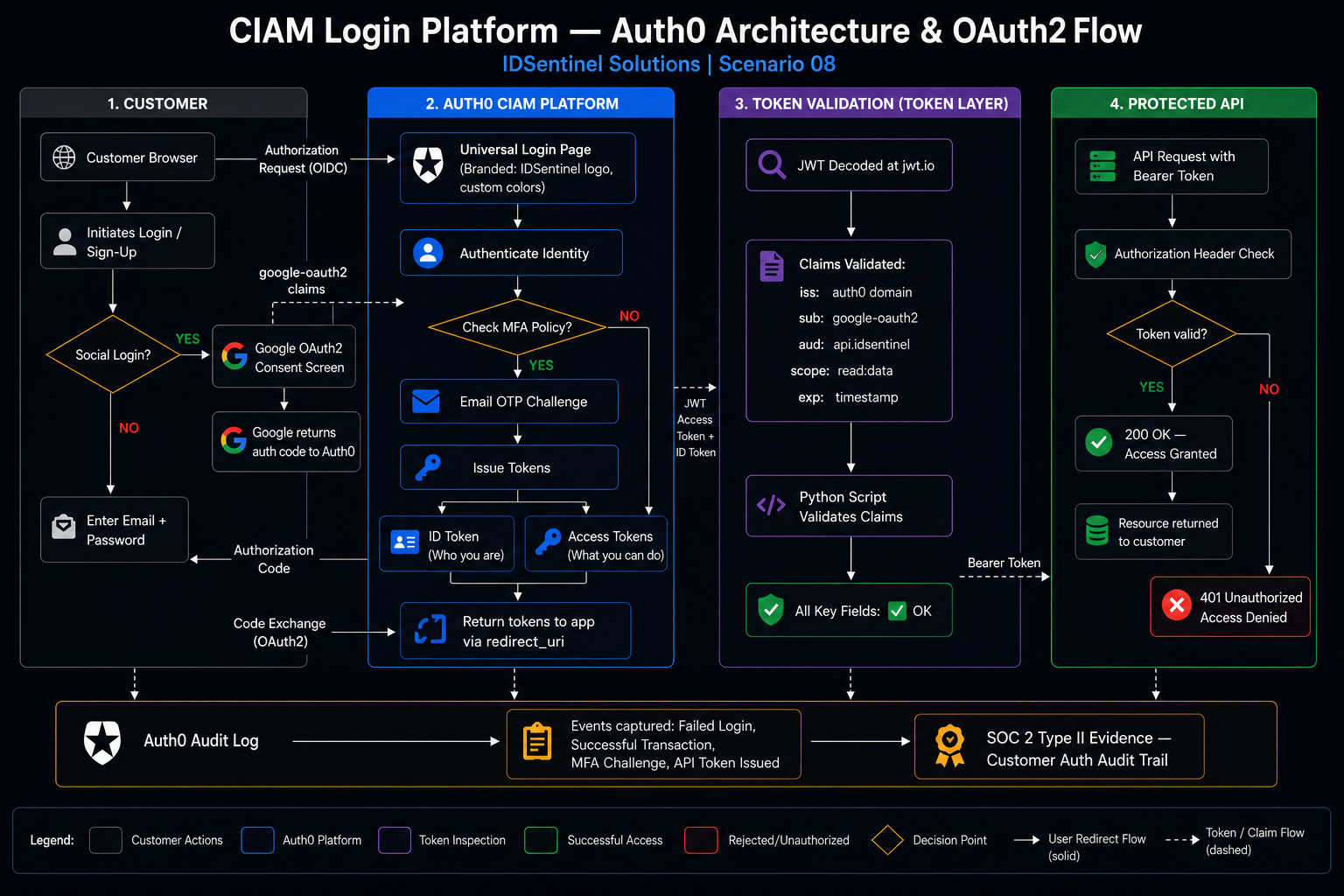
Solution Design — 4 Workstreams
Auth0 Tenant and Application Registration
Dedicated Auth0 tenant provisioned as an isolated CIAM directory. Web application and protected API registered separately.
Universal Login and Custom Branding
Auth0 Universal Login configured as the hosted authentication endpoint. Custom branding applied. Self-service sign-up and password reset enabled.
Google Social Identity Federation
Google configured as an external OIDC identity provider. Auth0 maps Google claims to the local customer profile — customers not dependent on Google remaining their IdP.
API Protection with OAuth2
Protected API registered with custom read:data scope. Client credentials flow used to issue scoped JWT access tokens validated against a protected endpoint.
Key design decision: Universal Login over embedded login — Auth0's recommended security pattern. Prevents credential interception at the application layer. JWT access tokens scoped to API audience https://api.idsentinel.com — tokens cannot be replayed against other services.
Implementation
-
01
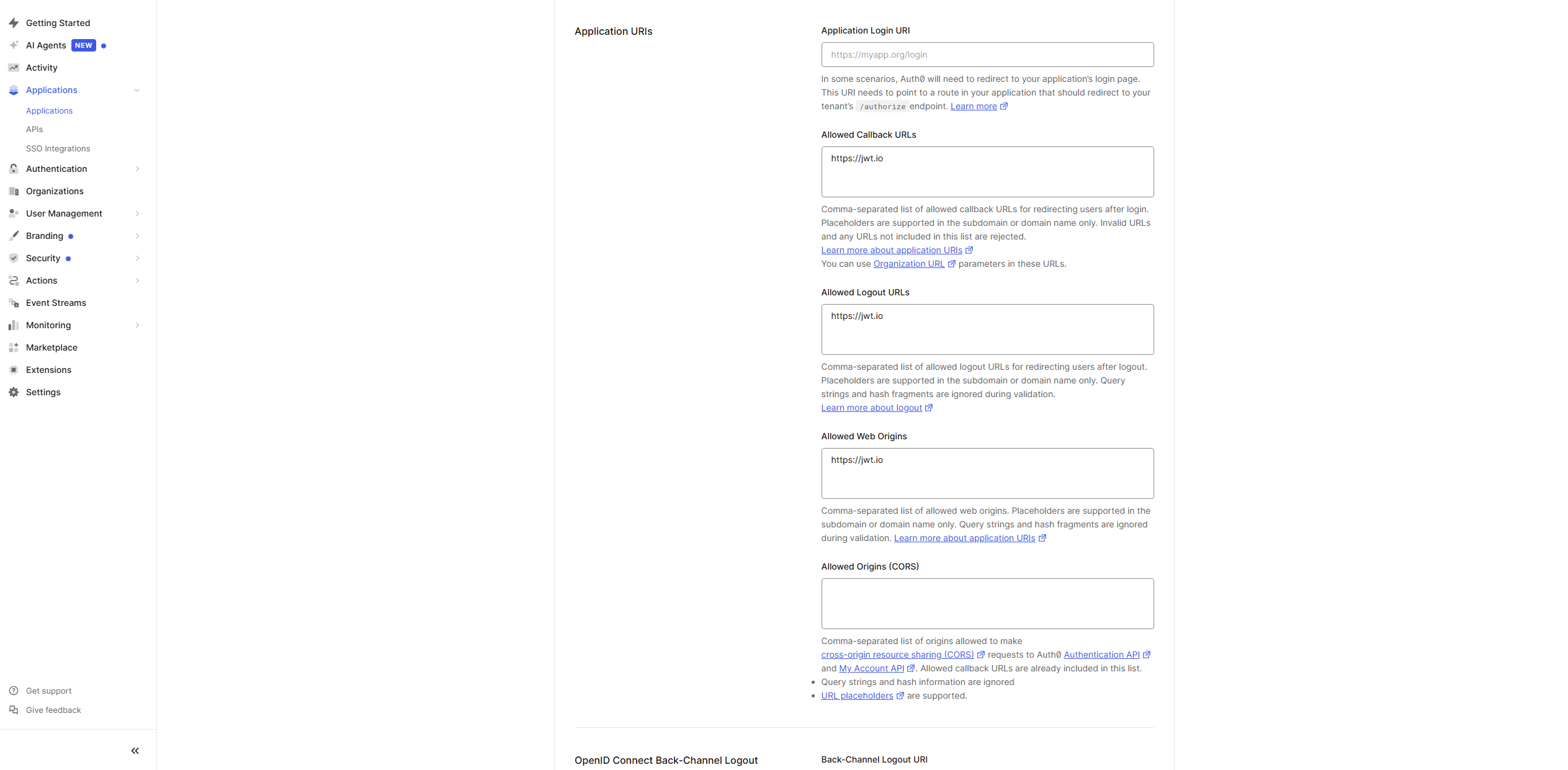
Provision Auth0 Tenant + Register Applications
Dedicated Auth0 tenant created — customer-only identity space, no employee accounts, no CA policies, no group memberships. Web app
IDSentinel-CustomerAppand APIIDSentinel-CustomerAPIregistered with identifierhttps://api.idsentinel.comand customread:datapermission scope.// 01-auth0-tenant-dashboard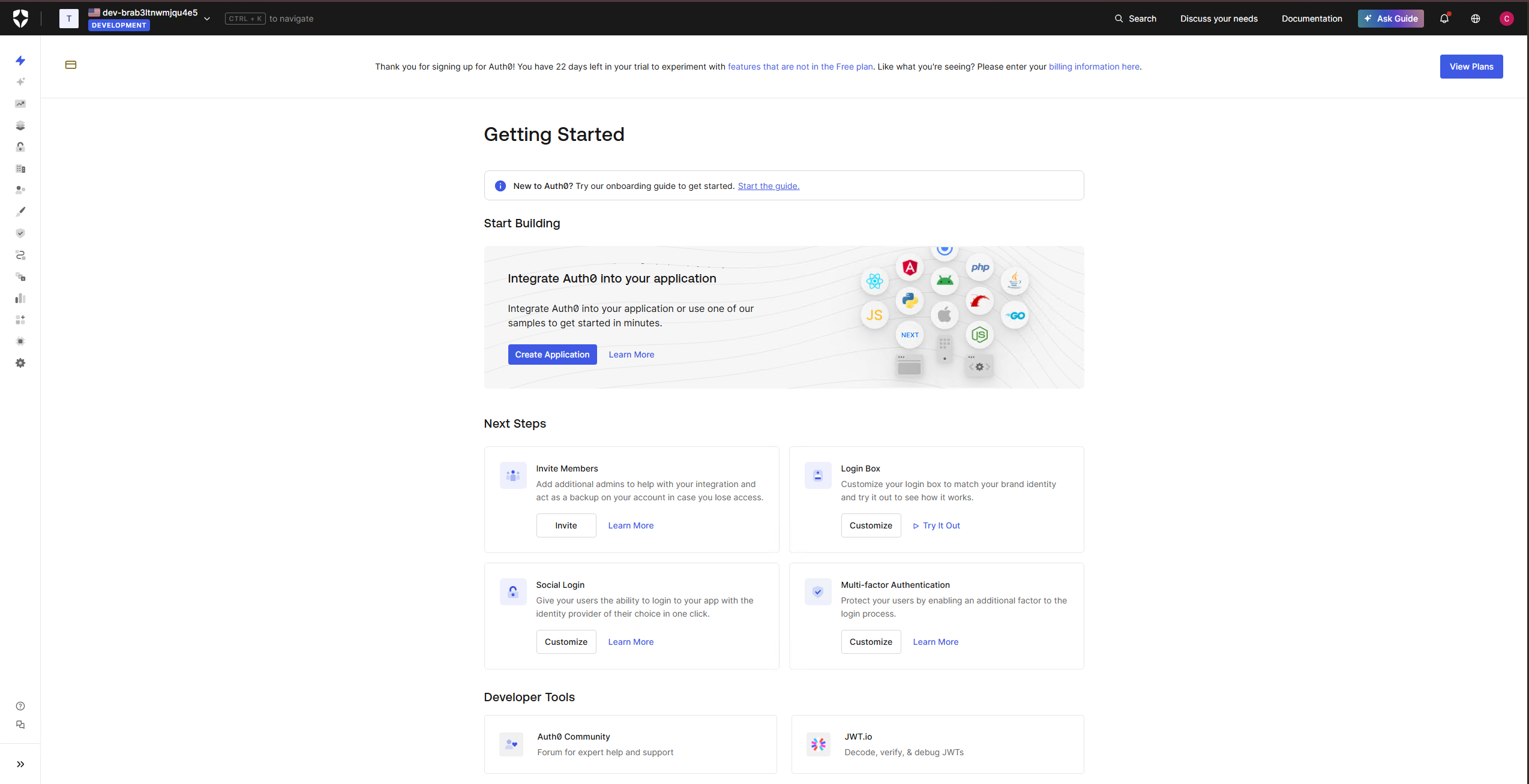 // 02-app-registration-auth0
 // 03-api-registration-auth0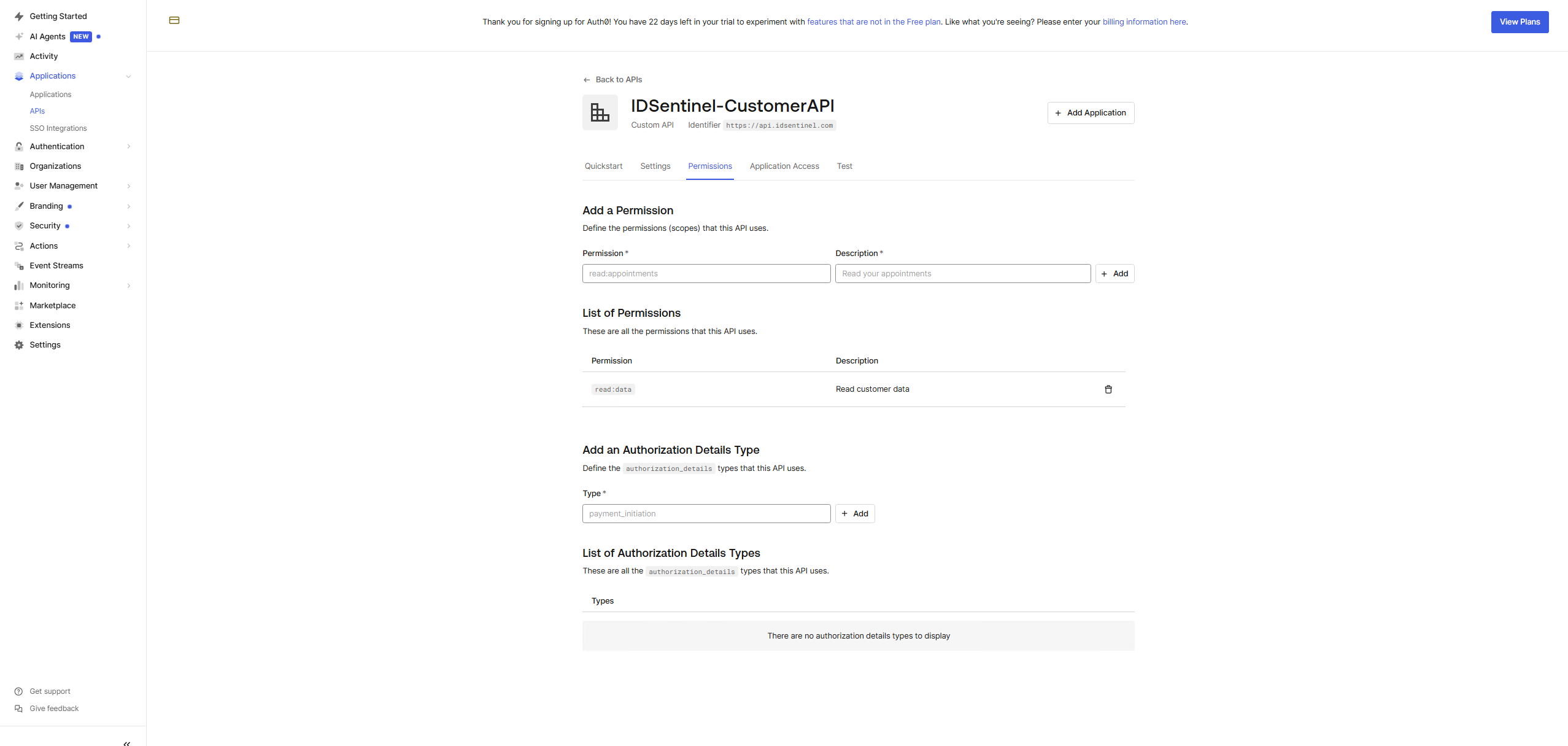
-
02
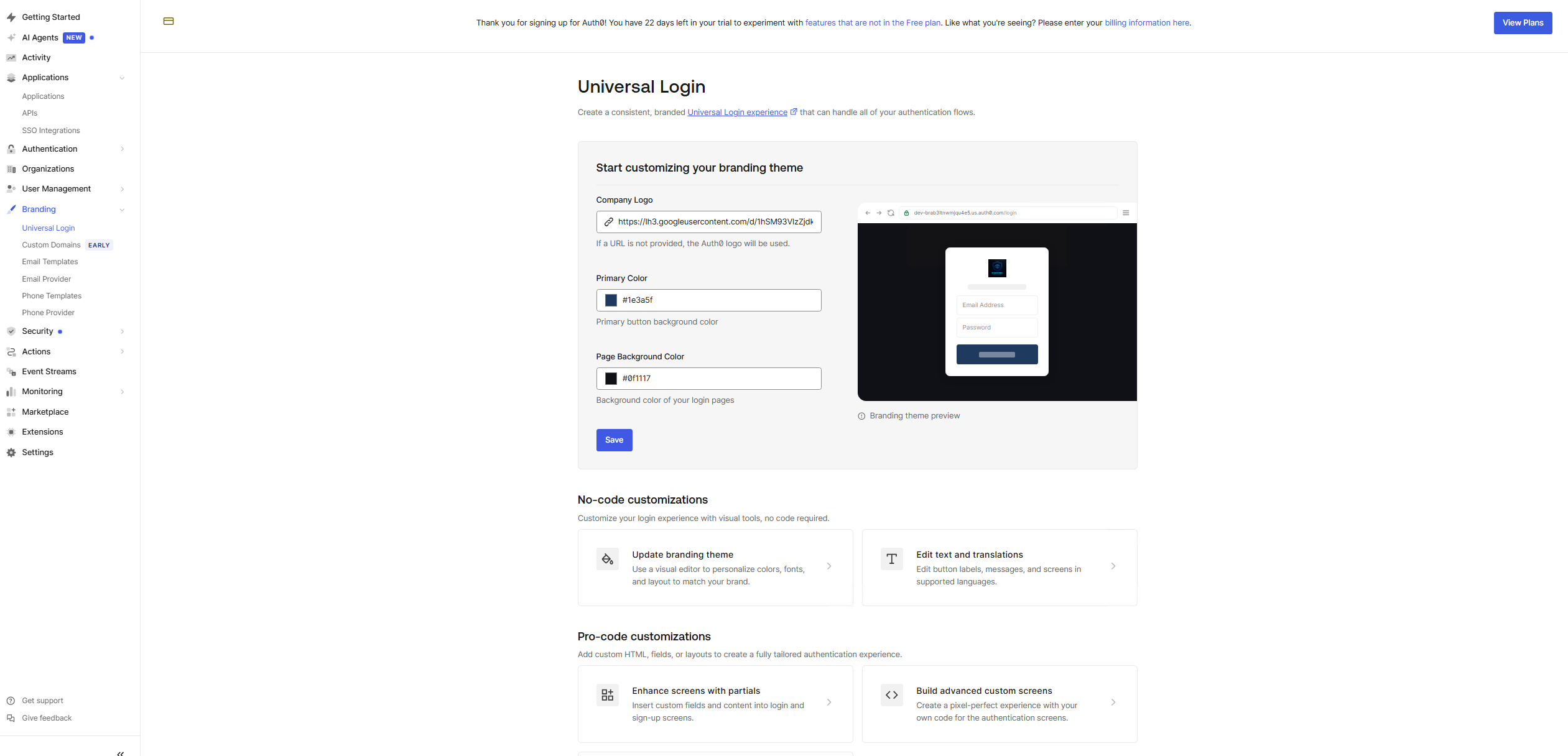
Configure Universal Login and Branding
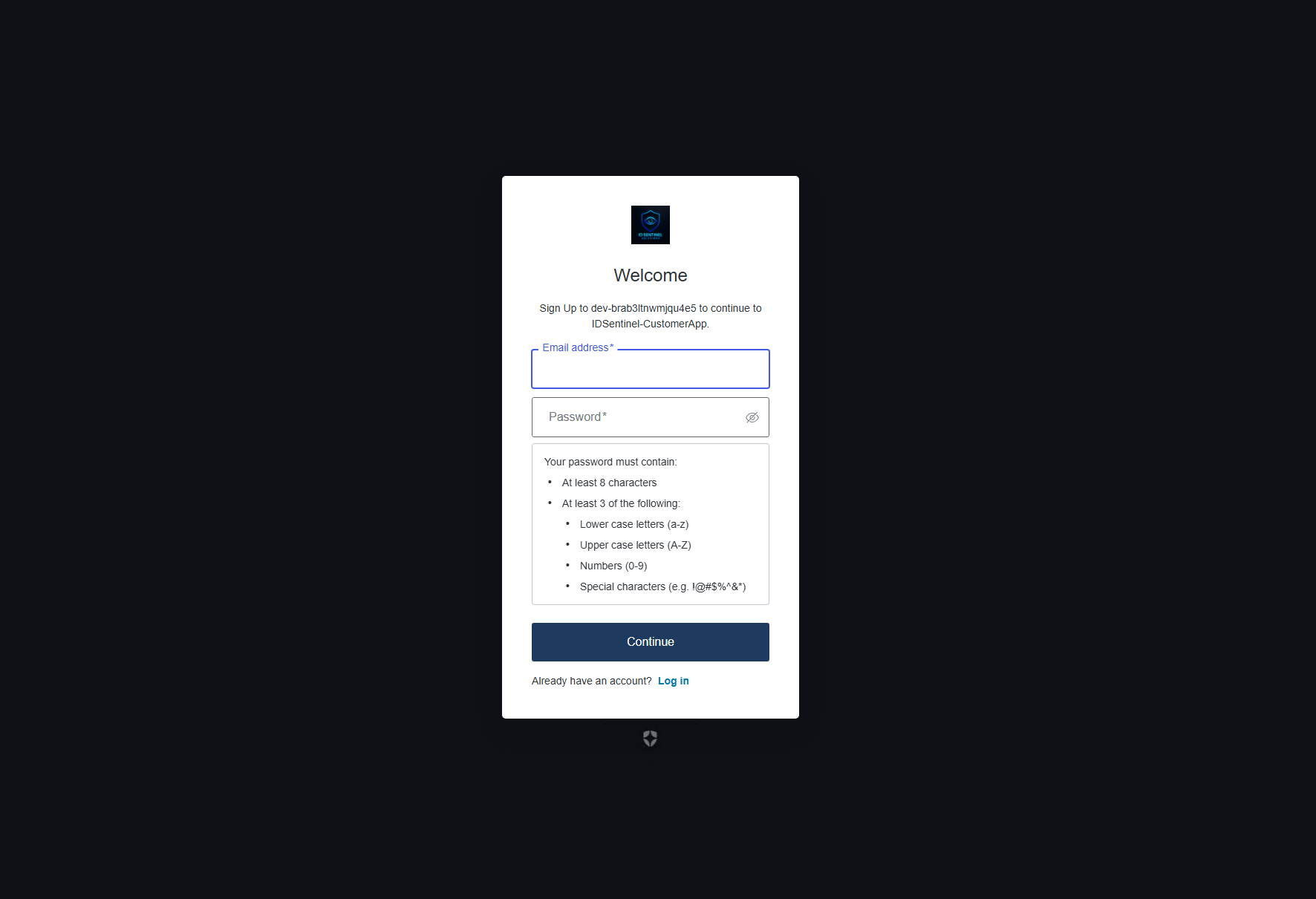
New Universal Login experience enabled. IDSentinel logo, primary color, and background applied. Self-service sign-up tested end-to-end — customer account created and confirmed in Auth0 user store with identity provider listed as
auth0.// 04-universal-login-config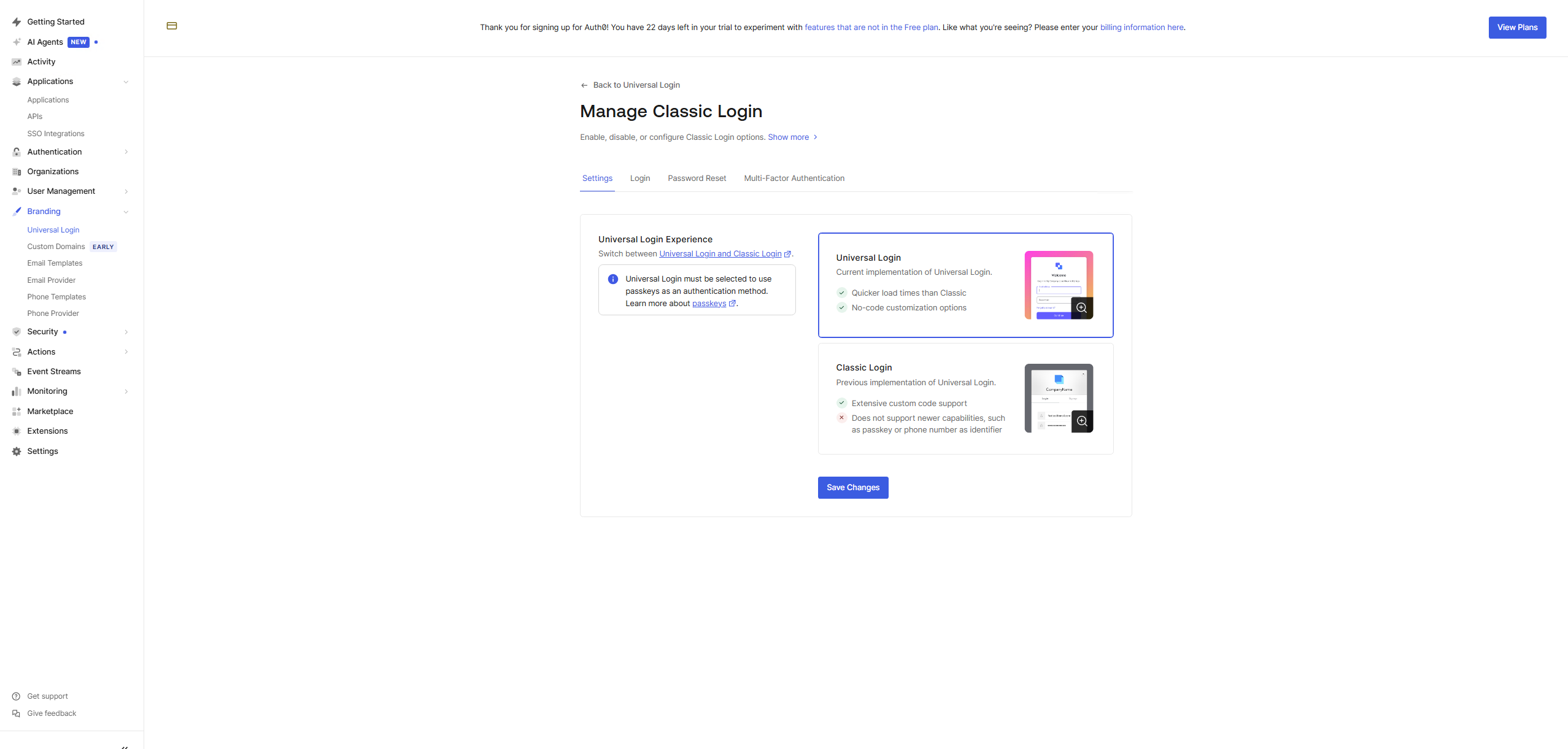 // 05-custom-branding
 // 06-signup-signin-test
 // 07-user-created-auth0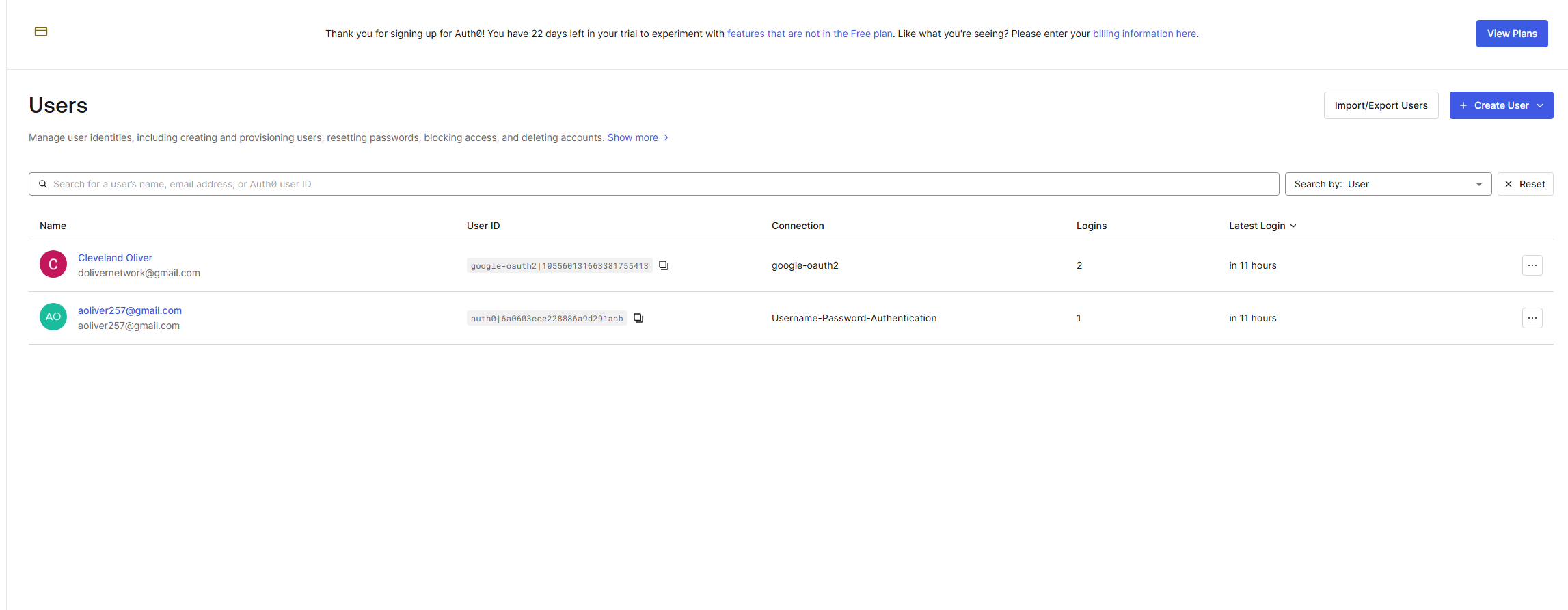
-
03
Configure Google Social Federation
Google Cloud project created with OAuth2 consent screen and OAuth2 Client ID. Auth0 callback URL registered as an authorized redirect URI. Google social connection enabled on
IDSentinel-CustomerAppand validated end-to-end —google-oauth2linked identity confirmed in user store.// 08-google-cloud-credentials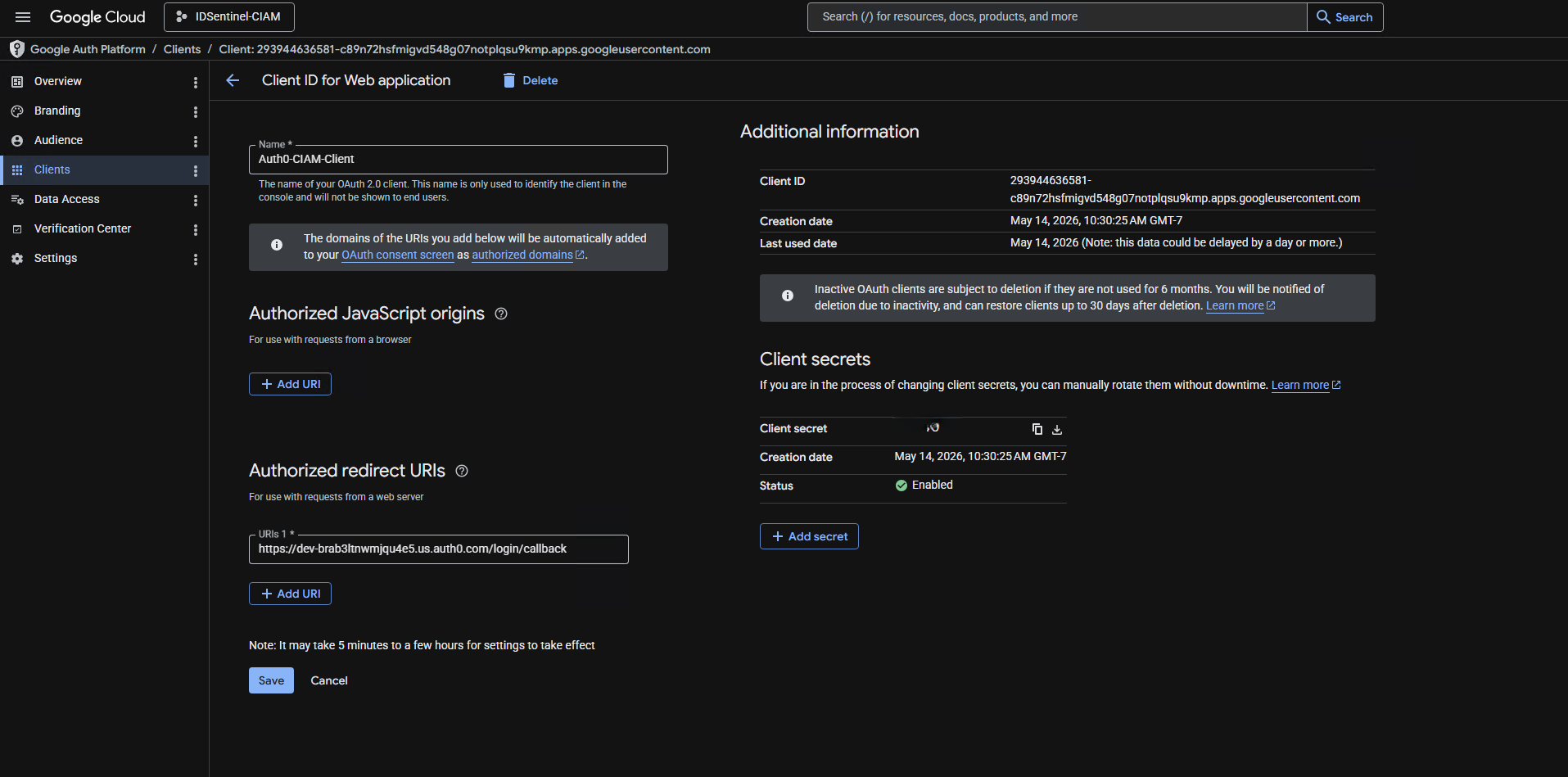 // 09-google-social-connection
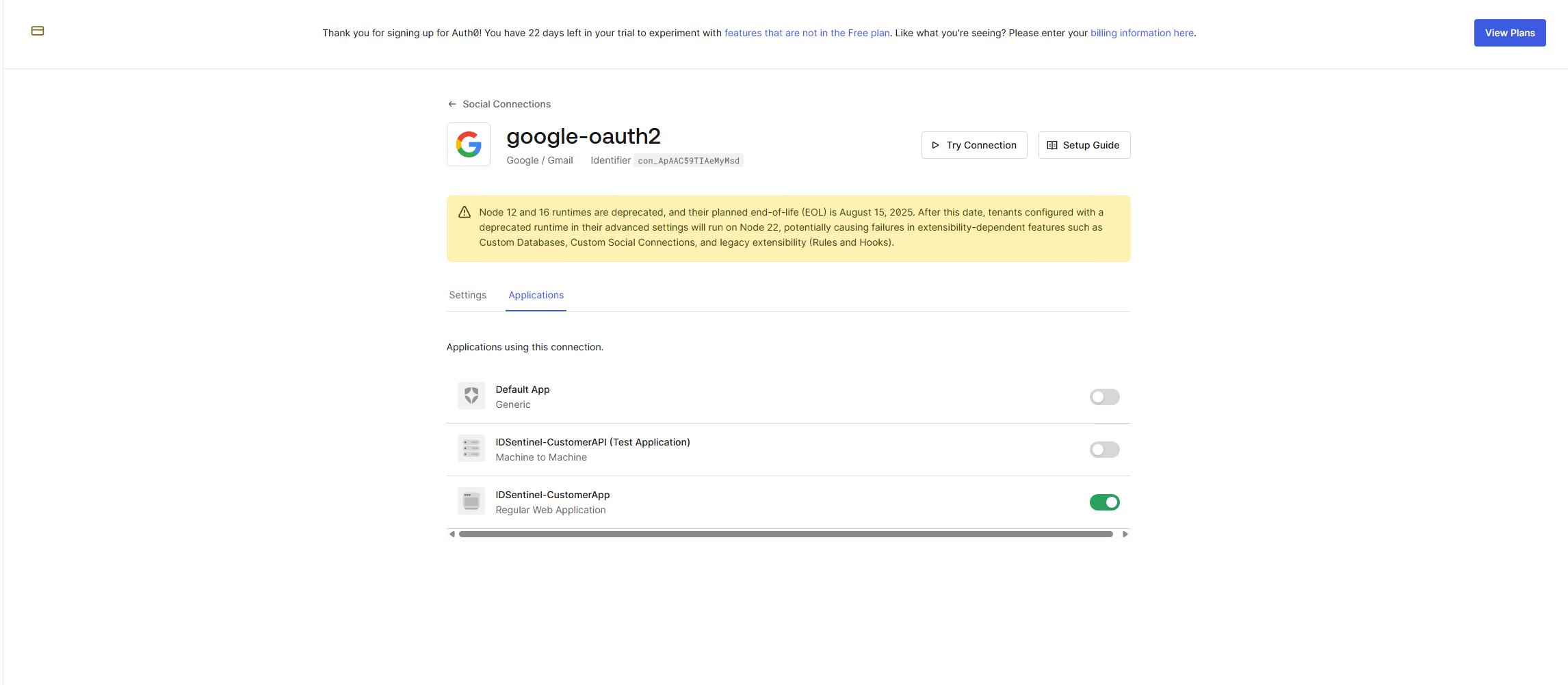 // 10a-google-login-test
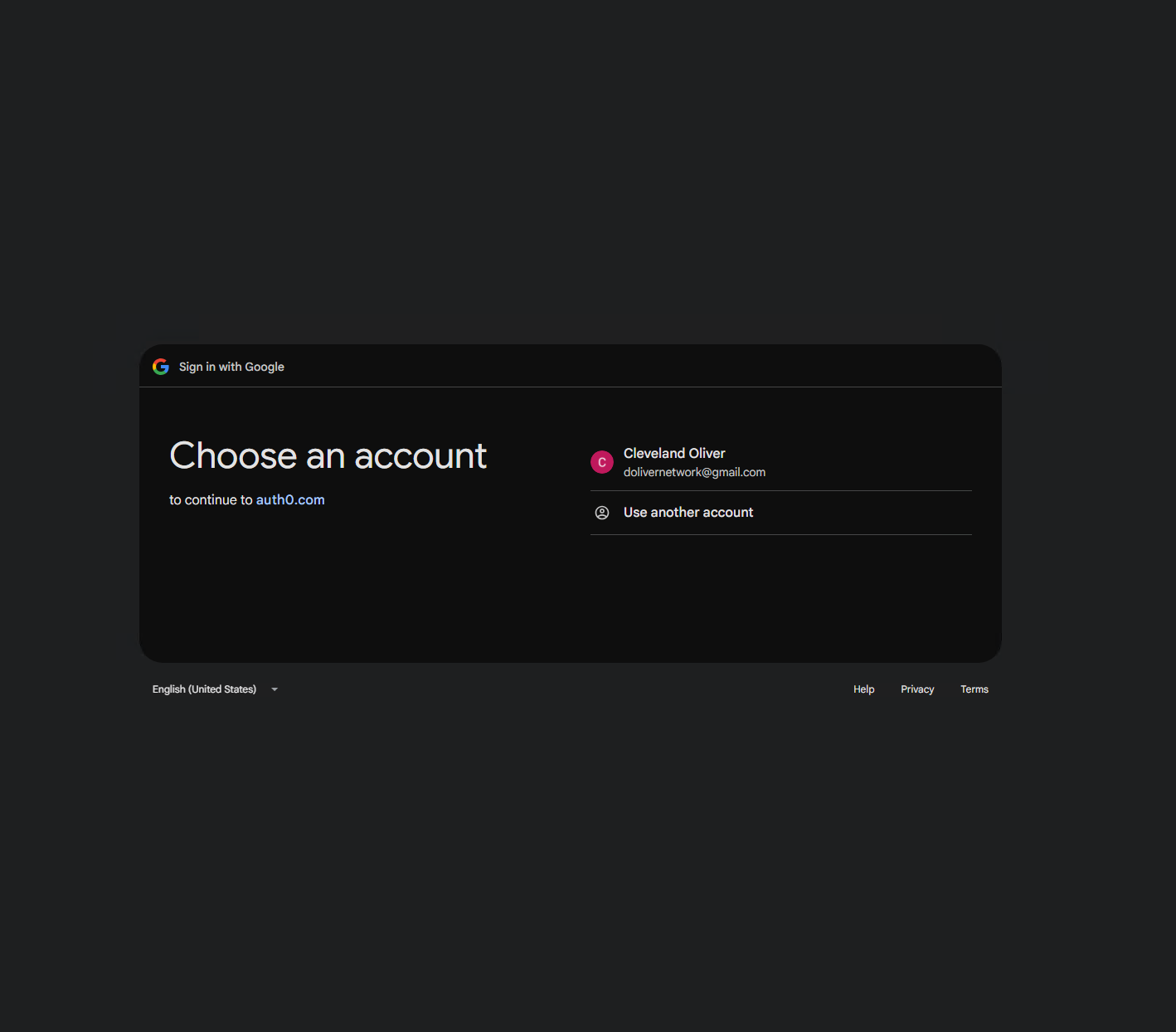 // 10b-google-login-test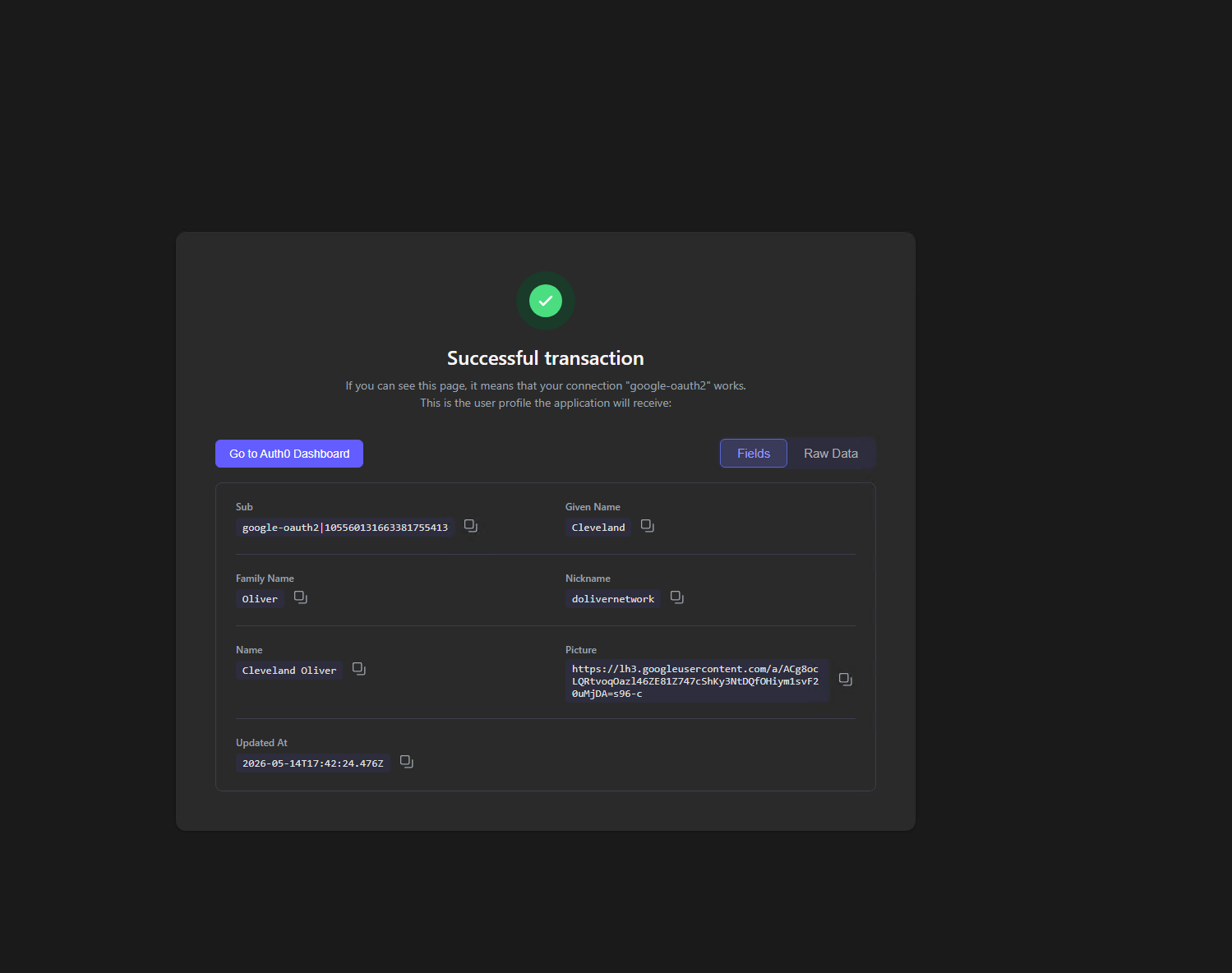
-
04
Validate OAuth2 Token + API Protection
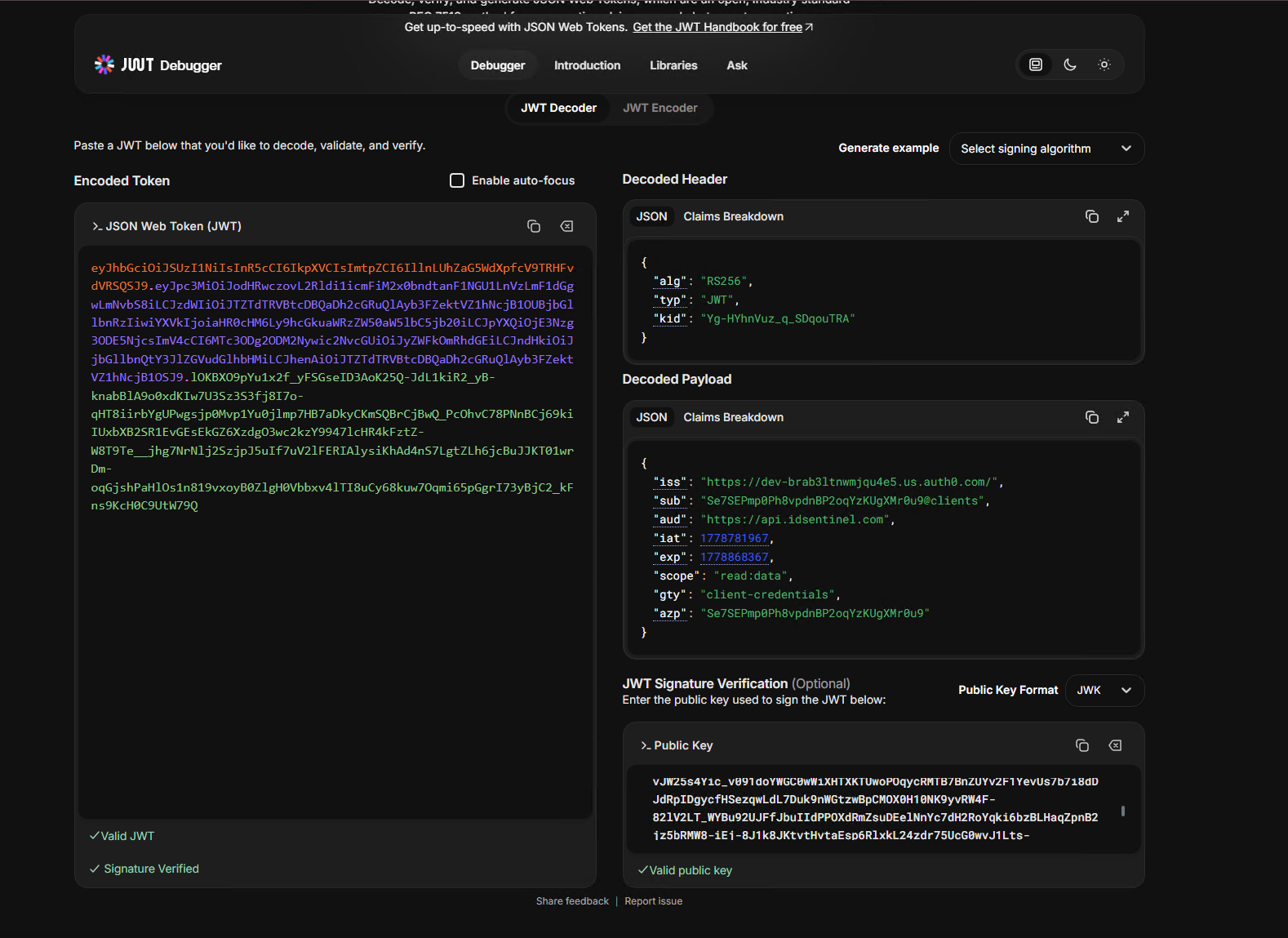
Client credentials flow executed in Postman against the Auth0 token endpoint. JWT decoded at jwt.io — claims confirmed:
Claim Value issAuth0 tenant URL audhttps://api.idsentinel.comscoperead:dataexpToken expiry timestamp Bearer token passed to protected endpoint —
"authenticated": trueconfirmed. Request without token returned401 Unauthorized.// 11-postman-token-request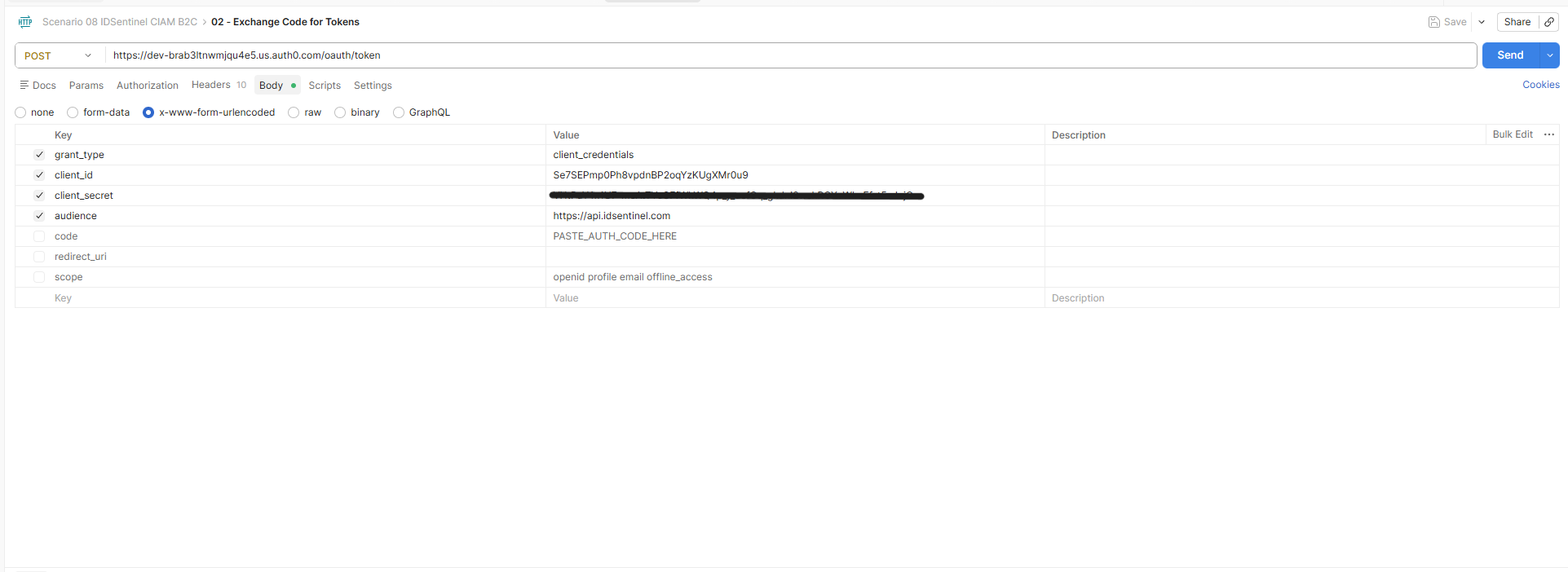 // 12-postman-token-response
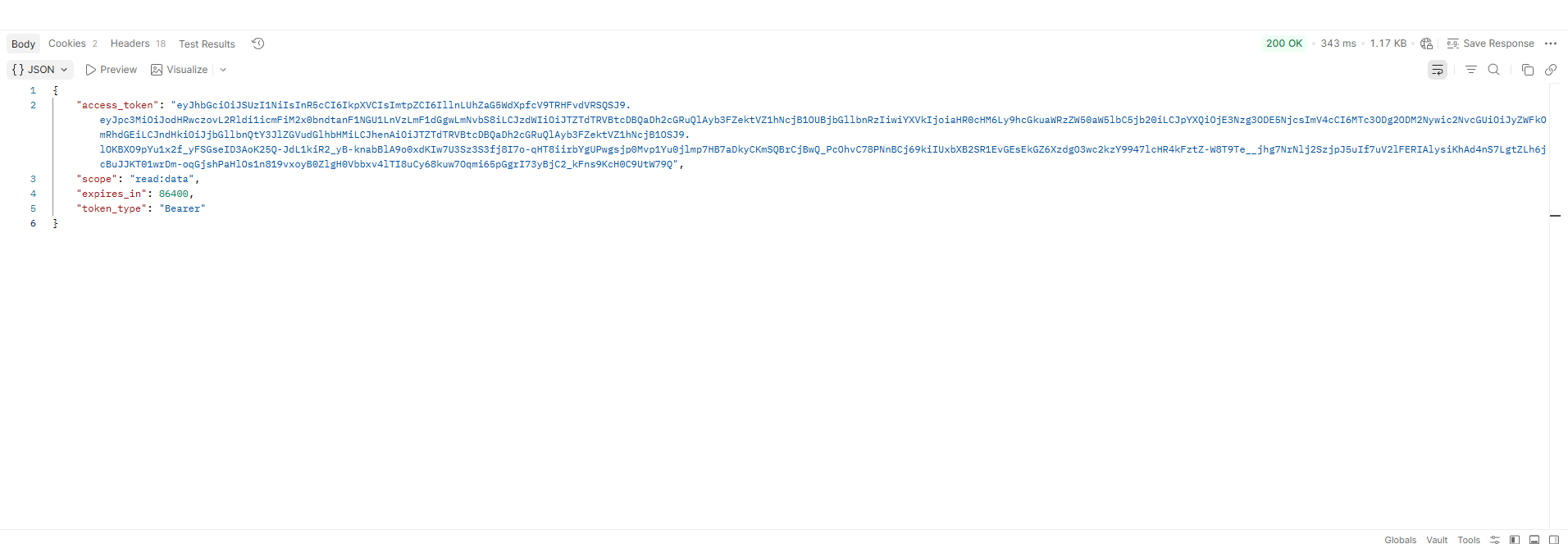 // 13-jwt-decoded
 // 14-api-call-bearer-token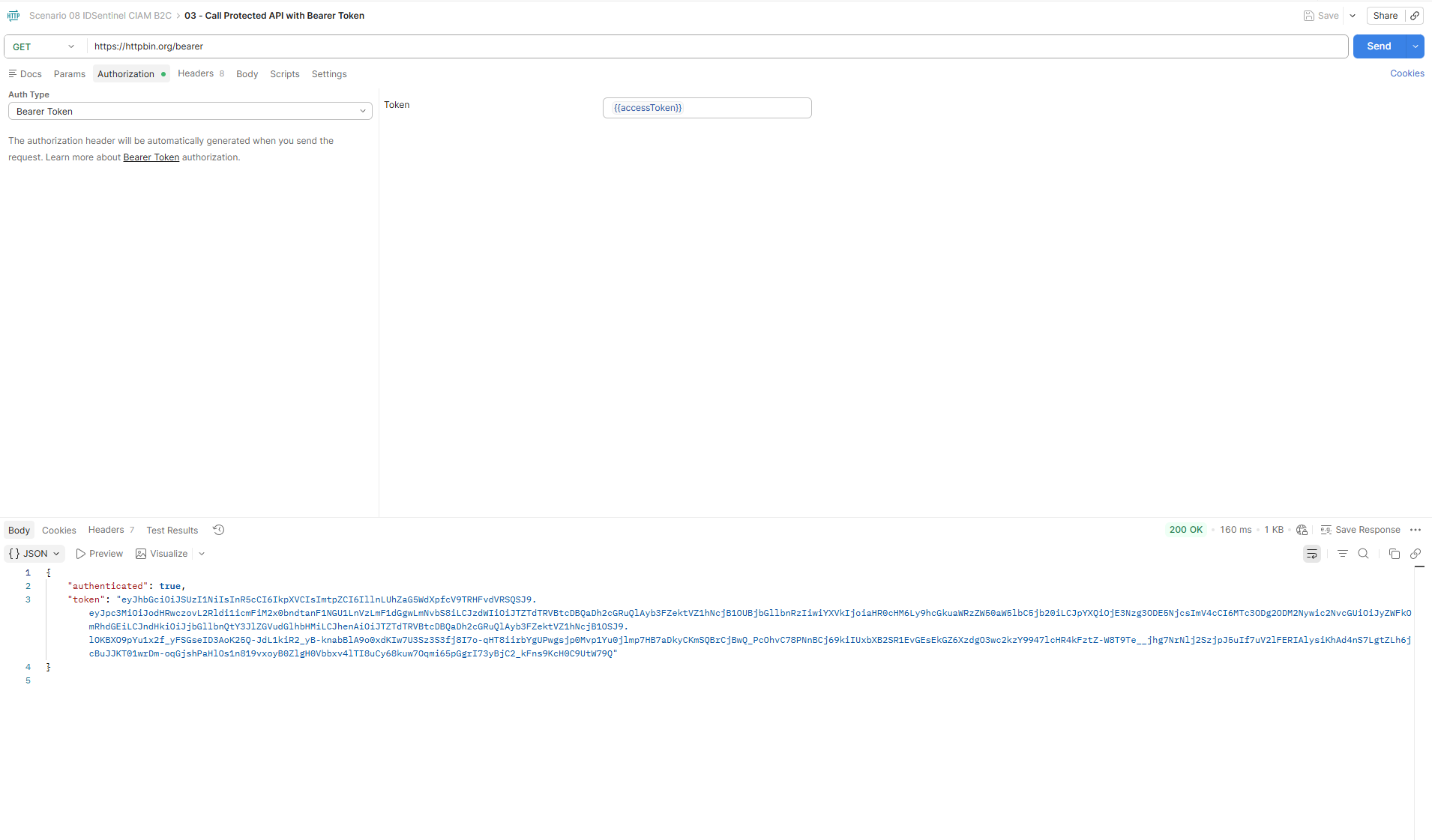
-
05
Enable Email OTP MFA
Email OTP factor enabled under Security → Multifactor Auth. MFA policy set to Always — all customers prompted for email OTP on every sign-in.
// 15-mfa-email-otp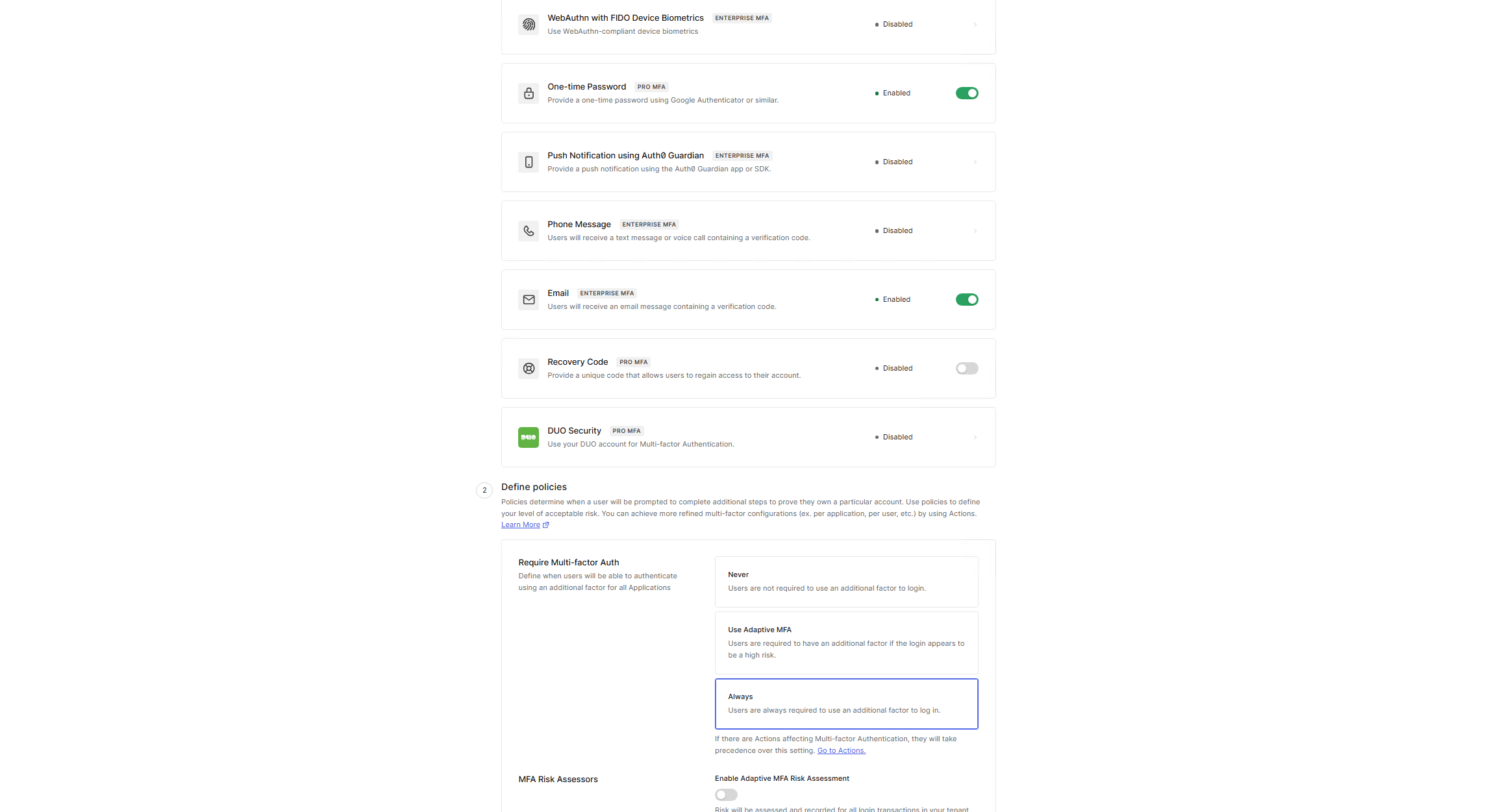
-
06
Python Token Validation Script
Get-Auth0TokenReport.pyexecuted against the issued access token. Script decodes JWT payload without signature verification and outputs all claims with field-level validation status — producing an audit-ready token inspection report.// 16-python-token-validation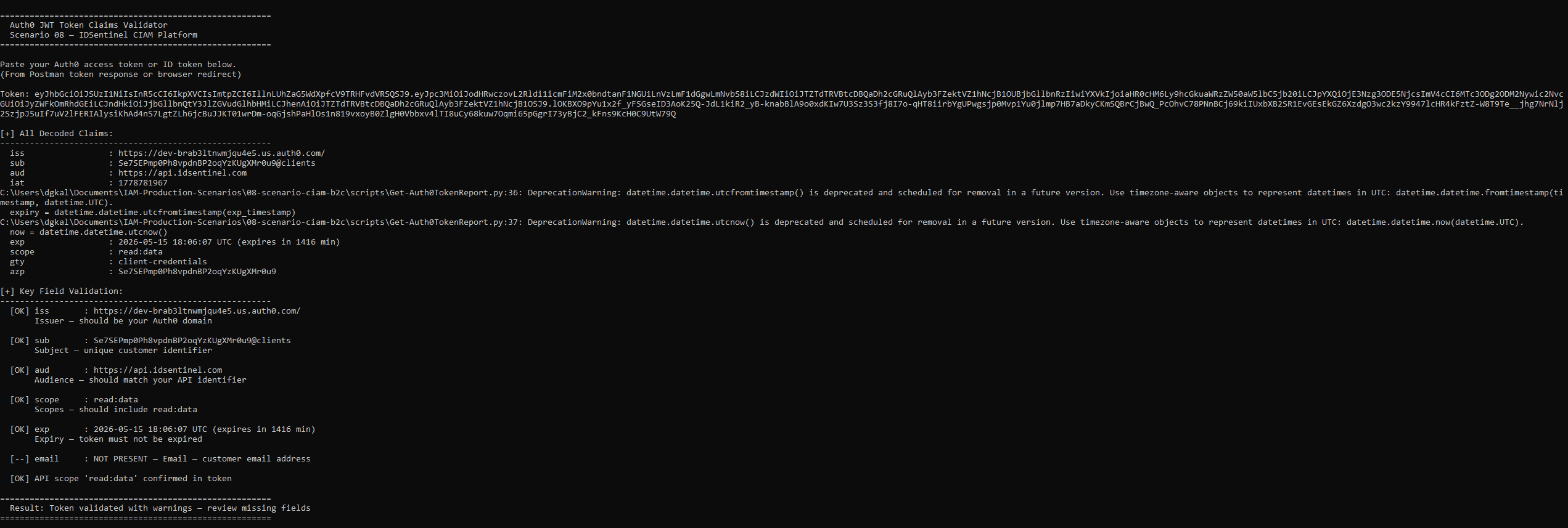
Outcome
google-oauth2 linked identity confirmed in user storePlatform Summary
| Component | Configuration | Status |
|---|---|---|
| Auth0 Tenant | Isolated external CIAM directory | ✅ Provisioned |
| Web App Registration | Callback URLs, origins configured | ✅ Configured |
| API Registration | Audience + read:data scope defined | ✅ Configured |
| Universal Login | New experience, custom branding applied | ✅ Active |
| Google Federation | OIDC, google-oauth2 linked identity confirmed | ✅ Active |
| OAuth2 Token Flow | Client credentials, scoped access token | ✅ Validated |
| API Protection | Bearer token enforcement, 401 on unauth | ✅ Enforced |
| MFA | Email OTP, Always policy | ✅ Active |
CIAM vs. Workforce IAM
| Dimension | Workforce IAM (01–07) | CIAM (08) |
|---|---|---|
| Identity population | Employees and contractors | External customers |
| Directory | Corporate Entra ID tenant | Dedicated Auth0 tenant |
| Registration | IT-provisioned accounts | Self-service sign-up |
| Authentication | CA policies, PIM, MFA enforced | Universal Login, social login, OTP |
| Scale model | ~1,000 employees | Designed for millions of customers |
| UX priority | Security-first | Frictionless customer experience |
Files
-
scripts/Get-Auth0TokenReport.pyPython script — JWT decode and claims validation report -
postman/CIAM-Auth0.postman_collection.jsonPostman collection — token request and API call -
diagrams/ciam-auth0-architecture.pngCIAM platform architecture diagram -
screenshots/Evidence of implementation across all four workstreams